“When using lphone 6 plus with these headphones and are on a call the conversation is interrupted w new call any solutions”
Answer This Question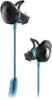
1-5 of 5 Answers
Don't have that problem as I have an IPhone 7
Sorry, there was a problem. Please try again later.To avoid the interruption and the irritating beep sound, you can turn off Call Waiting on Your iPhone by doing this: -Go to the Settings app on the iPhone. -Tap on Phone. -Now select “Call Waiting” feature and wait for the loader to show the switch. -Swipe the Call Waiting switch to OFF.
Sorry, there was a problem. Please try again later.contact bose
Sorry, there was a problem. Please try again later.Usually when I am exercising I put my phone on DND so that I am not interrupted by calls and messages. I have the iPhone 7 so I am not sure if it is available on the 6 plus. When I had that phone I never used that feature and don't recall seeing it. Hope this helps.
Sorry, there was a problem. Please try again later.Thank you for reaching out to us to ask. To prevent interruption while on a call, you would disable call waiting on the iPhone. This will send the second caller straight to voicemail.
Sorry, there was a problem. Please try again later.