Questions & Answers
- Model:
- 0727C042
- |
- SKU:
- 5840700
Highly rated by customers for: Print Quality, Ease of use, Price
Page Showing 121-140 of 301 questions
Q: QuestionCan I set this up with a Google pixel 3 or is a computer necessary?
Asked by Anonymous.
- A:Answer you need a computer
Answered by whiisper
Q: QuestionHow do I connect printer to HP computer with no software?
Asked by Kerri.
- A:Answer Download the driver from Canon
Answered by whiisper
Q: Questioncan this printer be used as a stand alone copy machine, not hooked to a computer?
Asked by moto53.
- A:Answer Yes it can.
Answered by Edgar37
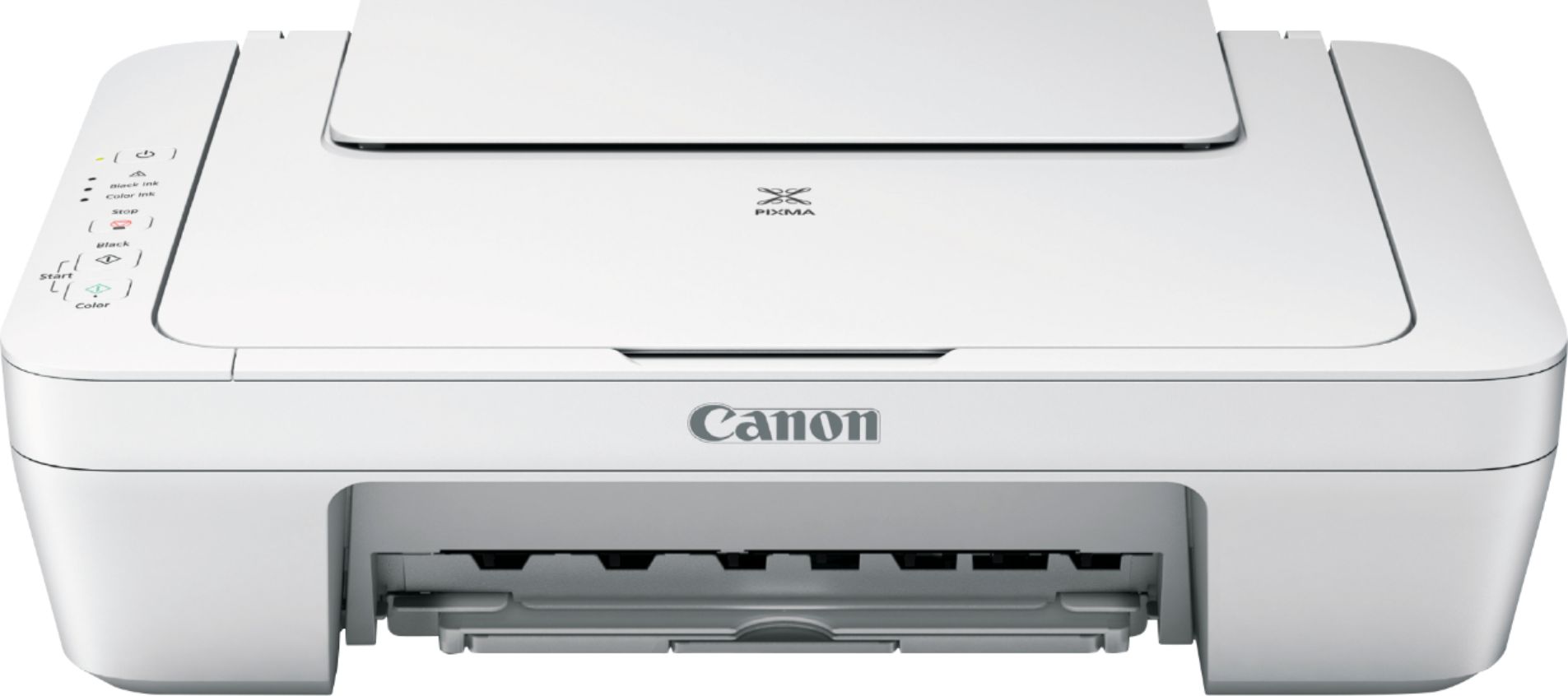
Q: QuestionIs this also a scanner?
Asked by Anonymous.
- A:Answer Yes. It can scan and the software that comes with will edit the result if you need to crop, rotate, and more. Pretty cool. Mine even remembers now how I like certain things cropped and I don't have to manually crop for these items. Nice. Took a few tries, then boom, it got it.
Answered by FromWisconsin
Q: Questionwhere can i get the cd to down load the printer to the computer.
Asked by tommyone.
- A:Answer CD is added with printer. Also available in canon website.
Answered by Mitu
Q: QuestionCan I print from my iPhone
Asked by Brina.
- A:Answer No, you can't print from your iPhone. It has no mobile printing capabilities.
Answered by CommunityAnswer
Q: QuestionCan you use it on a iPhone
Asked by Bob.
- A:Answer No it can be used withe iphone
Answered by Frank
Q: QuestionIs this printer compatible with hp laptops?
Asked by Nickimmc.
- A:Answer Compatible with all laptops running the Windows operating system. It is not compatible with ChromeOS devices.
Answered by jimbbobb
Q: QuestionDoes the cannon all in one printer come with a setup disk?
Asked by Pat.
- A:Answer Yes the printer comes with the installation disc And two cartridges black color and by my surprise it even came with the USB cable to connect to your printer Very easy installation you don't even need the disk you can go to the Canon website to download the drivers
Answered by Pete
Q: QuestionCan pictures be scanned, resized and printed with the printer?
Asked by Mary.
- A:Answer Yes
Answered by Essie
Q: QuestionCan i go from android smartphone straight to printer
Asked by Gggh.
- A:Answer Yes, I have android better half has iPhone
Answered by Ayub
Q: QuestionCan I use as a stand alone fax with out a computer or internet just a phone line and power
Asked by WL114.
- A:Answer Unfortunately no. There is no phone cable connected to the printer itself, nor does it have any keypad to enter phone numbers.
Answered by steve
Q: Questiondoes this product arrive with ink?
Asked by debbie.
- A:Answer Yes: 1 black and 1 color
Answered by Kate
Q: Questionis it compatable with a chromebook?
Asked by Anonymous.
- A:Answer Definitely not compatible with ChromeOS devices all of which require wireless printing.
Answered by jimbbobb
Q: QuestionWill this be able to use off my andriod ZTE phone
Asked by Tob1963.
- A:Answer I am not able to use my android, may be i did not know it.
Answered by LokBist
Q: QuestionCan you print iron ons
Asked by Pat.
- A:Answer No, you cannot print iron-ons with this.
Answered by CommunityAnswer
Q: QuestionCan I print out barcodes and shipping labels ?
Asked by Kimmie.
- A:Answer Yes you can print shipping labels and barcodes from it!
Answered by Atstar
Q: QuestionHow to make it scan.
Asked by Chad.
- A:Answer Have not scanned. What I like about Best Buy is there are sales people who can help with that question.
Answered by Diane
Best-selling Best Buy
- $99.00$99.00The price was $129.00
- $14.99$14.99The price was $19.00
- $24.99$24.99The price was $29.99
- $539.00$539.00The price was $799.99
- $329.99$329.99The price was $469.99
- $14.99$14.99The price was $19.00
- $174.99$174.99The price was $199.99