“Is there a way to mute the beep, since I don't see a Mute button on it?”
Answer This Question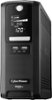
1-3 of 3 Answers
Yes there is to Mute the Audible alarm when there is a power failure. The menu is not very intuitive, but you would press and hold the DISPLAY button for 4 seconds. You will see “SENS”. Then press and release the DISPLAY button till you see “b ON” and a silent icon the display. Press and hold the “DISPLAY” button for about 4 seconds then you will see the screen flash. Press and release DISPLAY button until you see “bOFF”. Then wait for a about 8 seconds and then it will exit the menu on its own. The unit will remember your settings.
Sorry, there was a problem. Please try again later.Yes, I don't recall the exact procedure. I searched the model online and found the manual with instructions.
Sorry, there was a problem. Please try again later.So, I don’t think so, but there should be no beeping unless you have just turned it on or there is something wrong. The UPS is designed to be kept on constantly, so there’s no reason to turn it on or off unless you have to move it. If you’re hearing beeps at other times, it means that something is wrong. Most likely, it means that it has lost power and the battery is low, so it is alerting you to shut down any devices connected to it safely and to then turn off the system until the battery can be recharged. If the system is connected to a working outlet and it’s beeping most likely either the power (wattage) has been exceeded, so some devices will have to be removed from. It could also mean there’s a problem with the battery, but that’s unlikely (but not impossible) if it’s new.
Sorry, there was a problem. Please try again later.
