Questions & Answers
- Model:
- AVR-S750H
- |
- SKU:
- 6333571
Highly rated by customers for: Sound Quality, Ease of use, Setup
Page Showing 281-286 of 286 questions
Q: Questionhow many speakers support and how many watts per speakers
Asked by peten.
- A:Answer The 165W/channel is with only one channel driven, and that's with 6 ohm speaker and 10% THD. So, useless spec. It's 75W/channel with 2 - 8 ohm speakers driven. The power supply can handle 165W total for all channels combined.
Answered by Chuck
Q: QuestionCan I play a 5.1 output from HDMI input in the Main Zone and concurrently send the same HDMI signal to Zone 2 as a stereo signal?
Asked by MarkJ.
- A:Answer
Hey MarkJ,
No, this unit is not capable of sending HDMI audio into zone 2.
Thanks,
Denon North AmericaAnswered by Denon Team
Q: QuestionI have Denon AVR S750H. When I connect my Samsung A50 via Bluetooth the connection keeps going in and out. I've reset both the receiver and the phone but nothing has helped. I've even repaired the phone the receiver. Any suggestions? Thanks, Joe
Asked by JoeS.
- A:Answer I would first try pairing another Bluetooth device to the AVR and see if the same thing occurs. That will establish where the root cause of the problem lies. If it's the AVR causing the issue, then please try unplugging it from power and then plugging it back in. (AC power cycle) This will reboot the unit's wireless chip for Bluetooth.
Answered by Denon Team
Q: QuestionI want to go with wireless/ Bluetooth speakers what is a good brand to go with?
Asked by buster478.
- A:Answer I am not using wireless speakers.
Answered by rick
Q: QuestionCan this unit run Zone A 5.1 setup, a Zone B 2 channel setup AND Zone A+B same time?
Asked by Subcooler.
- A:Answer
Hi Subcooler,
Yes, this unit is capable of having a 5.1 Main Zone and a Zone 2 stereo. It will also allow you to use both zones simultaneously.
Thanks,
Denon North AmericaAnswered by Denon Team
Q: QuestionCan I connect my cd player to the denon avr-s750h and what cords would I need to that
Asked by VDUB62.
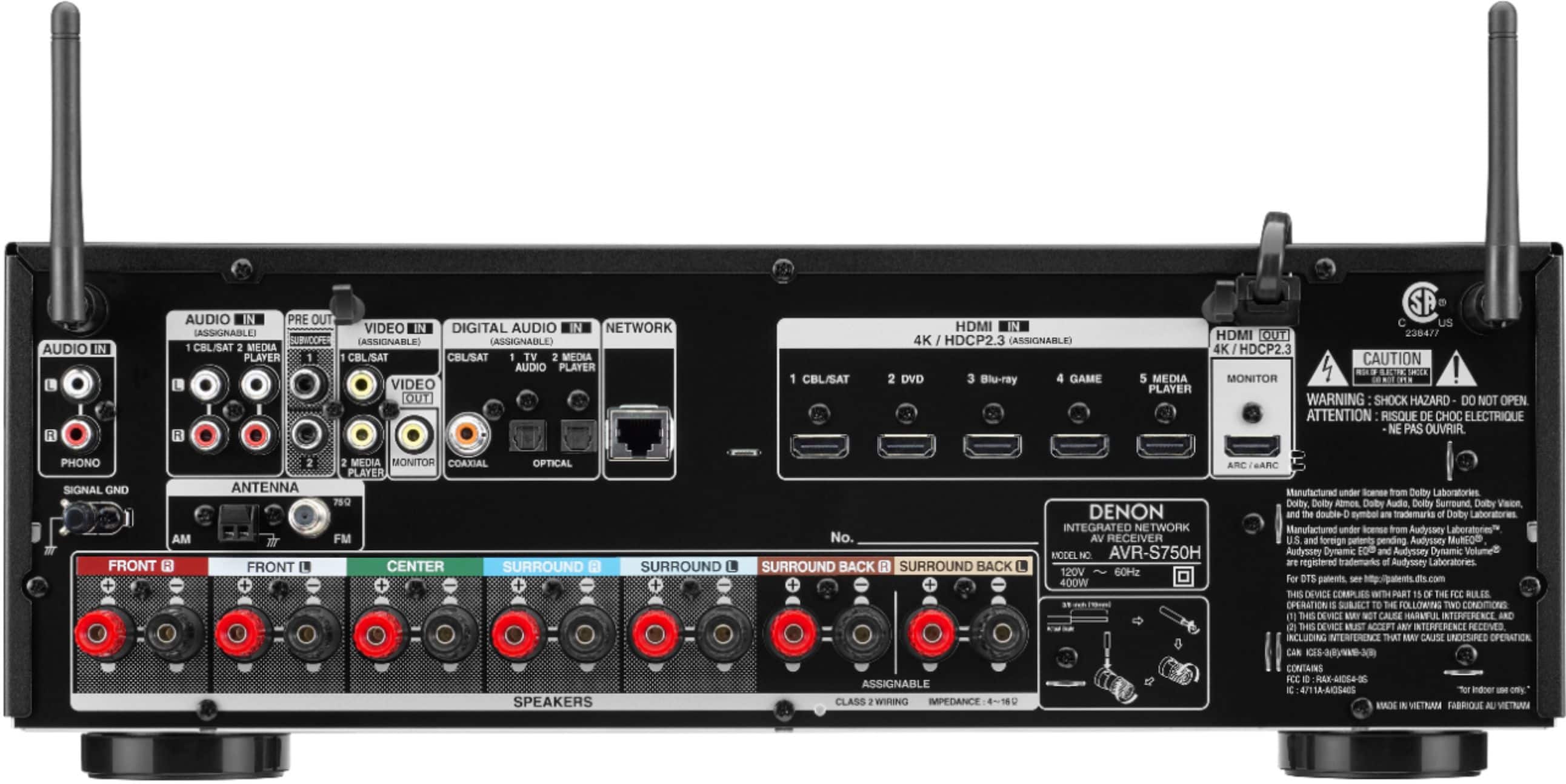
- A:Answer Yes, I figured this out on my own. Connect the RCA cables to either the 1 -cable/sat or 2-media player inputs. Use the remote control for the s750h and go to setup - inputs. I called my CD player the DVD. For the DVD inputs use the arrow keys to select the analog column. If you connected your RCA cables to 1-cable/sat, select "1" in the analog column. If you used the 2-media player inputs, select "2". Now when you want to listen to your CD player, just select DVD and your are all set.
Answered by Anonymous
Most-viewed items
- $149.99$149.99The price was $199.99
- $249.99$249.99The price was $379.99
- $159.99$159.99The price was $309.99
- $234.00$234.00The price was $439.99
- $329.99$329.99The price was $469.99
- $99.99$99.99The price was $129.99
- $329.00$329.00The price was $349.00
- $449.99$449.99The price was $649.99