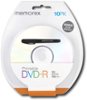
“Can you print directly on the DVD with an Inkjet printer? I have a brother Ink Jet printer that prints on storage media. I'm not sure if i can use the printer to print labels onto your DVDs.”
Answer This Question
1-10 of 10 Answers
I wouldn't suggest it. You should purchase labels to print for use with dvd/cd.
Sorry, there was a problem. Please try again later.No!
Sorry, there was a problem. Please try again later.No
Sorry, there was a problem. Please try again later.No you can not. It will scratch the other side of the DVD
Sorry, there was a problem. Please try again later.Your printer would need a special tray you place the dvd on unless your printer has a insert dvd slot. A regular paper tray will not pick up the dvd.
Sorry, there was a problem. Please try again later.No. Unfortunately these aren't "printable".
Sorry, there was a problem. Please try again later.No disks like those are made specifically for that purpose
Sorry, there was a problem. Please try again later.Too many variables to say, with certainty. Chances are if you can print onto another manufacturer's DVDs successfully, these will be fine, but a lot depends on the printer and the chemicals in the ink. You should probably reach out to Dynex directly.
Sorry, there was a problem. Please try again later.You will need DVDs manufactured specifically to be printed upon in order to produce direct printer labels for your discs. These DVDs can usually be identified by the white or light blue finish to the upper surface of the disc and will of course be packaged as "printable" DVDs. The Dynex 25 pack discs in this particular instance are not designed to be printed upon, though the company does make printable discs. Visit the Best Buy website and enter "Printable DVD-r (or R/W, as the case may be)" in the search box for more information.
I would recommend:
Sorry, there was a problem. Please try again later.I honestly don't know. If your printer prints directly to DVD's, then it should print on these. I would recommend asking Inkjet just to make sure.
Sorry, there was a problem. Please try again later.