A:AnswerBased on the calculations that someone posted earlier, for a 110' diagonal screen, the minimum mounting distance is 10.8' and maximum is 13.1'. You would have to move the projector a bit further away from the screen to cover the empty space.
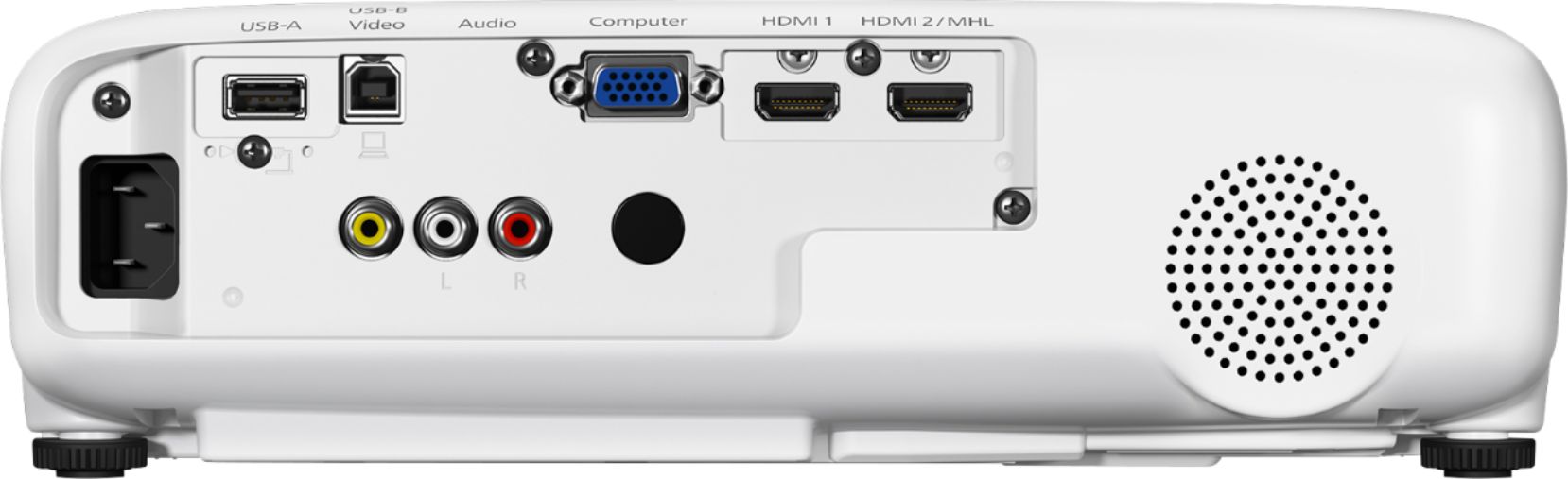
A:AnswerThe projector has an AUX output if you have a cable long enough to reach to external speakers. If you want another way around this, I was able to use an HDMI switch with an audio extractor (https://www.amazon.com/gp/product/B078ZFMDS7/ref=oh_aui_search_detailpage?ie=UTF8&psc=1) to connect multiple devices to the projector. The audio extractor lets you connect to external speakers and automatically switches the audio from device to device.
A:AnswerI don't know what you mean by "I have the analog wires running from the projector".
There is no audio out from the Projector I have. Only audio/video IN.
I connected my sound system from the source, ie. Computer/tv/Blu Ray.
A:AnswerI would start by streaming online with a Roku. Then, get yourself a Tablo. Connect your antenna to the Tablo. Install the Tablo DVR app on Roku. Lastly, connect the roku hdmi to your projector. Wallah .... now you are streaming off the internet and streaming off your antenna!
If you want to go to the next level .... get Plex on your computer. Install the Plex client on Roku .... and Wallah ... you can stream your videos on your puter as well. BTW ... Plex will also stream your music too
A:Answerno .... summers are bright here in Phoenix ... and the picture is washed out until the sun starts setting. This is meant for interior only. But, I use it outside in the evening in Phoenix. But, it is really dry here and I have the projector protected