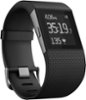
“Does the watch display seconds or just hour and minutes?”
Answer This Question
1-10 of 11 Answers
Hour and minutes only.
Sorry, there was a problem. Please try again later.Hours and minutes on the clock.
Sorry, there was a problem. Please try again later.The watch displays hour and minutes only, no seconds.
Sorry, there was a problem. Please try again later.Just hour and minutes.
Sorry, there was a problem. Please try again later.Hours and minutes only.
Sorry, there was a problem. Please try again later.Just Hour and Minutes.
Sorry, there was a problem. Please try again later.Hour and minutes in 12 and 24-hour styles but it does have a "stopwatch" type of function if you need to time a run or something.
Sorry, there was a problem. Please try again later.That I could see in the month that I had it. It shows hours and minutes on the clock. This device is not a watch. The Surge is a watch.
I would recommend:
Sorry, there was a problem. Please try again later.I saw an option to change the clock display (including some that include seconds) by going in to the Dashboard, tapping on the device 'Charge' and then tapping on Clock Face. Maybe that will give you what you're looking for - good luck!
Sorry, there was a problem. Please try again later.Just hours and minutes.
Sorry, there was a problem. Please try again later.
1-10 of 11 Answers