A:AnswerYou will need to install Garmin Express on your PC or Mac for software updates and syncing to the Garmin Connect website. You can download Garmin Express in the following link:
www.garmin.com/express
You can also download the Garmin Connect application on your smart phone from the mobile app store.
~JH
A:AnswerThank you for contacting Garmin. I am happy to answer your question regarding the vívofit. Yes it will display how many steps you have completed in the day. It can also show you how many steps are remaining to reach your goal.
More information on the vívofit may be found within the Owner's Manual available here http://www8.garmin.com/manuals/webhelp/vivofit/EN-US/GUID-E0C28652-FD9C-4FF4-B859-0265F3FB696A.html
<MC>
A:AnswerYes - in fact you can set several alarms. And you can specify which days of the week you want that specific time to be an alarm. I have 2-3 set for the work week and only one for the weekend - to remind me to check my status in case I need to move more that day!
A:AnswerThe vivofit has a user-replaceable CR1632 battery. For more information on changing the battery use the following link: https://support.garmin.com/faqSearch/en-US/faq/content/MyT9k12YZn71TYQjY4jYe7 and also a helpful video link: https://youtu.be/tQJDRWQ3FPM.
A:AnswerThe time on the band is reset when you synch the device with your phone or computer. When I need to change time zones, I change the time zone on my computer and then synch through the Garmin Connect application on the computer.
A:AnswerMost stores have these. If you are in the Little Rock area, I know the store off of Chanal has them because that is where I purchased mine at and absolutely LOVE it.
A:AnswerYes. My 10 year old has this. Everything shows all that time. Only have to be near phone to sync it and save data. He has went a week without syncing before
A:AnswerWhen you press the little button on the side I believe it is five times, it will bring up your time, then time you press it it will bring up the date.
A:AnswerGmamurphy,
I actually had this same issue, if your phone is anywhere near the computer the blue tooth will actually interfere with the vivofit syncing with your laptop. Also if you sync with your phone, it will do the dst reset automatically as it does the update. But to do it on the computer I would suggest either taking your computer to another room when you sync with it or temporarily turn off your bluetooth on your phone.
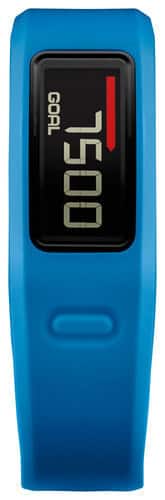
A:AnswerIn order to achieve a high level of corrosion resistance, stainless steel is used on the vivofit. Stainless steel alloys contain small amounts of Nickel. Although the parts comply with EU Nickel Release limit standards for metals in continuous contact with skin, people with Nickel sensitivities or allergies may still have a reaction.