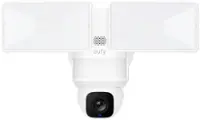
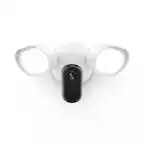
A:AnswerHi there, Gafritz. Yes, the Nest Cam with Floodlight does require Wi-Fi in order to operate. Here’s a link with more information: https://support.google.com/googlenest/answer/7035987
A:AnswerHi Donald! Thanks for that question. Yes, you can only replace the camera, there is no need to replace the whole bundle, but we'd like to know why you are looking to replace your camera and help you if possible. Please contact us using this link: https://support.google.com/googlenest/gethelp
A:AnswerHey John, thanks for your question. The Nest Cameras don't support SD cards. To know more about how Nest cameras store recorded video go here: https://support.google.com/googlenest/answer/9242083?sjid=10847733559275999710-NC
A:AnswerHi Rod. Your Nest Cam with Floodlight lets you set up custom activity zones. This way, you'll only receive notifications when there's movement in those specific areas. Learn more and set it up here: https://support.google.com/googlenest/answer/9207697?hl=en&sjid=15614905711451372750-NA
A:AnswerHi there, while your Nest Cam with Floodlight doesn't offer an exact time frame, you can choose when your camera will turn on the lights. It can go from 10 seconds up to 5 minutes — Check this article to find more details: https://support.google.com/googlenest/answer/10500343?hl=en&sjid=6556409595104156298-NC#zippy=
A:AnswerHey Shaun! That's a great question. Here's the thing: Nest Cams with floodlights require a constant power source to function properly. If you have any other questions about the functionality of your camera you can contact us here: https://support.google.com/googlenest/gethelp?sjid=15779255252558566316-NC
A:AnswerHi there, Thanks for reaching out.
We recommend you install the cameras as per the instructions at the following link: - Clear and professional recommendation : https://support.google.com/googlenest/answer/10919314?hl=en&co=GENIE.Platform%3DAndroid&sjid=2739041130048806249-NC
A:AnswerHey there, Lashawn! The QR code for reconnecting your Nest Cam with Floodlight to WiFi might not be readily accessible anymore since it's typically used for initial setup. To reconnect your device, we advise to use the Nest App on your smartphone or tablet then select your camera that you want to reconnect from the list from devices. Ensure that your WiFi network is working to successfully connect your Nest Camera. If you have further questions and concerns, we recommend reaching out to our dedicated team of specialists on the Google Help Center here: https://support.google.com/googlenest/gethelp
A:AnswerI do not know if there is one that is specified. However, the camera is attached with a magnetic and you can angle it, tilt it, rotate it, etc in the direction you want. So you may be able to put it lower than you think.
A:AnswerGood day, Fish! We appreciate your interest! There are different Nest cameras that work with SmartThings, but we encourage you to contact SmartThings support about your inquiry. For other questions about the performance or features of the camera, please let us know by visiting us here: https://support.google.com/googlenest/gethelp
A:AnswerHey there, Lisa. Thanks for your inquiry about your Nest Cam with floodlight. We encourage you to contact your retailer for installation services. There's no fee to stream and receive basic notifications, as long as your camera is connected to the internet. However, you’ll need a Nest Aware subscription to receive advanced features. Learn about the Nest Aware plans using this link: https://support.google.com/googlenest/answer/9233159
A:AnswerHey there, bigfoot. Thank you for your interest in the Nest Cam with floodlight. Yes, you can add more cameras using the Google Home app. The app has the full instructions you will need to install your floodlight or add more cameras and will walk you through installation step by step. If you have additional questions or need any technical assistance, please don't hesitate to contact us by visiting our Google Nest Help page here: https://support.google.com/googlenest/gethelp
A:AnswerHello there, Tomk. Thanks for your inquiry. The Google Home app has the full details you will need to install your floodlight and will walk you through installation steps. When your floodlight is installed, the app will also show you instructions on how to set up your camera. This link can help: https://support.google.com/googlenest/answer/11003780