A:AnswerGreat question, Frank. No, the Nest Wifi Pro doesn’t have any microphones or speakers. Here’s a link with more technical details: https://support.google.com/googlenest/answer/6280668?
A:AnswerThey are your router, you plug one into your modem and they are your wifi connections. If you already have a router you may have been able to buy extenders.
A:AnswerGreat question, E. The Nest Wifi Pro is capable of combined speeds up to 5.4 Gbps. Actual speeds depend on your internet service provider, network conditions, connected devices, local regulations and environmental factors.
A:AnswerHi there, Tuck. The Nest Wifi Pro is for dry, indoor use. It operates best between 32° and 95° F (0° and 35° C) and should be stored between -4° and 140° F (-20° and 60° C). Avoid exposing the device to temperatures above 140° F (60° C) or direct sunlight, as this risks damage or fire. If it overheats, unplug it, move it to a cooler location, and wait until it cools before reuse.
A:AnswerGreat question, John. We recommend a maximum of 5 Nest Wifi Pro devices on a single network. Adding more might be detrimental to Wi-Fi performance. Here’s a link with more information: https://support.google.com/googlenest/answer/7182840
A:AnswerThanks for the inquiry. Yes, the Nest Wifi Pro is designed to work with a variety of internet providers. Here’s a link with more details: https://support.google.com/googlenest/answer/9548301
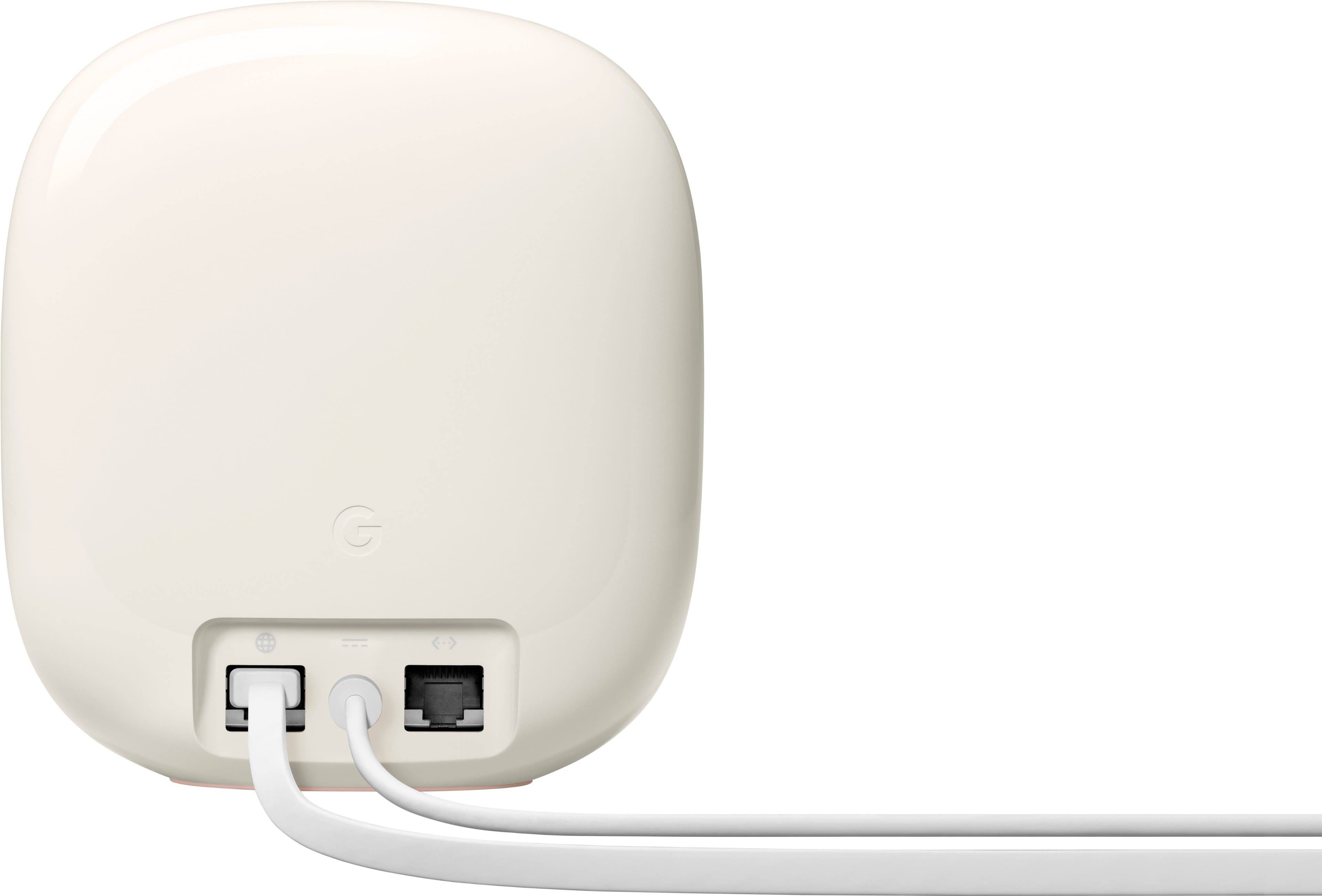
A:AnswerThanks for asking, Bobkat. Yes, the Nest Wifi Pro has Ethernet ports that let you physically wire into the device. For more information, check out this link here: https://support.google.com/googlenest/answer/7215624
A:AnswerHey there, Jim. Yes, The Nest Wifi Pro does support bridge mode but it will only work if you’re using a single Wifi device. If you want to create a mesh network with multiple devices, your router or primary Wifi point cannot be in bridge mode. Check out this link for more information: https://support.google.com/googlenest/answer/6240987
A:AnswerHey there. The Nest Wifi Pro has 2 Ethernet ports on the back of the device which support 1 Gbps wired speeds. Here’s a guide with more details: https://support.google.com/googlenest/answer/6280668?hl=en
A:AnswerThanks for the question. Yes, the Nest Wifi Pro will pair perfectly with your Xfinity modem. Here’s a guide with more information: https://support.google.com/googlenest/answer/9548301#zippy=
A:AnswerGreat question. It’s possible you haven't properly configured the network to handle both services — most likely, you need to connect your cable box directly to your modem's LAN port, which should then be connected to the "WAN" port on your Nest wifi Pro to access both simultaneously. If you need an extra hand, reach out to us here: https://support.google.com/googlenest/gethelp?
A:AnswerHey there, Notanerd. You may need to restart, update, or reset your device. We recommend, consulting your device’s manufacturer website for info on connecting to Wi-Fi or changing Wi-Fi settings. Reach out to us if you need any additional help: https://support.google.com/googlenest/gethelp?