A:AnswerHello Cj, Thank you for purchasing a Hisense 55H8G and for taking the time to provide us with feedback. We're so sorry to hear that your TV's sound kept cutting off and on on it's own. Please perform a factory reset by going to Menu>> Settings>> Device preferences>> Reset>> Reset your TV back to the factory default. If none of these troubleshooting tips fix the issue, please reach out directly to our support team at 1-888-935-8880 or email us at [email protected]. Thanks Again, Harley with the Hisense Support Team
A:AnswerHello Hisense Customer, Thank you for your interest in the Hisense 55H8G.Regrettably, this TV does not have picture in picture feature. If you have any further questions or concerns please give us a call at 1-888-935-8880 or email us at [email protected]. Thanks Again, Harley with the Hisense Support Team
A:AnswerHello Rodney, Thank you for your interest in the Hisense 55H8G. Yes this TV have the capabilities to do so. If you have any further questions or concerns please give us a call at 1-888-935-8880 or email us at [email protected]. Thanks Again, Harley with the Hisense Support Team
A:AnswerHello Hisense Customer, Thank you for your interest in the Hisense 55H8G and for taking the time to provide us with a feedback. We do appreciate the feedback and review. This helps us greatly to improve on our products and services, not only for our loyal customers, but for our customers of the future as well. We really want to get to the bottom of this as much as you do, please reach out directly to our support team at 1-888-935-8880 or email us at [email protected]. We look forward to hearing from you! Thanks Again, Harley with the Hisense Support Team
A:AnswerHello Omar, Thank you for your interest in the Hisense 55H8G. First you need to turn off your TV and unplug it, use a soft, dry microfiber cloth, gently wipe the screen in a circular motion to clean off any dust and debris, for hard-to-remove stains, moisten your cloth with distilled water and if that fails, use a solution of mild dish soap and distilled water. If you have any further questions or concerns please give us a call at 1-888-935-8880 or email us at [email protected]. Thanks Again, Harley with the Hisense Support Team
A:AnswerHello Hisense Customer, Thank you for your interest in the Hisense 55H8G and for taking the time to provide us with a feedback. We're so sorry that you've encountered these issues. These issues you're experiencing is no more acceptable to us than it is to you. We do appreciate the feedback and review. This helps us greatly to improve on our products and services, not only for our loyal customers, but for our customers of the future as well. We really want to get to the bottom of this as much as you do, please reach out directly to our support team at 1-888-935-8880 or email us at [email protected]. We look forward to hearing from you! Thanks Again, Harley with the Hisense Support Team
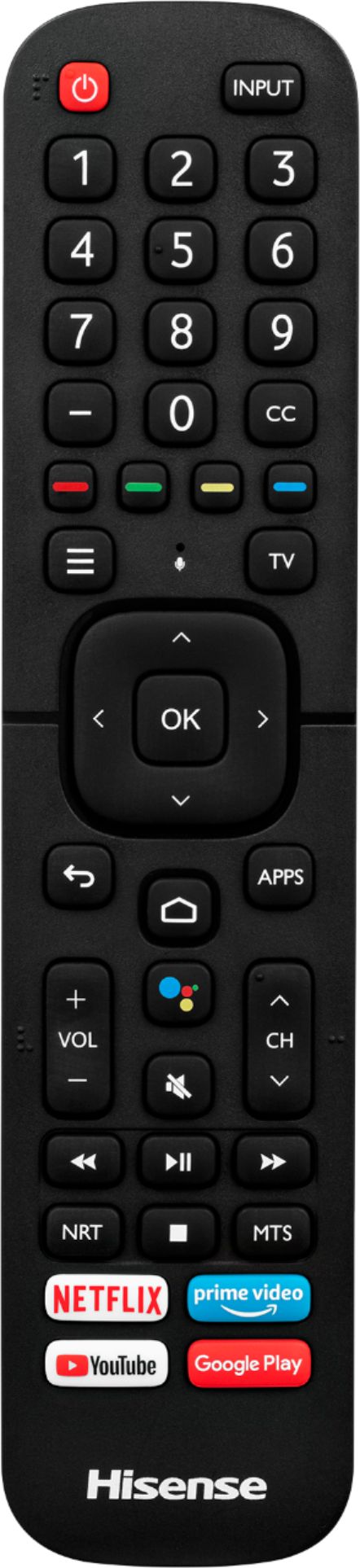
A:AnswerHello Customer, Thank you for your interest in the Hisense 55H8G. This a smart TV. The Android TVs have the same features as Smart TVs, they can connect to the internet and many come with built-in apps, however, this is where the similarities stop. Android TVs can connect to the Google Play Store. If you have any further questions or concerns please give us a call at 1-888-935-8880 or email us at [email protected]. Thanks Again, Harley with the Hisense Support Team
A:AnswerHello Hisense Customer, Thank you for your interest in the Hisense 55H8G. This TV supports MP4/ MOV video format. If you have any further questions or concerns please give us a call at 1-888-935-8880 or email us at [email protected]. Thanks Again, Harley with the Hisense Support Team
A:AnswerHello Hisense Customer, Thank you for your interest in the Hisense 55H8G. Regrettably, you can only connect one Bluetooth device at a time. If you have any further questions or concerns please give us a call at 1-888-935-8880 or email us at [email protected]. Thanks Again, Harley with the Hisense Support Team
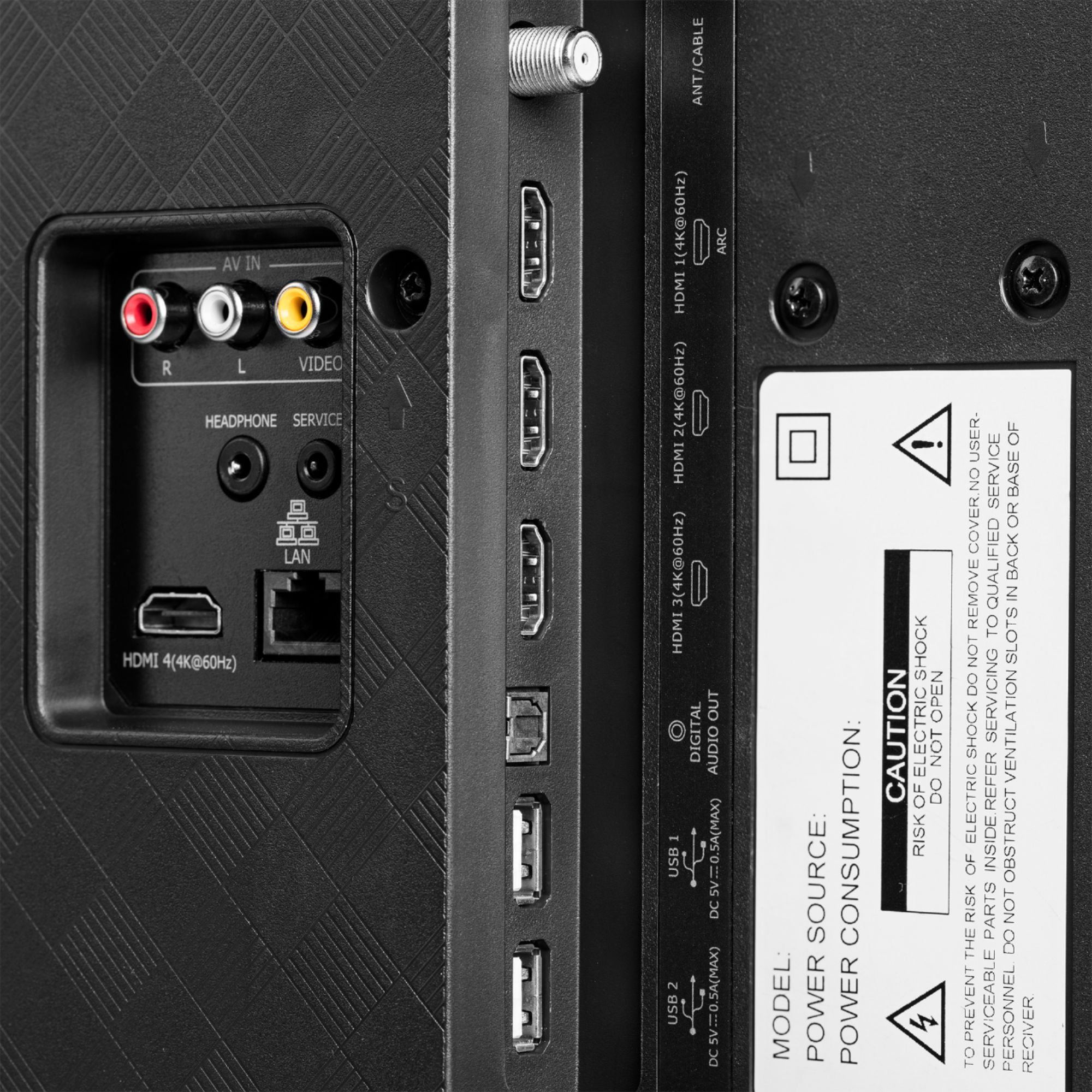
A:AnswerThere are 3 audio outputs (TVSpeaker, ARC, and Bluetooth) but it appears you can only use one at a time for if I choose Bluetooth to work with headphones, the TV is muted.
A:AnswerI figured this out on my own. This never occurred until I plugged in the newest Google Chromecast, which I bought and returned to Best Buy due to this very reason. The pop-up hasn't occurred again since I removed it.
A:AnswerThis is a very clear, bright, vibrant TV.. I think it would do well on your patio. Just remember if your not satisfied with it you have 14days to return it (at best buy anyways) . Kind of a win win situation.
I don't think you will have to worry about returning it.
A:AnswerHello Fisher, Thank you for interest in the 55H8G.. Hisense does not recommend using the television outside as this would void the manufacturer's warranty. If you have any further questions please give us a call at 1-888-935-8880 or email us at [email protected].
Thanks Again,
We look forward to hearing from you!
Harley with the Hisense Support Team

A:AnswerHello Will, Thank you for your interest in the Hisense 55H8G. Regrettably, you're not able to flip the screen upside down to align the thinner bezels. If you have any further questions or concerns please give us a call at 1-888-935-8880 or email us at [email protected]. Thanks Again, Harley with the Hisense Support Team