“How does it turn off the lights in your house?! Like so we need to connect the lights to the device or something? Thank you”
Answer This Question
1-10 of 10 Answers
You must setup your lights in the Google Home app 1st. Then you should be able to use the mini afterwards. Also, many but not all lights can be added to Google Home.
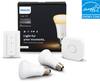
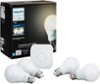
Sorry, there was a problem. Please try again later.You need connected bulbs. Philips Hue, for example.
I would recommend:
Sorry, there was a problem. Please try again later.In my configuration, I purchased a Sylvania Smart+ hub and light bulbs that came as a set. It is a small block you plug into a power outlet and connect it to your in home Wi-Fi. The light bulbs talk to the hub. Once I installed the Lightify phone app and set up an account, the same login credentials are typed into the Google Home app. Then you can use the Lightify app from anywhere to control lights or when home, you can say to your Google Home something like, "Okay Google, turn on the lights."
Sorry, there was a problem. Please try again later.This controls a few brands of smart light bulbs. The main one is Philip hue, which requires the smart hub. If you go to the google home mini website you can see a list of compatible lights.
Sorry, there was a problem. Please try again later.You can purchase an outlet into which you plug the lamp and the device then communicates with the lamp. Best Buy employees can walk you through the entire smart house set-up.
Sorry, there was a problem. Please try again later.You have to buy a Wi-Fi plug a water to plug your lamp into. Or buy a smart lightbulb.
Sorry, there was a problem. Please try again later.You have to have Wifi cable bulbs (Phillips make some) and an a smart home bridge unit. I'd buy a starter kit, cheaper way to go.
Sorry, there was a problem. Please try again later.The best thing to get is a Phillips Hue bride and light bulbs that go with it. The “Bridge” is what connects to your home/business WiFi and that’s what your google home mini connects to. So when you say “Ok Google, turn the lights off” it will sense/connect to the Phillips bridge and turn off the lights.
Sorry, there was a problem. Please try again later.You need to get either a smart plug adapter or smart bulbs.
Sorry, there was a problem. Please try again later.You'll need to have another smart home device that will do this triggering. Look up devices that are "assistant compatible."
Sorry, there was a problem. Please try again later.