A:AnswerYou can do either. Windows Security protects your computer, but additional security software, such as Webroot or McAfee, provides additional functionality to ensure your computer's safety and health.
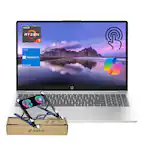
A:AnswerThis Laptop comes with Window 10 S, so only software from the Microsoft Store can be installed. So you are out of luck unless
you regress to Win 10 home, which can be done for free.
A:AnswerIt’s set up with Microsoft office 365 and already installed. You get a few days free to use Office, but after that trial period you have to purchase it. It should give you the option to add Office to your purchase of the laptop.
A:AnswerI haven’t tried myself, but the bottom of the machine appears to be easily removed. I do know that there is only one ram slot. Another thing you can do in the meantime is to increase the page size to a full 4gbytes. System performance can be poor if you let Windows control that page file.
A:AnswerI bought this for my wife a couple of weeks ago. I have been in IT for 30 years.
During my setting it up to her specs, I was able to get around 2 hrs. 45 mins. from a full charge.
Peace,
Ridgerunr
A:AnswerYes, you can install any Windows program. If this computer's specs meet the minimum requirements for your program and your tablet, then it will be no problem.