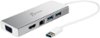
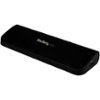
“I need a cable to connect 2 - 22" monitors to my docking station, I have a HP EliteBook? I have a HP elite notebook, would like to work from home using my own 2 monitors.”
Answer This Question
1-6 of 6 Answers
You will need a regular VGA or HDMI cable
Sorry, there was a problem. Please try again later.This is an extension cable, it will not do what you need.
I would recommend:
Sorry, there was a problem. Please try again later.Hi Laura, Don't know if you ever resolved your issue, but I did find this link to a post on HPs forums that addresses this issue. Hope it helps. Have a nice day! http://h30434.www3.hp.com/t5/Notebook-Display-and-Video/Dual-external-monitor-support-with-docking-station-on/td-p/271276
Sorry, there was a problem. Please try again later.Depending on what type of work you do, you need something that will handle the transfer of data. You need to research on what type of cable to purchase and figure out how you can have two different screens at the same time.
Sorry, there was a problem. Please try again later.This product is actually not what you are looking for. The Insignia- 10' VG PC Monitor Extension Cable- Black is long enough to connect the monitors, however your monitor size is too large. This extension cable only supports monitors up to 17".
Sorry, there was a problem. Please try again later.Laura what are the interface Types on the monitors in the docking station You gave information to the one part that matters not because the way I understand it you're going to connect the VGA cables from the docking station to the monitors yeah so wouldn't you need the to provide the part numbers for both of the monitors and the docking station laptop not going to factor in at all right cuz it's going to go it's going to have its one cable to the docking station then dual video outs to your 22 inch monitors yes you looking for those two VGA connectors on your docking station just punch the model number of the docking station into hp's website or Google and it'll get you the what the specs are you be able to tell right there and with respect to the monitors just look see if it has that blue connector the blue female we don't have that blue female ain't no VGA going to work
Sorry, there was a problem. Please try again later.