A:AnswerThe tv relies mostly on W-Fi connection so you need to go to Settings Network. Connect to any Wi-Fi that you have Once connected, the time should automatically update within 30 seconds to 2 minutes and you can then disconnect from Wi-Fi if needed. Or you can use a OTA channel rescan by going to setting, find live tv and then search for channel scan. Hope this helps.
A:AnswerThank you for your inquiry! Yes, you can sync your Insignia smart TV to a Bose SoundLink speaker by using Bluetooth. Simply turn on the Bluetooth on both devices, search for the SoundLink speaker on your TV's Bluetooth settings, and pair the two devices together. Once they are paired, you can enjoy audio from your TV through the Bose SoundLink speaker. Keith | Insignia Support https://www.bestbuy.com/site/insignia-32-class-f20-series-led-full-hd-smart-fire-tv/6495086.p?skuId=6495086
A:AnswerHi Slats! It sounds like you may be experiencing a delay in the audio signal when using Bluetooth with your TV. One possible solution is to try adjusting the audio delay settings on your television or soundbar, if possible. You may also want to make sure that your Bluetooth device is fully charged and in range of the TV. If the issue persists, you may want to consider using a wired connection instead of Bluetooth for better synchronization. You may also contact customer care support at 1-877-467-4289.
JC | Insignia Support https://www.bestbuy.com/site/insignia-32-class-f20-series-led-full-hd-smart-fire-tv/6495086.p?skuId=6495086
A:AnswerThank you for your inquiry! Yes, the warning indicator that appears on the screen when the sound is muted can usually be turned off in the settings menu of the Insignia™ - 32" Class F20 Series LED Full HD Smart Fire TV. Look for an option related to notifications or indicators in the audio settings or general settings menu. If you can't find the specific option, consult the TV's user manual or contact Insignia customer support for assistance. Keith | Insinga Support https://www.bestbuy.com/site/insignia-32-class-f20-series-led-full-hd-smart-fire-tv/6495086.p?skuId=6495086
A:AnswerThank you for your inquiry! Yes, the Insignia™ 32" Class F20 Series LED Full HD Smart Fire TV supports screen mirroring from compatible smartphones. This feature allows you to wirelessly display content from your smartphone onto the TV screen, such as photos, videos, and apps. However, the specific process for screen mirroring may vary depending on the smartphone model and operating system. Typically, you'll need to access the screen mirroring or casting feature on your smartphone and select the TV as the mirroring destination. Keith | Insignia Support https://www.bestbuy.com/site/insignia-32-class-f20-series-led-full-hd-smart-fire-tv/6495086.p?skuId=6495086
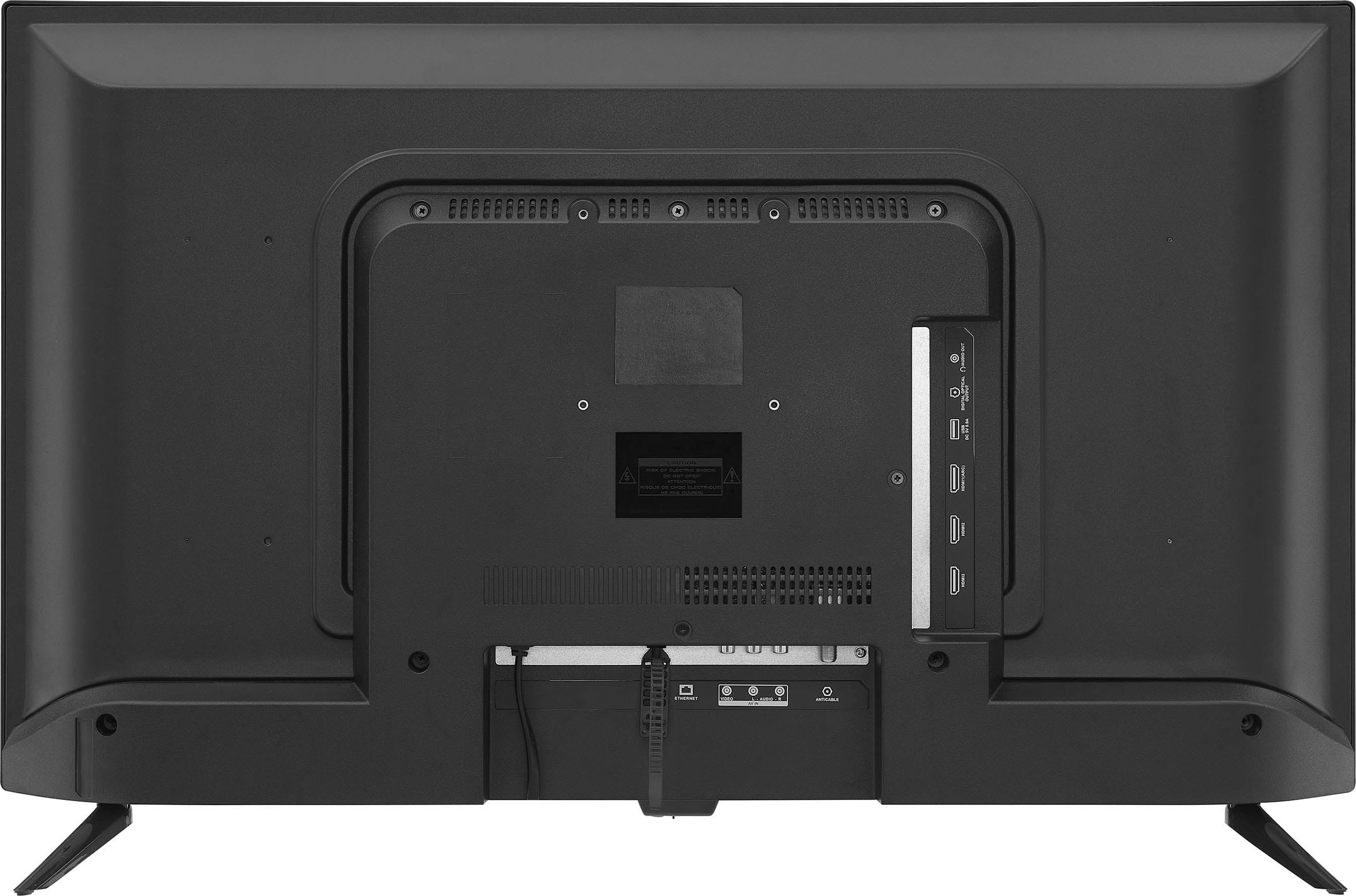
A:AnswerHi Steve! Thanks for inquiring about our Insignia™ - 32" Class F20 Series LED Full HD Smart Fire TV. You can use a universal wall mount for this TV, but you need to check if the universal wall mount is VESA compliant. This TV has VESA pattern 100x100. I hope this helps. If you need further assistance, feel free to reach out. Have a wonderful day! - James | Insignia Support | https://www.bestbuy.com/site/brands/best-buy-brands/pcmcat1596746025285.c?id=pcmcat1596746025285
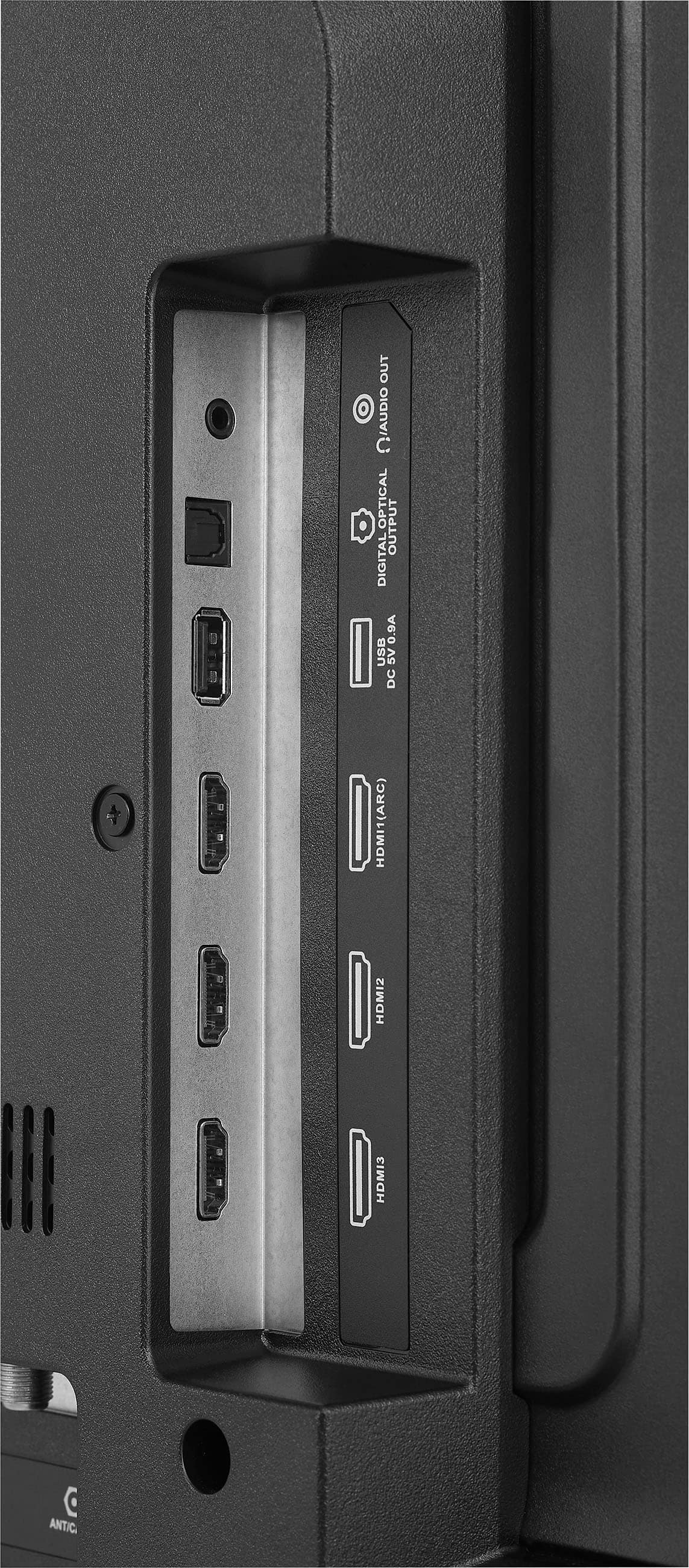
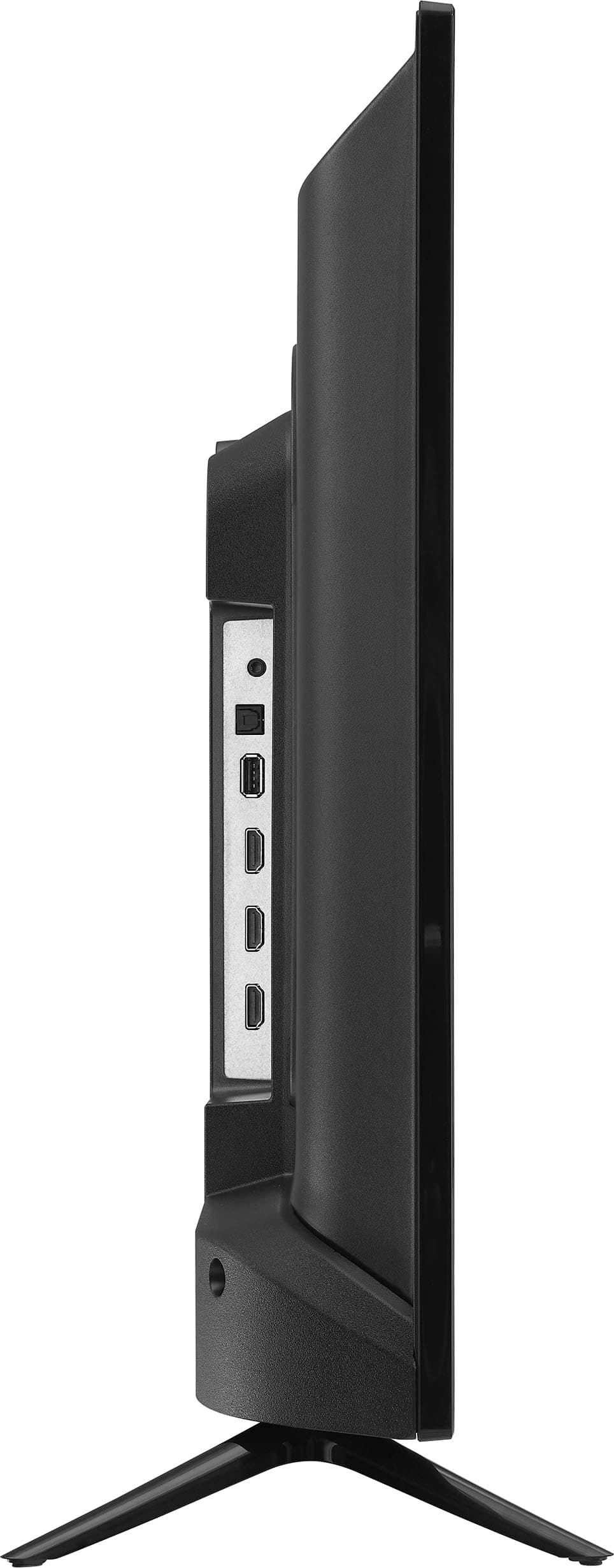
A:AnswerThank you for inquiry! Yes, the Insignia™ - 32" Class F20 Series LED Full HD Smart Fire TV should work with Dish Network. It has multiple HDMI ports which you can use to connect your Dish Network receiver, allowing you to access Dish Network programming on this TV. Keith | Insignia Support https://www.bestbuy.com/site/insignia-32-class-f20-series-led-full-hd-smart-fire-tv/6495086.p?skuId=6495086
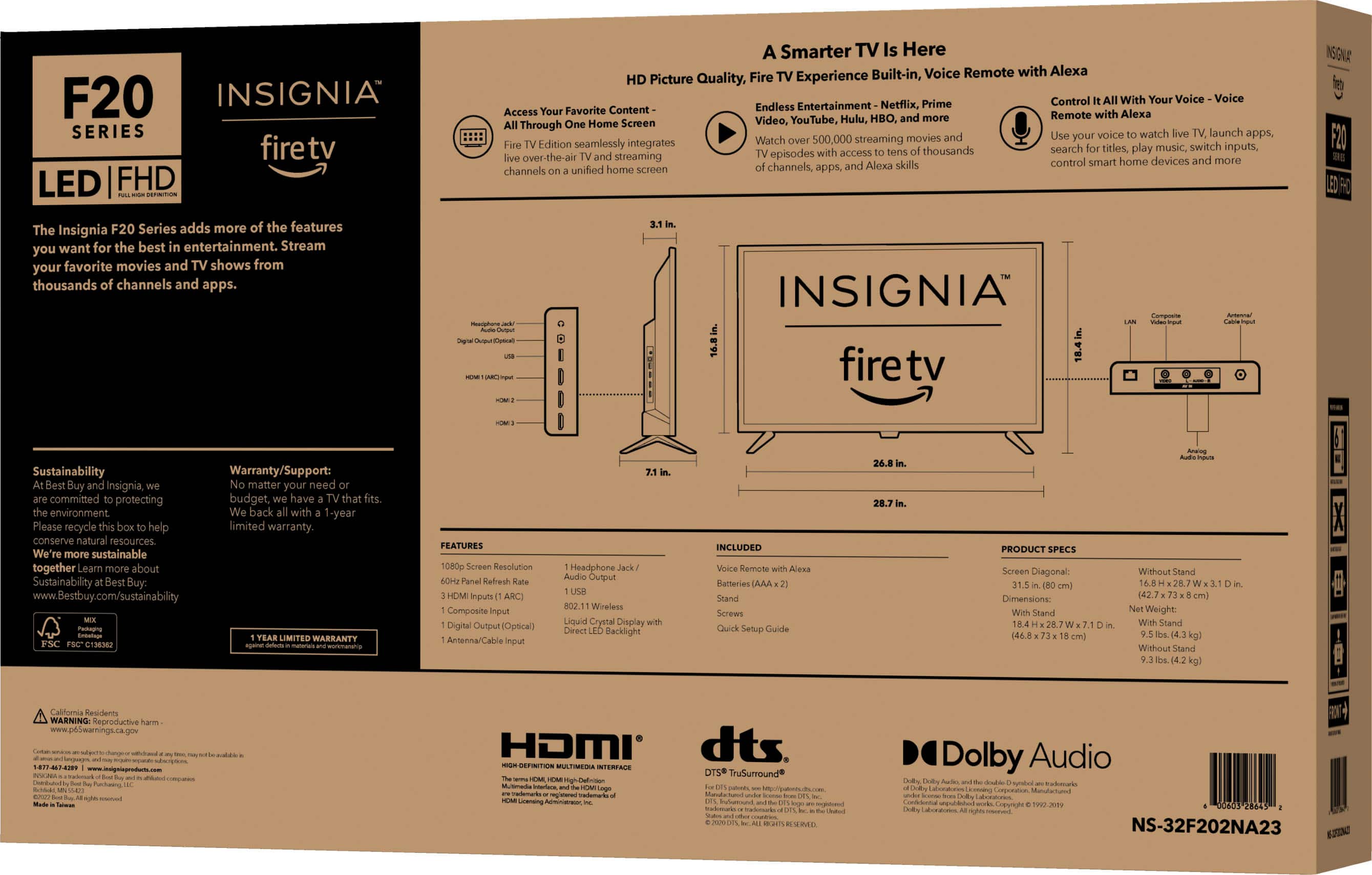
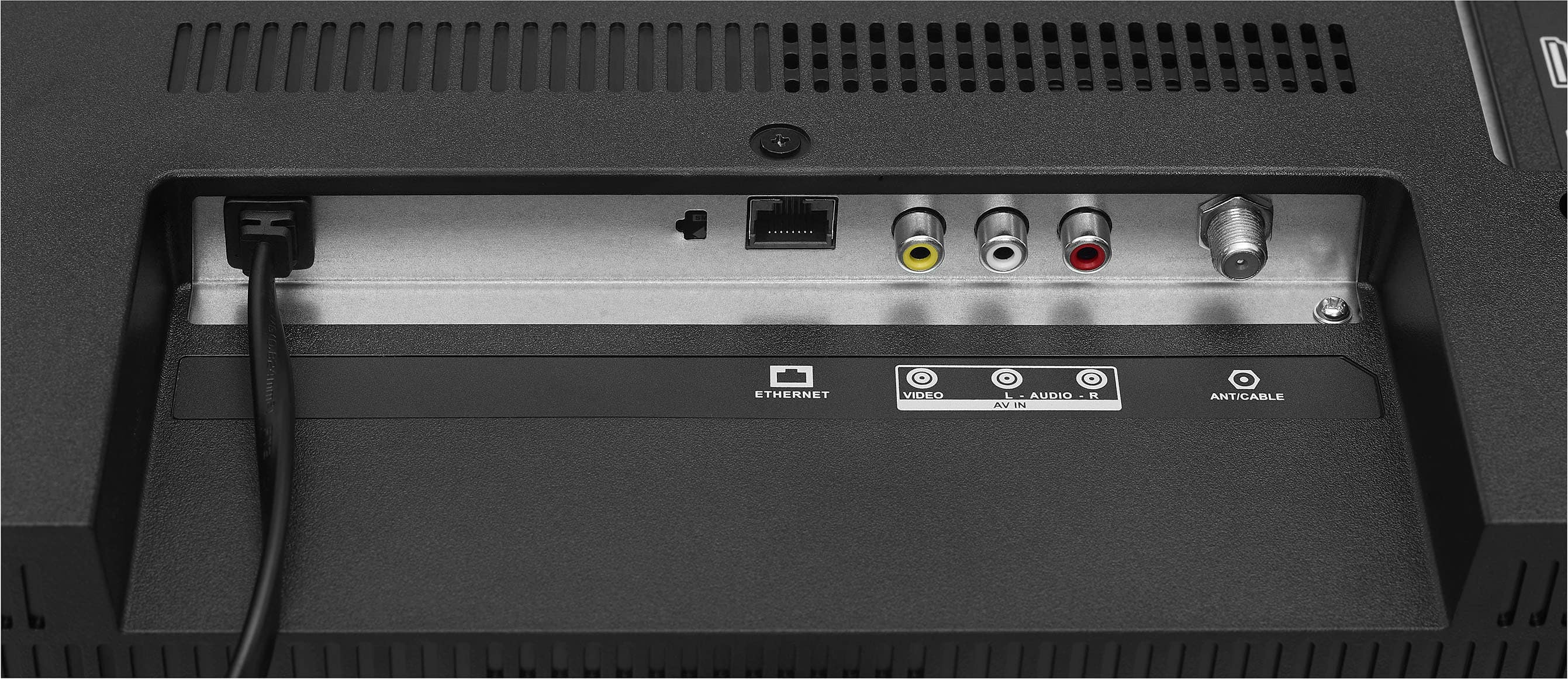
A:AnswerHi Dizzy! Thank you for inquiring about our Insignia™ - 32" Class F20 Series LED Full HD Smart Fire TV. Yes, you can hook up a cable into this TV for channel watching. This TV has Coaxial, HDMI, and RCA ports which you could use depending on the plug of your cable. Let us know if you need further assistance. Have a nice day! - James | Insignia Support | https://www.bestbuy.com/site/brands/best-buy-brands/pcmcat1596746025285.c?id=pcmcat1596746025285
A:AnswerHi Brad, thank you for letting us know your concern. For Bluetooth features, you need to check first if the external device that you are using is compatible with Bluetooth version BT 4.2 because the main use of Bluetooth on this TV is for pairing a remote. Let us know if there is anything we can do to help. Patricia | Insignia Support https://www.bestbuy.com/site/brands/best-buy-brands/pcmcat1596746025285.c?id=pcmcat1596746025285
A:AnswerHi Mike, this Insignia 32" Class F20 Series LED Full HD Smart Fire TV has a sleep timer. The purpose of that feature is to set a schedule for when you want to turn off your TV. On the other hand, the alarm clock that you are asking to wake you up is not available on this device. Thank you and have a wonderful day! Patricia | Insignia Support https://www.bestbuy.com/site/brands/best-buy-brands/pcmcat1596746025285.c?id=pcmcat1596746025285
A:AnswerHi joakim, we appreciate your inquiry! Insignia™ - 32" Class F20 Series LED Full HD Smart Fire TV
(Model: NS-32F202NA23) doesn't have a built-in web browser and cannot directly play or install these games to the TV. For more information about this product, you may click this link: https://www.bestbuy.com/site/insignia-32-class-f20-series-led-full-hd-smart-fire-tv/6495086.p?skuId=6495086. Carlo | Insignia Support
A:AnswerHi Metv! we appreciate your interest in our Insignia™ - 32" Class F20 Series LED Full HD Smart Fire TV. Yes, we can help you mount this TV. Please call this phone number, 1-888-237-8289, so we can assist you further. Patricia | Insignia Support https://www.bestbuy.com/site/brands/best-buy-brands/pcmcat1596746025285.c?id=pcmcat1596746025285
A:AnswerHi Micki, Thank you for your interest in our Insignia - 32" Class F20 Series LED Full HD Smart Fire TV. For brand new and open-box items, they have the same return period, which is 15 days upon receiving your product. And yes, you can return the item at the store. For extras or free subscriptions, once you open your cart, there's an option for you to remove all extras. Lastly, you have to apply first for tax exemption online in order to apply for a tax exemption on your account. Please feel free to contact us at 1-(877)-467-4289 Monday to Saturday 8am - 9pm CST, and we will gladly assist you in the best way possible. Ivy | Insignia Support. https://www.bestbuy.com/site/insignia-32-class-f20-series-led-full-hd-smart-fire-tv/6495086.p?skuId=6495086
A:AnswerHi Rlb! Thanks for inquiring about our Insignia™ - 32" Class F20 Series LED Full HD Smart Fire TV. Upon setting up your TV, it will require you to login or sign up to your Amazon account which may be associated with your email address. This email address is primarily used for managing your Amazon account and accessing Amazon Prime features. However, the Fire TV interface itself doesn't have a native email client where you can access your emails directly. If you're asking about using your email for other purposes, such as setting up apps or services on your Insignia Fire TV that require an email address, it depends on the specific app or service. Some apps may require you to enter an email address for account creation or authentication purposes. I hope this answers your question. Have a great day! - James | Insignia Support | https://www.bestbuy.com/site/insignia-32-class-f20-series-led-full-hd-smart-fire-tv/6495086.p?skuId=6495086
A:AnswerHi Shorty! Thank you for reaching out to us regarding the compatibility of Insignia™ - 32" Class F20 Series LED Full HD Smart Fire TV. Yes, this television may use either of these wall mounts: BE-MSFM or BE-MSTILT.
JC | BestBuy Essentials Support https://www.bestbuy.com/site/insignia-32-class-f20-series-led-full-hd-smart-fire-tv/6495086.p?skuId=6495086
A:AnswerHello justbob,
Yes, you can connect an external speaker to this TV using the digital optical audio jack. However, in order for the external speakers to work, you need to change the digital audio format of the TV and turn off the TV speakers. For more questions and product support you may contact our customer service at 1-(877)-467-4289 Monday to Saturday 8am - 9pm CST.
Chelsea
Insignia Support
Please give us a visit at: https://www.bestbuy.com/site/brands/best-buy-brands/pcmcat1596746025285.c?id=pcmcat1596746025285
A:AnswerHi there, The TV speakers are muted and the audio plays through the headphones only.
Rudson S.| Insignia Support. https://www.bestbuy.com/site/brands/best-buy-brands/pcmcat1596746025285.c?id=pcmcat1596746025285