1-3 of 3 Answers
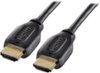
Hello Best Buy customer David. A somewhat detailed answer to your question will help "many" people as once they connect this great Insignia 43" TV model # NS-43D420NA18 to their computer they will not only have a "practical" Internet/research tool, but also one that will potentially provide hours of enjoyment as there are so many "free" viewing options out there. If anyone wants to use this or other Insignia TVs as computer monitors, all they have to do is go into their computer's display settings and select "112" for display "type" and then under scale and layout select "100% (recommended)" and then for resolution select "1366 X 768 (recommended)" and then for multiple displays select "duplicate these settings. To have it so all of the computer's icons fit on the TV screen which are located on the lower task bar and in the left vertical column of the desktop saver screen click onto the TV's menu button and go into the picture column and then scroll down to "advanced settings" and then set the TV's "OVERSCAN" feature to "OFF!" I recommend using an HDMI cable to connect the computer to this television set. Make certain that your computer has an HDMI port and connect the HDMI cable to this TV's HDMI1 ARC port so that you can control the volume of both the TV and the laptop with one press of the volume button on the remote control. I always leave my computer's volume set at 100% MAX when it is connected to my TV; however,. this is up to you David. Happy Internet viewing!
I would recommend:
Sorry, there was a problem. Please try again later.Absolutely. It connects to VGA or HDMI.
Sorry, there was a problem. Please try again later.No Insignia tv's will not work with hdmi as a pc input. Best buy, amazon, or insignia will not refund or replace your tv when it does not work for input functions for ps4, ps5, ps3, xbox, computer or any other device (DVD player, so on) that is not a lower resolution device. I purchased 2 4k 55" tv's and they will not work with any of the 3 inputs for any of the devices I have and all three companies are giving me the run around and refuse to return or replace the item when it was purchased today. Additionally these tv's are not actually 4k tv's they do not function with anything that is 4k except for the default apps that come preloaded with the tv.
Sorry, there was a problem. Please try again later.