“I have a Samsung QLED TV. Samsung says not to use alcohol based products to clean their TVs as it may remove anti-glare film etc. On a previous question, you said this could be used on an OLED, so is it safe for a QLED?”
Answer This Question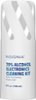
1-3 of 3 Answers
You might want to follow the manufacture guidelines. I have been using this product on my LG TV's all 10 computer monitors and all of my Tablets and cell phones. have not had any issues. I spray it on a microfiber cloth first then wipe down the device. works great to remove fingerprints, dust and dirt. I also clean my Costa and Maui Jim sunglasses. have not had any issues.
Sorry, there was a problem. Please try again later.Hi, I have not used this product and was having the same question. I have an LG OLED C1 55inch TV. I looked at LG Website and this is their recommendation. Not sure if I can post a link here. But try googling "LG TV - How to Clean Your LG TV Screen" in LG website. https://www.lg.com/us/support/help-library/lg-tv-how-to-clean-your-lg-tv-screen-CT10000020-20150154791049 LG TV - How to Clean Your LG TV Screen 1. Unplug your TV. We don't want anyone getting shocked. 2. Wet a soft cloth in lukewarm water. A micro-fiber cloth is perfect for this. ... 3. Wring out the cloth until it's almost dry. ... 4. Gently wipe the screen. ... 5. Ensure all excess water is off the screen.
Sorry, there was a problem. Please try again later.I wouldn't recommend it, instead the one that I do recommend is the other insignia screen cleaner that doesn't have the 70% alcohol on the labeling. Those ones aren't alcohol based but clean just as well
Sorry, there was a problem. Please try again later.