A:AnswerHi there! Thank you for reaching out. There are no cameras built into our televisions. If you have further questions, feel free to reach out. - Carl | Insignia Support
A:AnswerYes, there is an app store on the TV, and it absolutely blew my mind when I saw how much stuff was available in it. I still haven't come close to seeing all the possible apps one could download on here, because it's probably very similar to the Play store app on one's phone. I don't even have to cast to the TV from my phone anymore, because my old Vizio TV didn't have the option to download apps, but this has everything on it! It even has games you can download and play with the remote, workout guides, educational apps...there are several categories! I attached a few pictures of some of the screens for the apps, but please know that it's probably only .09% of what's on there, lol
A:AnswerHi there! Yes, you can screencast your Windows laptop to our Insignia Fire TV after connecting to the same Wi-Fi network. You just need to go to Settings > Display & Sounds> Enable Display Mirroring. - Carl | Insignia Support
A:AnswerHi Guy! The Insignia™ 55" Class F30 Series LED 4K UHD Smart Fire TV has an output around 347 nits of brightness. This measurement was taken in a 10% window, which is a common method for measuring the peak brightness of televisions. Please note that actual brightness can vary depending on the content and settings. |Angelica| Insignia Support| https://www.bestbuy.com/site/insignia-55-class-f30-series-led-4k-uhd-smart-fire-tv/6562188.p?skuId=6562188
A:AnswerHi Insignia Customer! Thank you for your inquiry. The network compatibility of this TV are built-in Wi-Fi and Ethernet. You can find more detailed specifications by visiting the product page on the website and then select "Show Full Specs". We hope this helps! - Dalainne | Insignia Support | https://www.bestbuy.com/site/insignia-55-class-f30-series-led-4k-uhd-smart-fire-tv/6562188.p?skuId=6562188
A:AnswerHi there! Yes, you can access DirectTV streaming app on our TV. If you have further questions, feel free to reach out. - Carl | Insignia Support
A:AnswerHi Leo! You can actually purchase a replacement remote at Best Buy via online purchase and just simply enter the model number NS-RCFNA-21 for $29.99. For more product information, kindly check the link below. |Angelica| Insignia Support| https://www.bestbuy.com/site/insignia-55-class-f30-series-led-4k-uhd-smart-fire-tv/6562188.p?skuId=6562188
A:AnswerHi there! Our Insignia TVs are not yet NextGen TV ready. Thank you for bringing this to our attention so that we can improve our products. - Carl | Insignia Products
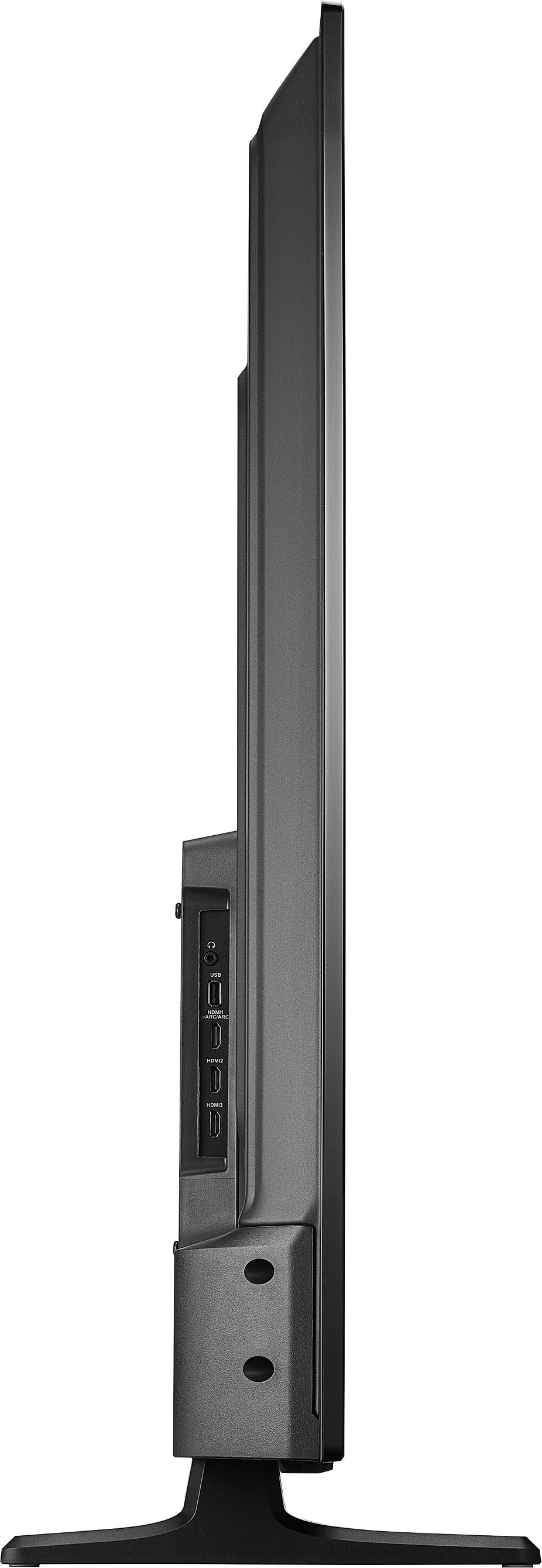
A:AnswerHi there! The Insignia™ - 55" Class F30 Series LED 4K UHD Smart Fire TV has a stand width of 43.41 inches. Therefore, it should fit comfortably on a 44" stand. Please ensure to measure the stand accurately before placing the TV to avoid any instability or potential damage. Safety first! |Angelica| Insignia Support| https://www.bestbuy.com/site/insignia-55-class-f30-series-led-4k-uhd-smart-fire-tv/6562188.p?skuId=6562188
A:AnswerHi Curious, yes, you can mirror an iPad to our Insignia Fire TV using AirPlay. If you have any further questions, feel free to reach out - Carl | Insignia Support
A:AnswerHi TC! Thank you for your inquiry. The Roku wireless speakers ate designed to work exclusively with Roku TVs and Roku audio products. The Insignia™ - 55" Class F30 Series LED 4K UHD Smart Fire TV, which runs on Amazon's Fire TV platform, is not compatible with Roku wireless speakers. If you have any questions, please feel free to contact our Insignia Customer Service at 877-467-4289. - Dalainne | Insignia Support | https://www.bestbuy.com/site/insignia-55-class-f30-series-led-4k-uhd-smart-fire-tv/6562188.p?skuId=6562188
A:AnswerHi jkdstar! Thank you for your inquiry. Upon reviewing my resouces, it seems like Insignia™ - 55" Class F30 Series LED 4K UHD Smart Fire TV does not have a built-in web browser or an internet-based app to directly access specific URLs. To stream content from a website, you would need to use an external device such as a streaming stick, computer or smartphone and cast or mirror it to the TV. For assistance, please feel free to contact our Insignia Customer Service at 877-467-4289. - Dalainne | Insignia Support | https://www.bestbuy.com/site/insignia-55-class-f30-series-led-4k-uhd-smart-fire-tv/6562188.p?skuId=6562188
A:AnswerHi Carl, thank you for bringing this to our attention. Yes, you can download a Bally Sports App on this Insignia™ - 55" Class F30 Series LED 4K UHD Smart Fire TV. Let us know if there is anything we can do to help. Patricia | Insignia Support https://www.bestbuy.com/site/insignia-55-class-f30-series-led-4k-uhd-smart-fire-tv/6562188.p?skuId=6562188
A:AnswerHi gb24, thanks for your inquiry! The Insignia 55" Class F30 Series LED 4K UHD Smart Fire TV (Model: NS-55F301NA25) comes with 8GB of internal storage for apps. For more information about this product, you may click this link: https://www.bestbuy.com/site/insignia-55-class-f30-series-led-4k-uhd-smart-fire-tv/6562188.p?skuId=6562188. Carlo | Insignia Products
A:AnswerTV’s are always rated to be plugged into a 120 volt outlet. And they only draw the amount of current they require. You could plug it into a 15 amp, a 20 amp, and it would work the same
A:AnswerTo make your screen more comfortable for sensitive eyes, you can easily adjust the contrast, color, and brightness to suit your needs. Simply press and hold the Home button until the Quick Settings menu appears. Then, select ‘Picture’ and you’ll find options to modify the Contrast, Brightness, and Color settings to your preference.
-Paul | Insignia Support
https://www.bestbuy.com/site/insignia-55-class-f30-series-led-4k-uhd-smart-fire-tv/6562188.p?skuId=6562188