Questions & Answers
- Model:
- NS-55F501NA26
- |
- SKU:
- 6607832
Q: QuestionWhat do I need to connect this tv?
Asked by Joelynda.
- A:Answer Hi Joelynda! Thank you for the question. To set up your TV, please feel free to contact our Insignia support team at 877‑467‑4289 or email us at [email protected]. We’ll be happy to help you get everything up and running. Vennila | Insignia
Answered by InsigniaCustomerSupport
Q: QuestionCan you remote play a gaming system to it?
Asked by ChristopherM.
- A:Answer yes i’m a gamer girl and was just playing the game!!
Answered by DiorrN
Q: Questioncan you use a roku stick with this tv?
Asked by Denny.
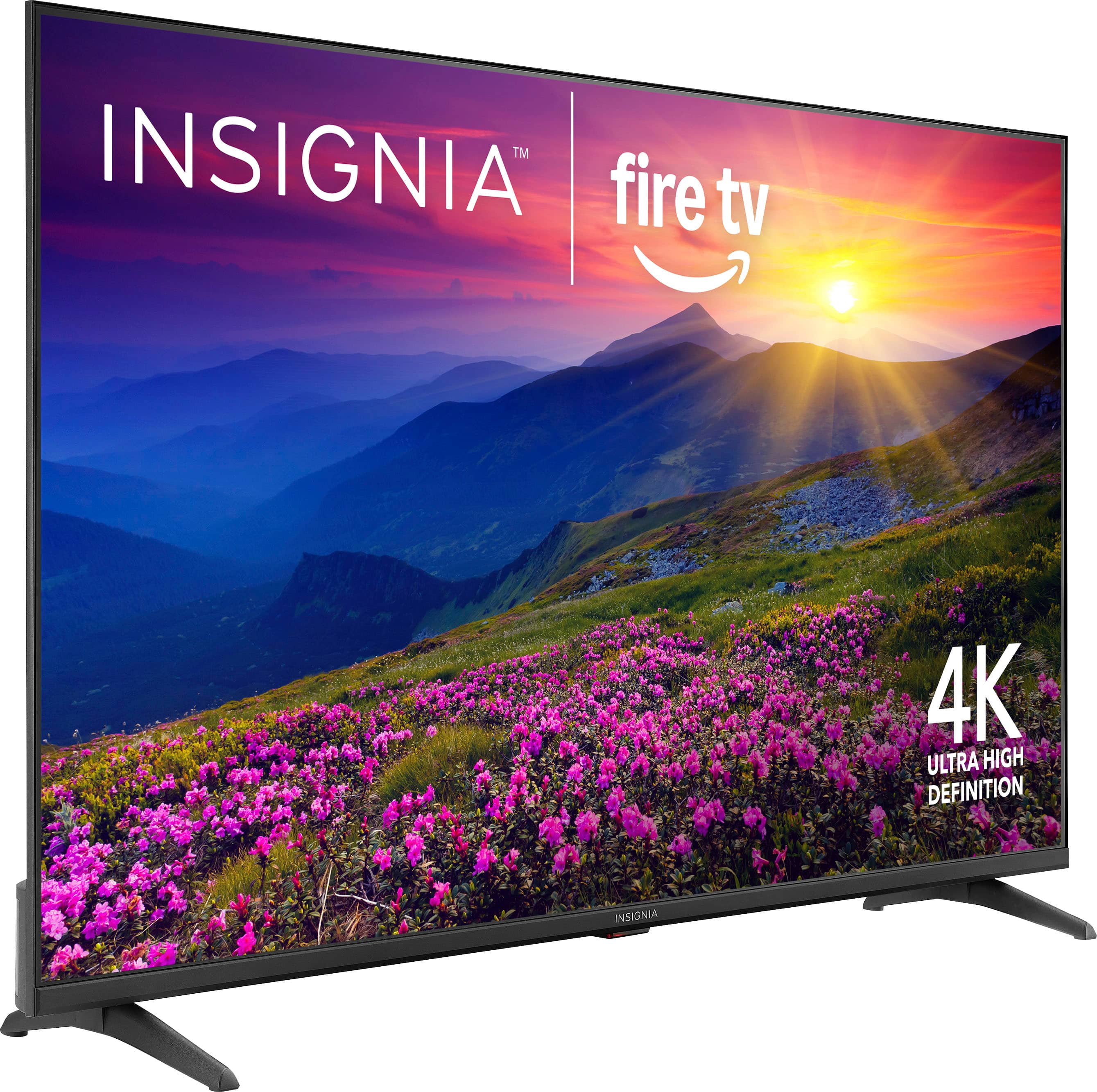
- A:Answer You don't need to, Amazon fire is built in. You can add it, though if you wanted.
Answered by DiannN
Q: QuestionMy TV turns off while watching it how can I stop this
Asked by Scruffy.
- A:Answer Hello Scruffy! Thank you for your question. If your Insignia 55" F50 Series Fire TV keeps turning off while you’re watching, it’s often due to a sleep timer. To fix it, make sure the sleep timer is turned off just press and hold the Home button until the Quick Settings menu appears, select Sleep Timer, and switch it to Off. If you face any issue you can reach out our team at 1-877-467-4289 available Monday through Saturday from 8:00AM to 9:00PM CST. Darshan | Insignia
Answered by InsigniaCustomerSupport
Q: QuestionCan I use a dvd vcr with this tv
Asked by Anonymous.
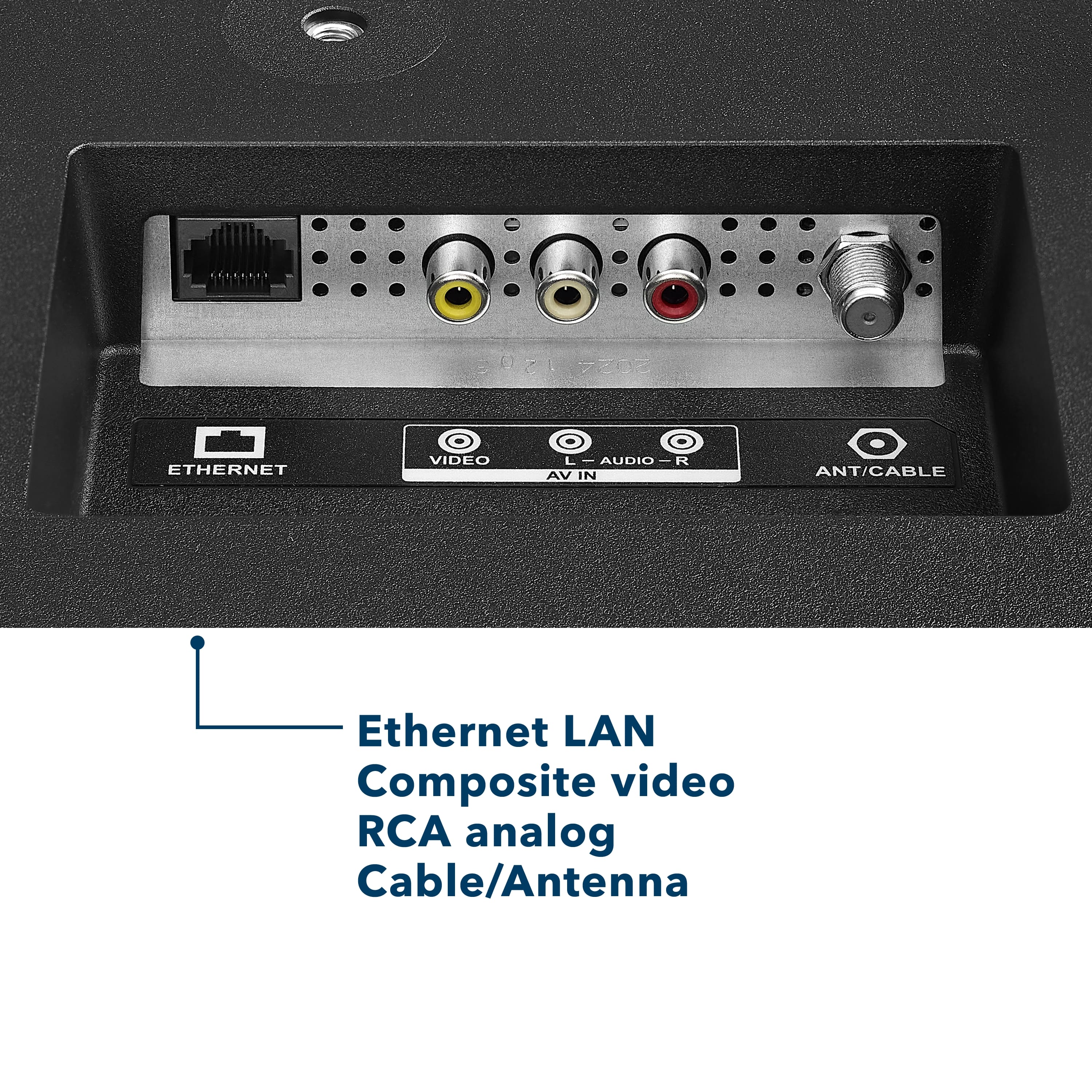
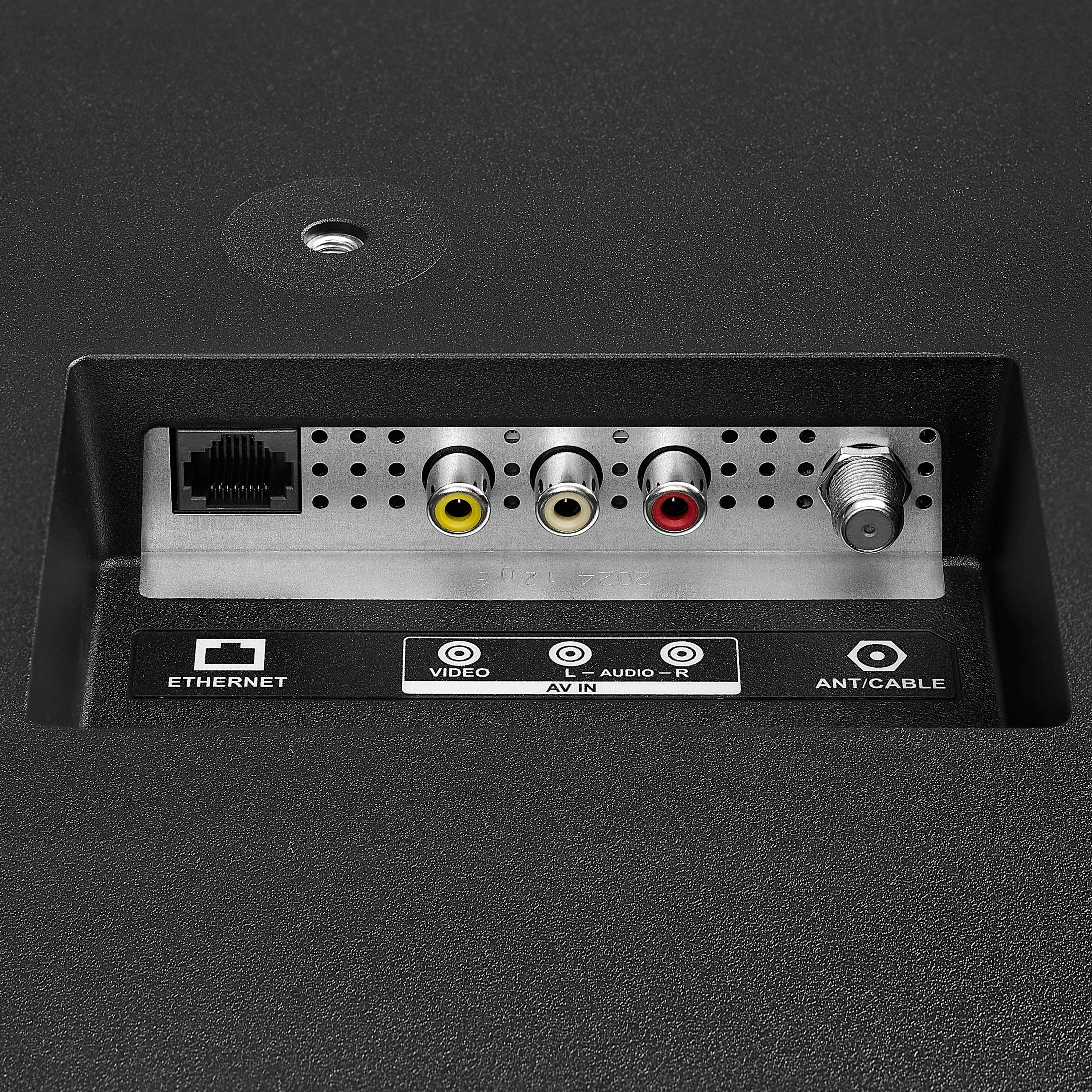
- A:Answer Hello! Thank you for your question. Yes, you can use a DVD/VCR with the Insignia - 55" Class F50 Series LED 4K UHD Smart Fire TV, because this model does have RCA composite ports (yellow for video, red/white for audio). Just plug the yellow/red/white cables from your DVD/VCR directly into the matching ports on the back of the TV and you’re good to go. Darshan | Insignia
Answered by InsigniaCustomerSupport
Q: QuestionWhat's size bolt are on the back of the tV for mounting
Asked by Anonymous.
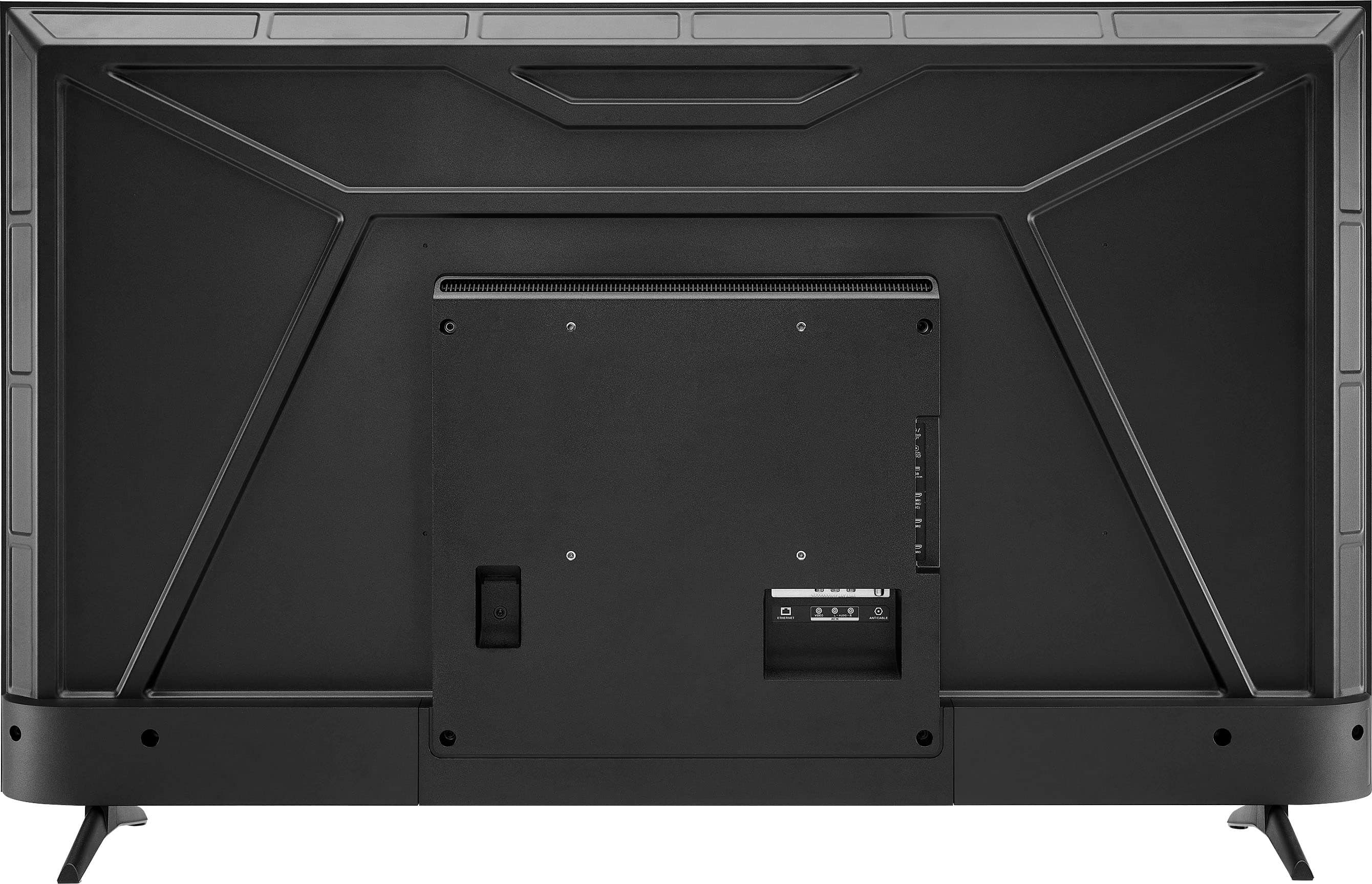
- A:Answer Hello! Thank you for your question. For the Insignia 55" Class F50 Series the mounting holes on the back of the TV use M6 bolts, and the typical length needed is 10–12 mm, depending on the thickness of your wall‑mount brackets. Darshan | Insignia
Answered by InsigniaCustomerSupport
Q: QuestionI have Pyle 2-Way outdoors speakers that use regular speaker wire. Is there a way to connect these speakers to this TV? Thank you.
Asked by Mime.
- A:Answer No, there isn't.
Answered by SunshineG
Q: QuestionCan this TV use the Direct TV app
Asked by Anonymous.
- A:Answer Hello! Thank you for your question. The Insignia 55" F50 Series Fire TV does support the Direct TV app, since it runs Fire TV OS and you can download the app straight from the Amazon App store. Darshan | Insignia
Answered by InsigniaCustomerSupport
Q: QuestionCan you have tv unpacked and stand put on
Asked by Anonymous.
- A:Answer Yes
Answered by user905444
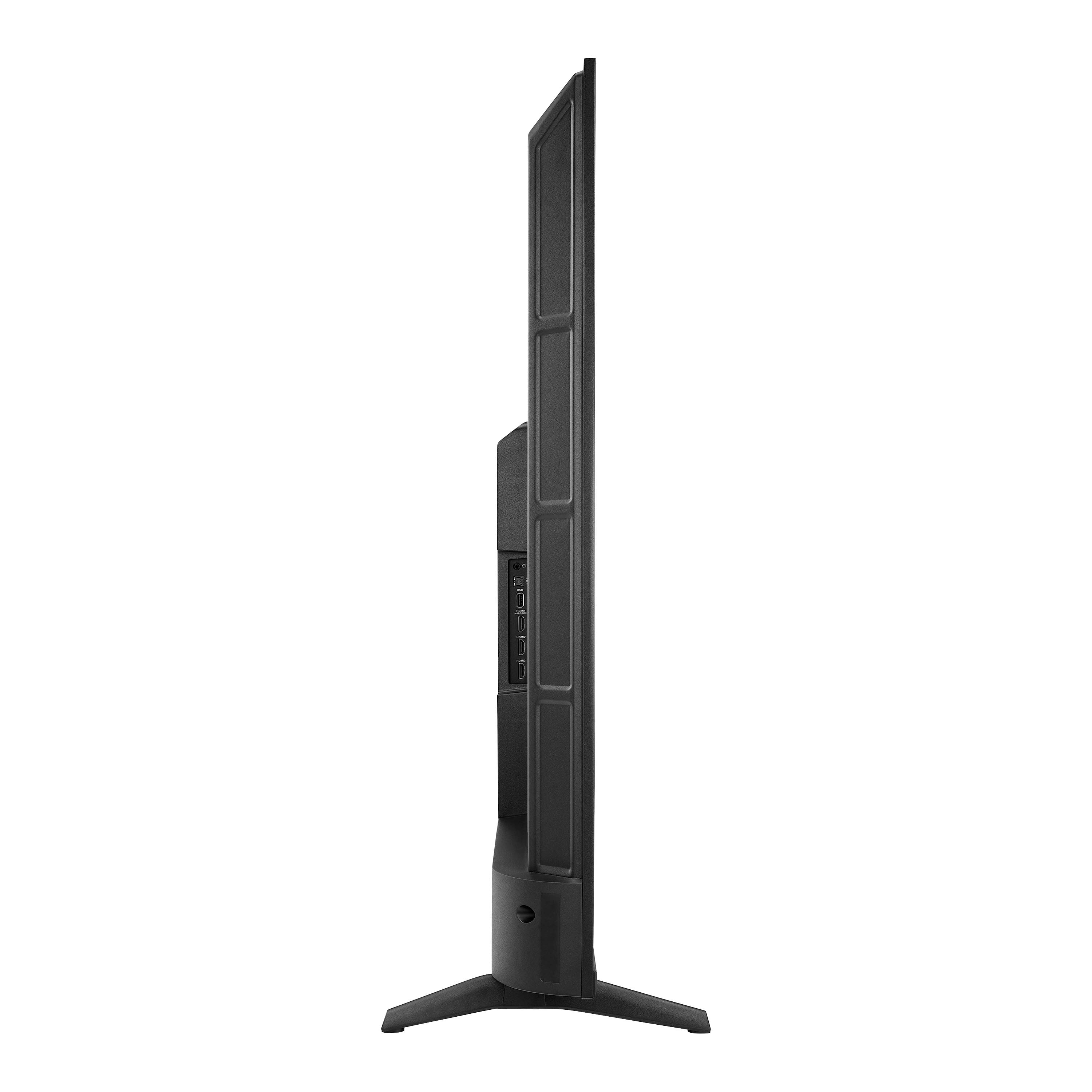
Q: QuestionDoes this tv have an audio out connection
Asked by SamU.
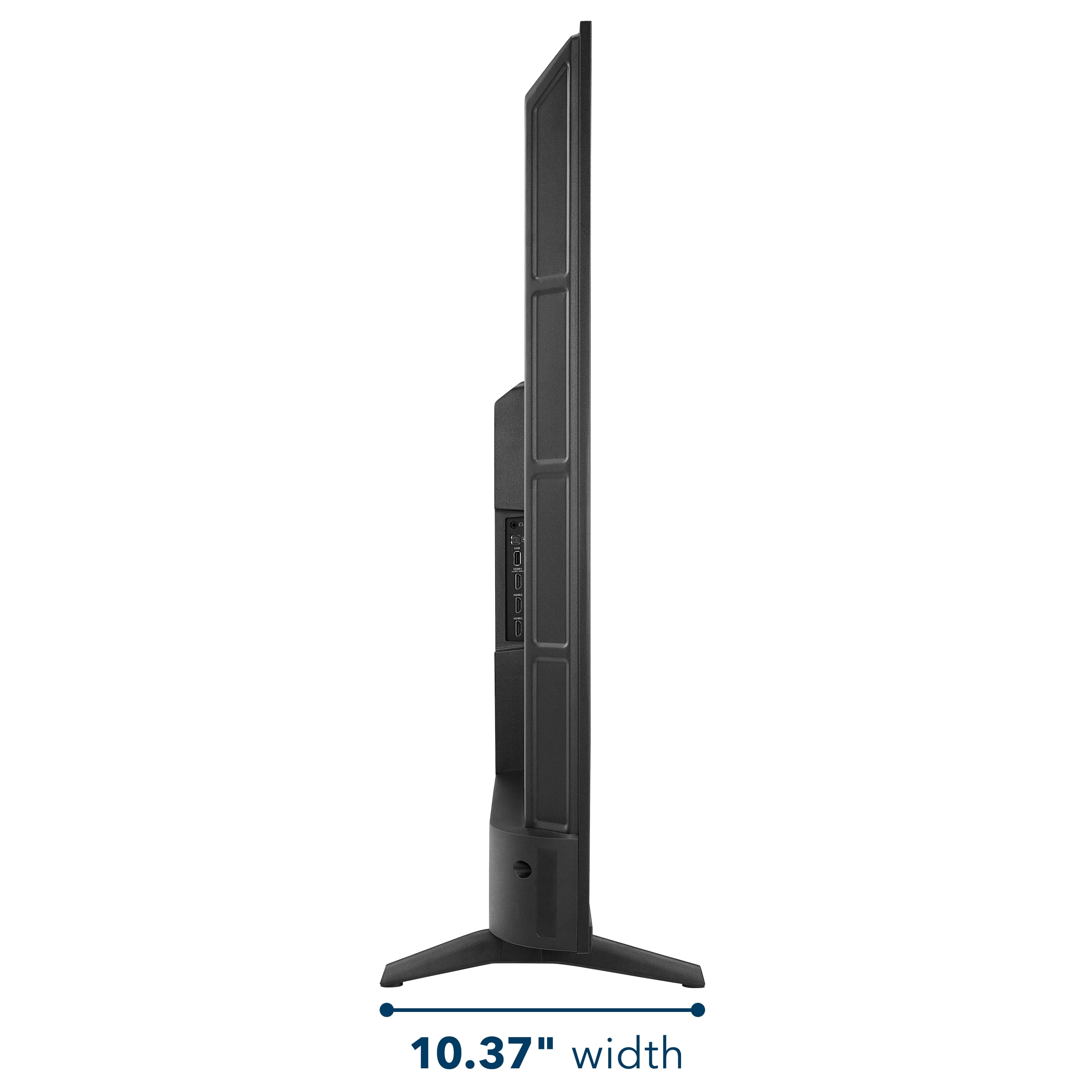
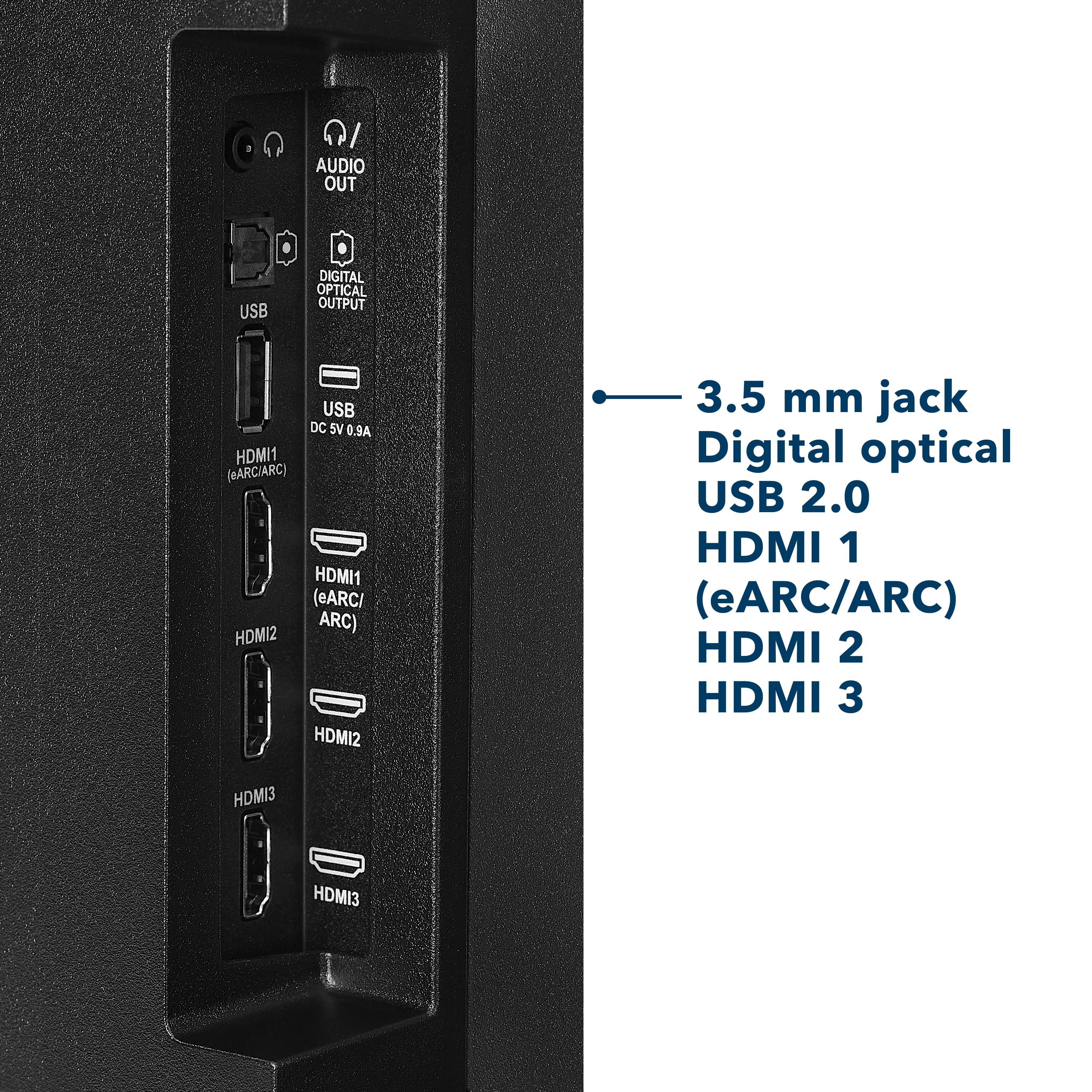
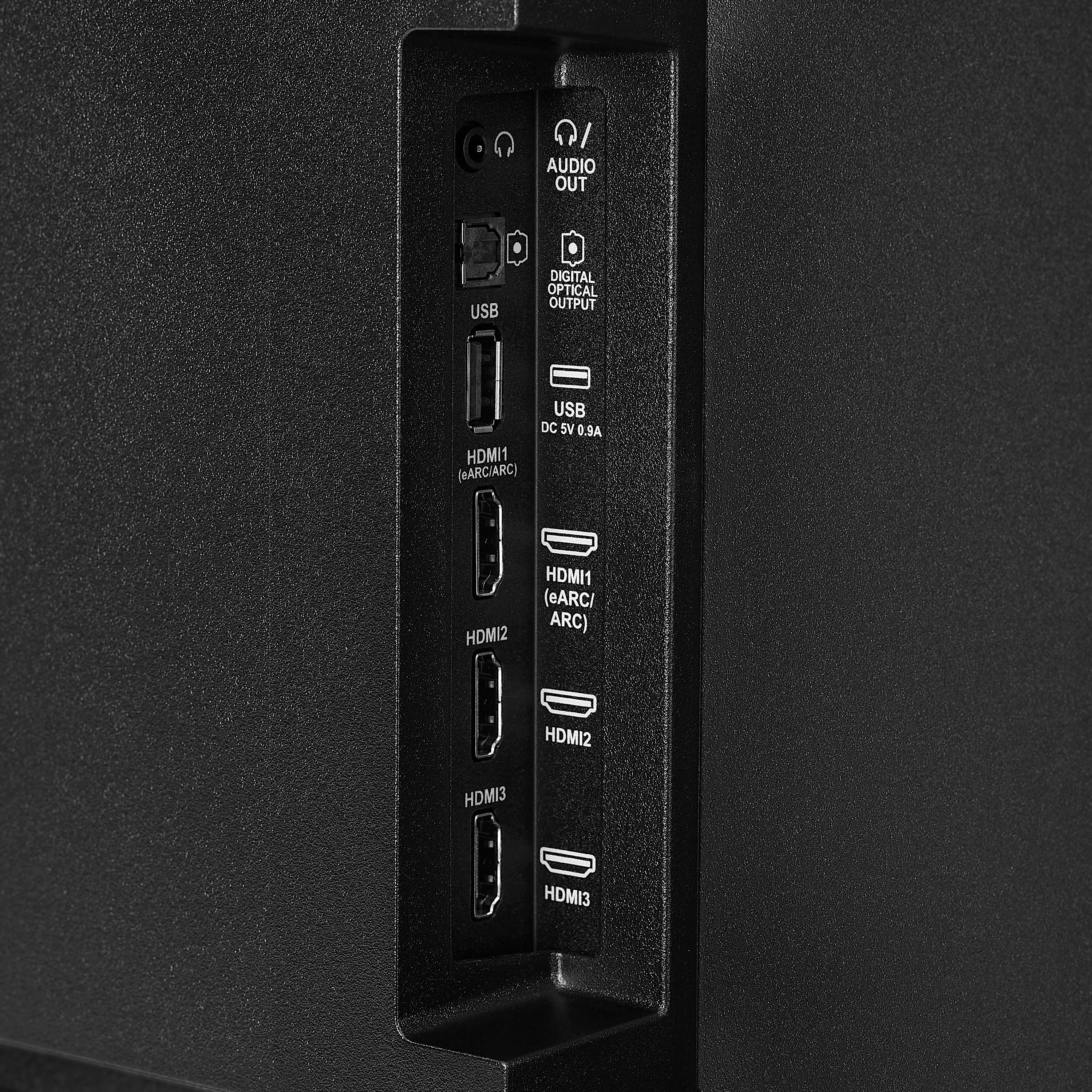
- A:Answer Hello Sam, thanks you for your inquiry. Yes, This model provides multiple audio output options: HDMI1 an Digital Optical port, and a 3.5mm Headphone jack for analog connections. Additionally, you can pair wireless headphones or speakers via Bluetooth. Mueez | Insignia
Answered by InsigniaCustomerSupport
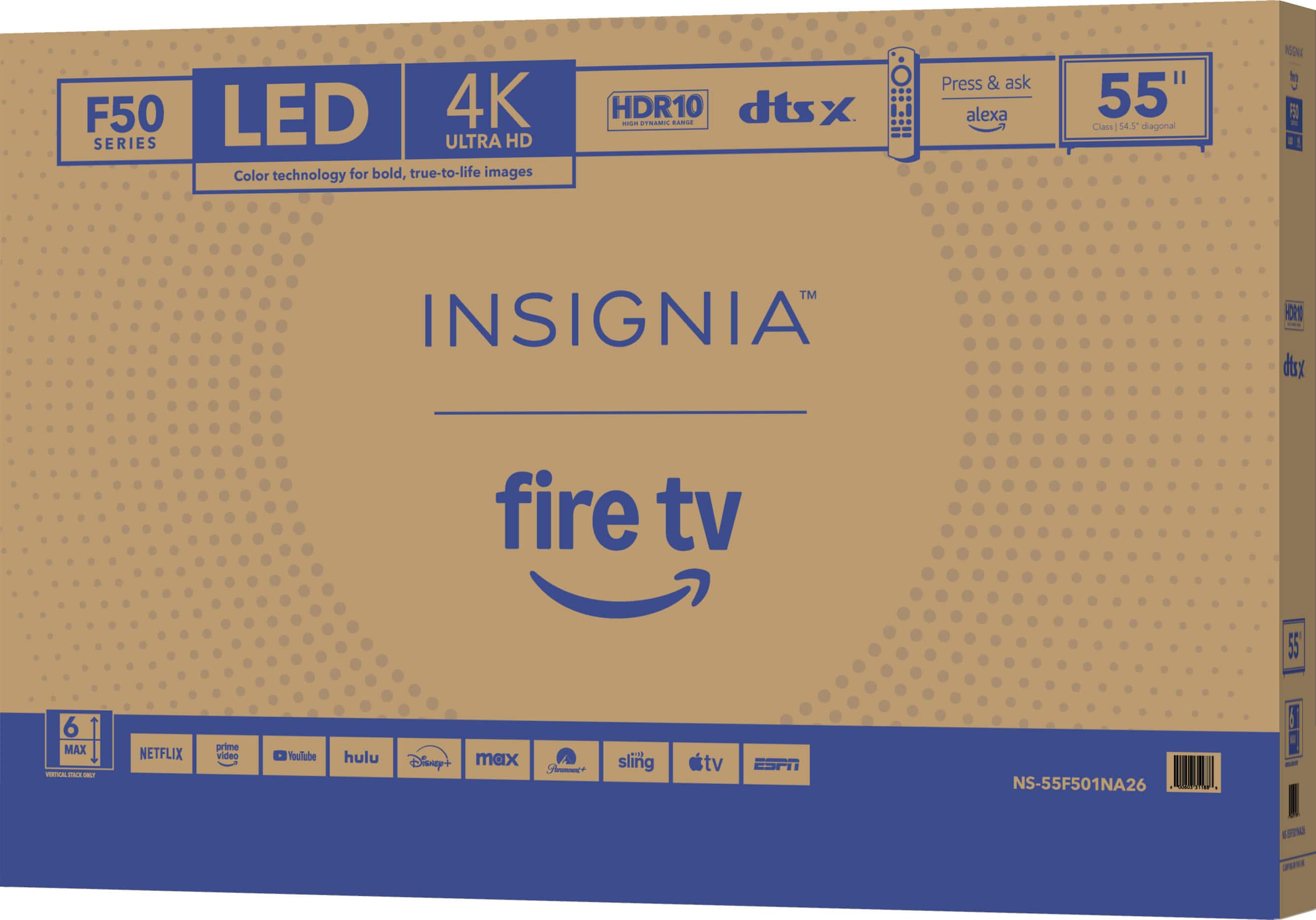
Q: QuestionDoes it come with wall mount
Asked by Anonymous.
- A:Answer Hi, thank you for your question. The Insignia™ 55" Class F50 Series LED 4K UHD Smart Fire TV does not come with a wall mount in the box; it includes only the TV stand legs and the remote. You can use any compatible VESA wall mount (300 × 300) if you prefer to mount it on the wall. Thank you for choosing Insignia. Sudeep | Insignia
Answered by InsigniaCustomerSupport
Q: QuestionI want phone number to best buy in buck town im trying to buy 58 inch tv i want phone number
Asked by Joyland.
- A:Answer Hi, thank you so much for reaching out. I’m really glad you contacted us, and I’m happy to help you get connected so you can move forward with your TV purchase. You can reach Best Buy at 1‑888‑237‑8289, and they’ll be able to assist you with buying the Insignia 55" Class F50 Series LED 4K UHD Smart Fire TV or answer any questions you may have. Thank you for choosing Insignia. Vennila | Insignia
Answered by InsigniaCustomerSupport
Q: QuestionCAN YOU CHANGE THE SCREEN ORIENTATION ON THIS UNIT? LIKE PORTRAIT MODE OR IMAGE FLIP FOR DIFFERENT TYPES OF INSTALLATIONS?
Asked by ANDY.
- A:Answer Hello Andy, thank you for contacting us. We appreciate your question about changing the screen orientation on the Insignia™ 55" Class F50 Series LED 4K UHD Smart Fire TV (Model NS‑55F501NA26). This TV does not support portrait mode, image rotation, or screen flipping. It is designed for standard landscape orientation only and cannot be adjusted for vertical or alternative installation orientations. Sidhartha | Insignia
Answered by InsigniaCustomerSupport
Q: QuestionDoes this TV support connection via a Display Port?
Asked by BlessedWithLuck.
- A:Answer Hello! Thank you for your question. The Insignia F50 Series 55" 4K UHD Smart Fire TV does not support DisplayPort connections, but it does offer multiple HDMI ports for easy device setup, so customers can still connect most laptops, gaming systems, and streaming devices without any issues. Darshan | Insignia
Answered by InsigniaCustomerSupport
Q: Questioncan i turn off smart tv function
Asked by joecheese.
- A:Answer Hello Joe, thank you for your question. On the Insignia™ 55" Class F50 Series Fire TV, the smart TV functions cannot be fully turned off. The Fire TV operating system is built into the unit, so it will always start in Fire TV mode. You can, however, limit smart features by disconnecting the TV from Wi‑Fi or by using it only with external inputs such as HDMI. Sudeep | Insignia
Answered by InsigniaCustomerSupport
Q: QuestionWhat adjustments do I use for a lamp lit room?
Asked by Anonymous.
- A:Answer none
Answered by Myrail
Q: QuestionI want to know why you blocked some of my apps after buying this TV. I bought this TV for the reason of installing streaming apps and now you blocked them. That's not right. Now you have lost an amazon customer because of your tactics.
Asked by Ripped.
- A:Answer Hello Ripped, thank you for contacting us. We understand your frustration regarding certain apps no longer being available on your Insignia 55" Class F50 Series LED 4K UHD Smart Fire TV. App availability on Fire TV devices is managed through the Amazon Appstore, and changes can occur due to developer updates, regional restrictions, or decisions made by the app providers themselves. We know this can be disappointing, especially when you purchased the TV with specific apps in mind. For further assistance and to review your specific situation, please reach out to us at [email protected] or call 877‑467‑4289. Our team will be happy to help look into this with you. Narendra | Insignia
Answered by InsigniaCustomerSupport
Q: QuestionDoes th remote have backlighting. Using in bedroom
Asked by Anonymous.
- A:Answer Hello! Thank you for your question. The Insignia 55" F50 Series Fire TV comes with the standard Fire TV–style remote, which does not have backlit buttons. Darshan | Insignia
Answered by InsigniaCustomerSupport
Q: QuestionWhat version of HDMI ports does it have?
Asked by tadcrash.
- A:Answer Hello, thank you for your question, the Insignia 55" Class F50 Series Fire TV (NS‑55F501NA26) includes three HDMI ports, and all of them are HDMI 2.0 ports with one port supporting eARC for soundbars and receivers. Sudeep | Insignia
Answered by InsigniaCustomerSupport
Q: QuestionWhy does my tv run super slow and why does it go to a black screen in the middle of playing a game. Also I can’t watch anything on the tv i have to use my ps5, why is that
Asked by Jenn.
- A:Answer Hello Jenn, thanks for your question. We’re very sorry to hear you’re experiencing slow performance, black‑screen interruptions, and issues using the TV’s built‑in apps. Those symptoms usually mean the TV’s software or hardware is struggling. Please feel free to reach out to us directly at 877‑467‑4289 or [email protected]. Our team will be happy to assist with troubleshooting and provide any further support you may need. Sandhya | Insignia Products
Answered by InsigniaCustomerSupport
Top Rated
- $329.99$329.99The price was $469.99
- $449.99$449.99The price was $649.99
- $249.99$249.99The price was $379.99
- $179.99$179.99The price was $299.99
- $1,399.99$1,399.99The price was $2,699.99
- $349.99$349.99The price was $599.99
- $279.99$279.99The price was $449.99
- $1,999.99$1,999.99The price was $3,699.99
- $599.99$599.99The price was $1,299.99
- $899.99$899.99The price was $1,999.99
- $229.99$229.99The price was $249.99
- $329.99$329.99The price was $489.99
- $1,299.99$1,299.99The price was $2,999.99
- $109.99$109.99The price was $149.99
- $449.99$449.99The price was $689.99
- $99.99$99.99The price was $129.99
- $529.99$529.99The price was $999.99
- $299.99$299.99The price was $459.99
- $899.99$899.99The price was $1,399.99


.
FEATURES:
- 160p Screen Resolution
- Antenna/Cable Input
- HDMI Input
- Parallel Refresh Rate
- Headphone Jack
- Audio Output
- Wireless Digital Output
- Optical Audio Output
WARRANTY/SUPPORT:
- Best Buy and Insignia offer a limited warranty.
- Please recycle this box to help conserve natural resources.
- For more information about warranty and support, visit Best Buy.](https://pisces.bbystatic.com/image2/BestBuy_US/images/products/d9ec79da-15df-4d39-934a-5f9c9726d885.jpg;maxHeight=54;maxWidth=54;format=webp)