Questions & Answers
- Model:
- NS-85F501NA25
- |
- SKU:
- 6583974
Q: QuestionCan I add a Roku streaming stick to this tv?
Asked by Joel.
- A:Answer Why would you want to? But yes you can
Answered by Reviewer
Q: QuestionTrying to figure out if I can use existing mount. What is the distance from the bottom of the bezel to the bottom mounting holes?
Asked by Distance.
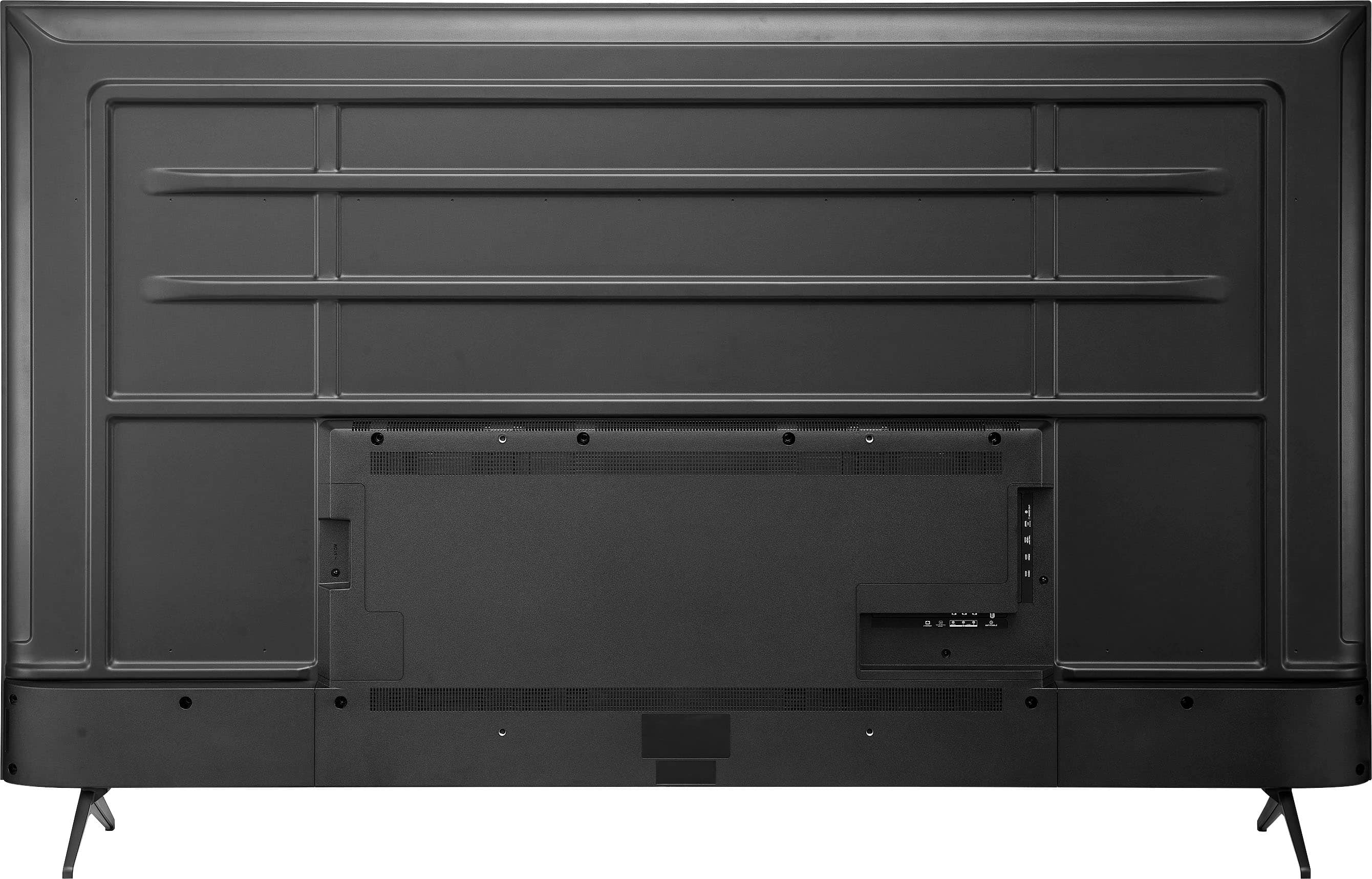
- A:Answer Hi there. The Insignia™ 85" Class F50 Series LED 4K UHD Smart Fire TV has a VESA pattern of 500 x 400 mm. To check if your existing mount is compatible, you need to verify that your mount supports this VESA pattern. Look for the VESA pattern information in the mount's manual or product description, which should list the supported VESA patterns. If the manual isn't available, measure the distance between the mounting holes on the mount to ensure the horizontal distance is 500 mm and the vertical distance is 400 mm. If your mount supports the 500 x 400 mm VESA pattern, it should be compatible with your TV. If you need any help with the installation or have more questions, feel free to ask! Ivy | Insignia Support
Answered by InsigniaCustomerSupport

Q: QuestionDoes this TV have Direct TV Stream?
Asked by John.
- A:Answer John, thank you for your question. Our Insignia™ 85" Class F50 Series LED 4K UHD Smart Fire TV has the Fire TV platform built in. You can download the DIRECTV Stream app from the Amazon Appstore that is available on the TV. Once downloaded, you will need to log in with your DIRECTV Stream account credentials to access the service. If you have any other questions or need further assistance, feel free to ask! - Mae | Insignia Support
Answered by InsigniaCustomerSupport

Q: QuestionHello! We just mounted our new TV a few hours ago and it is crashing while watching it. It’s happened multiple times. We tried to unplug and plug it back in, disconnected the PS4, but still having issues. Help!
Asked by NewBuyer.
- A:Answer Return it
Answered by Reviewer
Q: QuestionCan this TV be used in a cold environment?
Asked by Matt.
- A:Answer Hi Matt, thank you for your question about the Insignia™ 85" Class F50 Series LED 4K UHD Smart Fire TV. Generally, LED TVs, including the Insignia F50 Series, are designed to operate within a specific temperature range. For most LED TVs, the recommended operating temperature is between 0°C (32°F) and 40°C (104°F). Using the TV outside of this range, especially in extremely cold environments, could potentially affect its performance and longevity. If you plan to use the TV in a cold environment, ensure that it is kept within the recommended temperature range to avoid any issues. If you have any specific concerns or need further assistance, feel free to ask! Emman | Insignia Products
Answered by InsigniaCustomerSupport

Q: QuestionIs a hdmi cable included and if so how long is it?
Asked by PR.
- A:Answer The Insignia™ 85" Class F50 Series LED 4K UHD Smart Fire TV does not include an HDMI cable in the package. If you need an HDMI cable, you may want to purchase one separately to ensure you have the right length for your setup. Patricia | Insignia Support
Answered by InsigniaCustomerSupport

Q: QuestionWhat is the Hz?
Asked by Cccc.
- A:Answer Red the specs on the item description
Answered by Reviewer
Q: QuestionDoes this tv come with Roku?
Asked by B.
- A:Answer No it comes with Amazon fire TV
Answered by Reviewer
Q: QuestionDoes this TV support Bluetooth tech?
Asked by Bluetooth.
- A:Answer Thank you for your inquiry! Yes, the Insignia™ 85" Class F50 Series LED 4K UHD Smart Fire TV does support Bluetooth technology. This allows you to connect various Bluetooth devices, such as headphones, soundbars, game controllers, and keyboards, for a more versatile and wireless experience. Keith | Insignia Support https://www.bestbuy.com/site/insignia-85-class-f50-series-led-4k-uhd-smart-fire-tv/6583974.p?skuId=6583974
Answered by InsigniaCustomerSupport

Q: QuestionI bought a couple of these televisions for monitoring security system and displaying the scripture and songs for church. Is there a way to skip the “fire” screen when the tv is turned on? I just want it to go directly to hdmi input, not show movie options
Asked by Mandysmum.
- A:Answer I believe if you turn the tv off with it already being on the hdmi channnel then turn it back on it will be directly on hdmi if it don’t then there is no way
Answered by AustinB
Q: QuestionWhat is the refresh rate ?
Asked by Mike.
- A:Answer Read the specs in the description
Answered by Reviewer
Q: QuestionDoes this support HDR for the PS5?
Asked by Anonymous.
- A:Answer Yes I use my PS5 and the resolution is very clear. No delays whatsoever.
Answered by Vittorio
Q: QuestionPlease what’s the watts on this?
Asked by Anonymous.
- A:Answer Thank you for your inquiry! The Insignia™ 85" Class F50 Series LED 4K UHD Smart Fire TV has a power consumption of approximately 200 watts when in use. This can vary slightly depending on the specific settings and usage patterns. Keith | Insignia Support https://www.bestbuy.com/site/insignia-85-class-f50-series-led-4k-uhd-smart-fire-tv/6583974.p?skuId=6583974
Answered by InsigniaCustomerSupport

Q: QuestionI wanted to put it in a bright room. Does it have a shiny or matte surface?
Asked by Robert.
- A:Answer No
Answered by GabrielM
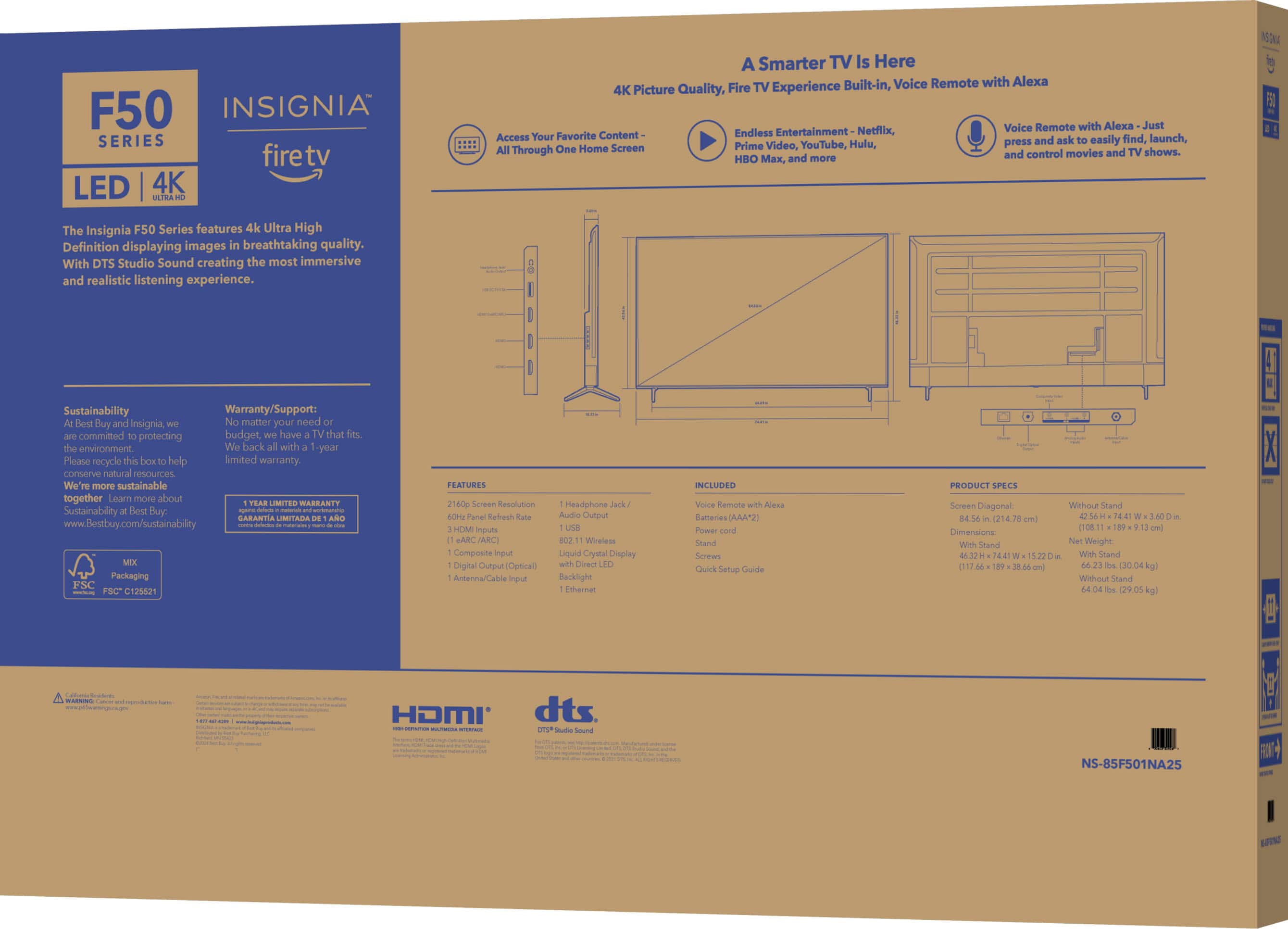
Q: QuestionWhat is the width of the tv stand? Not the length.
Asked by Anonymous.
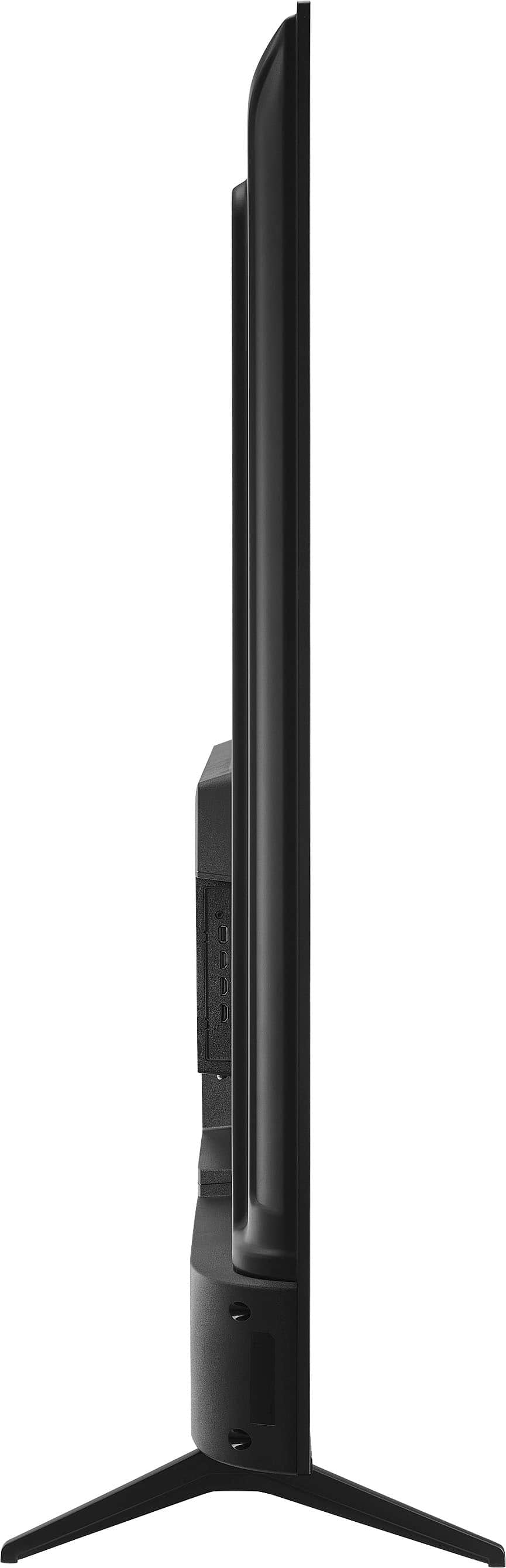
- A:Answer Thank you for your inquiry! The width of the stand for the Insignia™ 85" Class F50 Series LED 4K UHD Smart Fire TV is approximately 64.7 inches. Keith | Insignia Support https://www.bestbuy.com/site/insignia-85-class-f50-series-led-4k-uhd-smart-fire-tv/6583974.p?skuId=6583974
Answered by InsigniaCustomerSupport

Q: QuestionWhat is the width of the tv stand?
Asked by Ak.
- A:Answer Thank you for your inquiry! The width of the stand for the Insignia™ 85" Class F50 Series LED 4K UHD Smart Fire TV is approximately 64.7 inches. Keith | Insignia Support https://www.bestbuy.com/site/insignia-85-class-f50-series-led-4k-uhd-smart-fire-tv/6583974.p?skuId=6583974
Answered by InsigniaCustomerSupport

Q: Questionis leg stand width adjustable
Asked by koyurei.
- A:Answer No, I actually bought a new set of feet for it using the VESA mount option. Works great for me.
Answered by Herdnerfer
Q: QuestionI'm considering this TV for a conference room. Does it allow both macs and windows computers to cast via Chromecast or similar or will I need to use a fire stick or similar?
Asked by Kk1987.
- A:Answer Thank you for your inquiry! The Insignia™ 85" Class F50 Series LED 4K UHD Smart Fire TV supports screen mirroring and casting from both Mac and Windows computers. You can use the built-in Fire TV features to cast content from your devices. For Mac, you can use AirPlay, and for Windows, you can use Miracast or other compatible casting methods. If you prefer using Chromecast, you can connect a Chromecast device to one of the HDMI ports on the TV. This will allow you to cast from both Mac and Windows computers using the Google Home app. Keith | Insignia Support https://www.bestbuy.com/site/insignia-85-class-f50-series-led-4k-uhd-smart-fire-tv/6583974.p?skuId=6583974
Answered by InsigniaCustomerSupport

Best-selling TVs
- $249.99$249.99The price was $379.99
- $79.99$79.99The price was $129.99
- $199.99$199.99The price was $349.99
- $149.99$149.99The price was $199.99
- $449.99$449.99The price was $649.99
- $199.99$199.99The price was $309.99
- $179.99$179.99The price was $299.99
- $149.99$149.99The price was $199.99
- $344.99$344.99The price was $399.99
- $1,399.99$1,399.99The price was $2,699.99
- $129.99$129.99The price was $179.99
- $429.99$429.99The price was $499.99
- $1,297.99$1,297.99The price was $2,499.99
- $139.99$139.99The price was $229.99
- $269.99$269.99The price was $449.99
- $2,199.99$2,199.99The price was $3,699.99
- $569.99$569.99The price was $699.99
- $649.99$649.99The price was $1,299.99
- $329.99$329.99The price was $489.99