“Music will play through google play and pandora but not Spotify. Is there a way to fix this?”
Answer This Question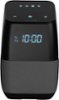
1-3 of 3 Answers
Hi Anna, Thank you very much for buying and reviewing our Voice Smart Bluetooth Speaker. Regarding the situation that you are having with the speaker, please try to power it off for a minute and then power it back on, this is just to ensure the Google and Spotify servers are working correctly. If this does not work, perform a factory reset by pressing the power button for 12 seconds. Alex C. - Insignia Support.
Sorry, there was a problem. Please try again later.You can change this in the Google Home app. Go to the sidebar tap "More settings", scroll down to "Music" (should be under "Services"), and there should be an option for Spotify.
Sorry, there was a problem. Please try again later.Reset everything and try again. Ive had no issue with spotify
Sorry, there was a problem. Please try again later.
