“how do I reset my jbl link 10 ? I want to start from scratch”
Answer This Question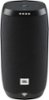
1-2 of 2 Answers
How do I start my JBL LinkedIn after I've reset it with the reset button back to Wi-Fi at my house
Sorry, there was a problem. Please try again later.Hello there, let's help you out with your JBL LINK 10 speaker. To reset it back to its factory default settings, press and hold the microphone/mute button for 13 seconds while the speaker is on. The speaker will then start to reboot itself internally and after about 30 to 45 seconds, you will hear a welcome message — that will tell you that your LINK 10 is in setup mode. If you have previously set up your speaker on the Google Home app and want to go through it again, be sure to remove the LINK speaker from the app first before anything else. You can do this by going into Settings > Devices > Remove this device. Also, make sure that Bluetooth is enabled on your device for iOS devices or location services are enabled for the app for Android devices. We'll be happy to help you out further should you have the need for it — just send us a case request here: http://www.jbl.com/support-contact.html
Sorry, there was a problem. Please try again later.