“The power and mute buttons not working !!!!!! And I cannot connect (We couldn't authenticate your JBL LINK 10. Please visit support.google.com/chromecast for help troubleshooting this issue ) Please advise .”
Answer This Question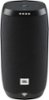
1-5 of 5 Answers
Have the same problem here...when i open it ... the bluetooth and the volume buttons doesnt work.. so is it just an update problem or the speakers problem??
Sorry, there was a problem. Please try again later.My jbl link 10 .u push the power button but no power.nothing
Sorry, there was a problem. Please try again later.Obviously this is an issue. Mine is bricked too. The thing is hardly used. We will see tomorrow if I ever buy another JBL product if they are responsive tomorrow. There has been no damage. No water. Nothing. Was working fine. Battery ran out. Sitting on my bookshelf the whole time. Plugged it back in. Nothing. Did all the resets. Nothing. Literally a circular black $150 brick.
Sorry, there was a problem. Please try again later.I can hear it coming on but not taking the command
Sorry, there was a problem. Please try again later.Have the latest Google Home app version (Update if needed). Make sure the internet connection is stable and working. Reboot your smartphone or tablet. Restart the LINK speaker by using the little pinhole next to the charging port (Note: This is not a reset but RESTART). Make a factory reset of the LINK speaker, by pressing and holding the “Microphone Mute” button for over 10 sec. If you still experience setup issues, then make a screenshot of the error message during the setup and please submit a case request at https://www.jbl.com/support-contact.html and the Customer Service Team will be more than happy to assist you.
Sorry, there was a problem. Please try again later.