1-2 of 2 Answers
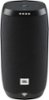
If you are experiencing issues with charging your JBL Link 10 please try the following steps below: -Try using other charging cables to see if the issue is with the cable rather than the speaker. -Try using different power sources to charge the speaker such as different power outlets or your PC/Laptop. -Try charging the speaker overnight and see if there is any significant change to the LED lights on the speaker. -Check to see if there is any damage to the charging port of your JBL link 10. Sometimes, the hardware needs a quick reboot. In case the above steps do not solve the issue you can try rebooting you JBL link 10. Just follow these steps: Open the charging cover. 1. Find a paperclip or something similar that is small enough to fit the small hole 2. Short press the button with your paperclip. 3. The speaker will not shutdown and boot up again. 4. This will NOT delete any settings or information for your JBL LINK 10 or LINK 20. Should you still need assistance you can contact our Customer Support Team and one of our representatives will help you regarding your issue.
Sorry, there was a problem. Please try again later.How do you fix you charge bit in the speaker
Sorry, there was a problem. Please try again later.