Save up to 50% on 3-Day Sale deals.Ends 12/7.Shop now

Skip to content
Gift Ideas
Main Content

Questions & Answers

Your price for this item is $209.99
Page Showing 21-29 of 29 questions
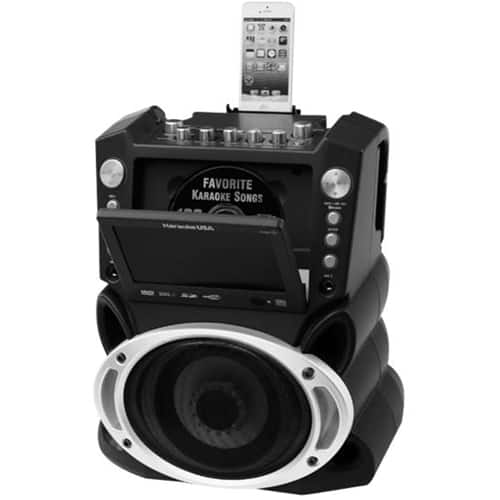
  • QuestionIs this machine compatible with I phone or tablet?

    Asked by Dlk.

    • Answer This machine is compatible with both a phone or a tablet.

      Answered by KaraokeUSA Support

  • QuestionNew Karaoke USA Model GF846, wanted to connect iPhone, simple connection instructions, but machine states: {Bluetooth Mode} {Connected} Not done before/can't clear setting iPhone does not pick up Bluetooth Setting of Machine? Any help? Thank you!

    Asked by Anonymous.

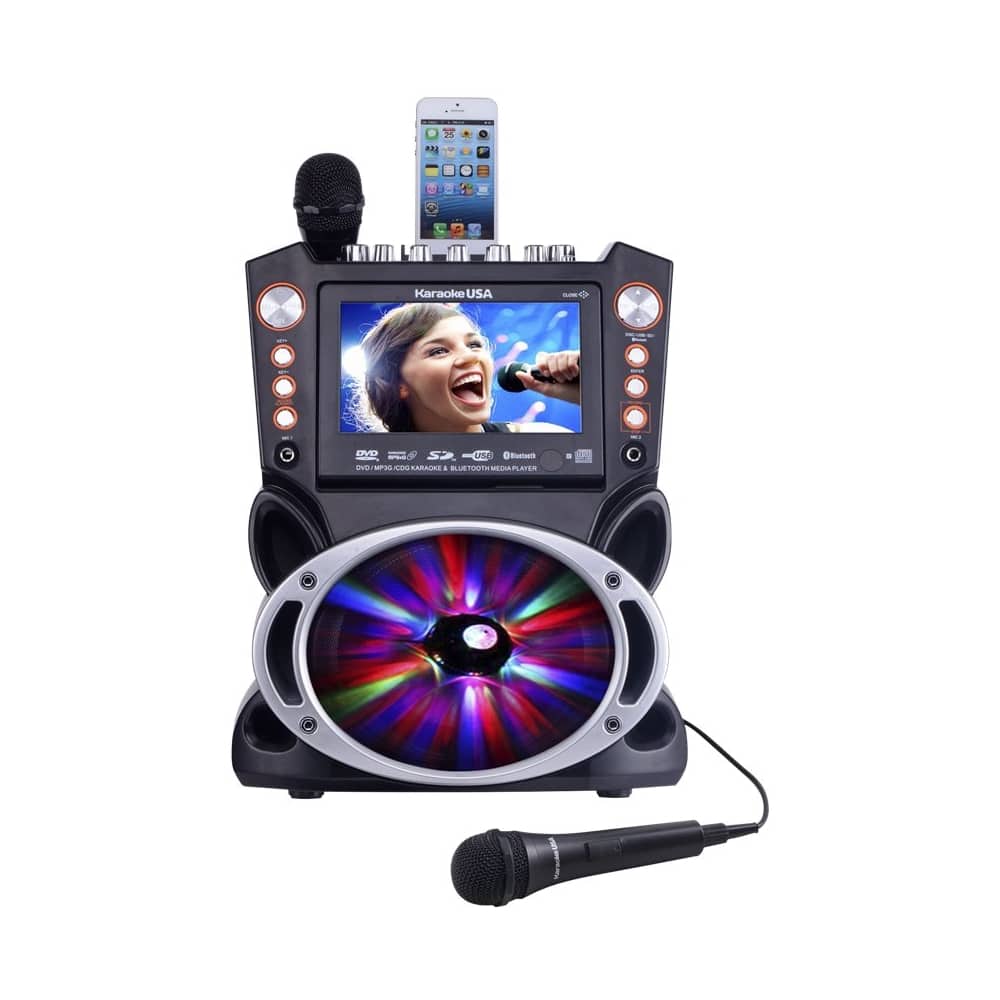
    • Answer The GF846 will pair via bluetooth to iPhone. I would suggest that you reboot your phone and repeat steps 1,2, & 3. 1. Pairing your Smart Phone using Bluetooth : A. Power the machine ON and then select DISC/USB/SD/BLUETOOTH mode. B. Select Bluetooth mode with the DISC/USB/SD/BLUETOOTH button. (on the Front Panel or on the Remote Control) When in Bluetooth mode, the screen shows : “BLUETOOTH NO CONNECTION”. 2. Setting your Smart Device to “explore” the unit. A. Activate your Bluetooth function on your smart device. B. Click “Setting” and select “Bluetooth” 3. Using your Smart Device to connect to the Machine A.Your Smart Device will Discover:GF846. B. Select GF846. C. To accept the pairing to your smart Device . D. If they are paired, the screen will show: “Bluetooth Connected” and you will hear a “beep” sound. E. If they are not paired, the screen will show : “BLUETOOTH NOT CONNECTION”. F. Please repeat “Steps 1,2 & 3”above until they are paired. 4. Play Audio via Bluetooth After Pairing: A. Select the song files that you wish to play from your Smart Device. B. Then press “ ” to start sending to the Machine by Bluetooth connection. C. Always remember to use full volume to send your song files from your smart device. D. Adjust the Master Volume on the Machine to a comfortable level when necessary. E. Music will be put “on Hold” automatically when your Smart Device receives a phone call to let you answer. The music will resume when you end the call. 5. Bluetooth transmits audio only. You will not see lyrics when using Bluetooth for a music source. 1
      Answered by DOK Support

  • QuestionDoes this play mp4 formatted files?

    Asked by maria.

    • Answer It cannot play MP4 files, it plays MP3+G files, which are karaoke files that have both audio and visual components.

      Answered by DOK Support

  • QuestionCan i get this delivered to my home before Christmas

    Asked by Help.

    • Answer Yes

      Answered by KaraokeUSA Support

  • QuestionHow many watts?

    Asked by Watts.

    • Answer 35W

      Answered by KaraokeUSA Support

  • QuestionCan I use my Android phone with this machine

    Asked by Shanny.

    • Answer Yes, you can use any device that has a headphone jack. Connection is accomplished by connecting your device's headphone jack to the aux input jack on the machine.

      Answered by DOK Support

  • QuestionIs CD+G included

    Asked by mimilou.

    • Answer Yes, it comes with 300 public domain songs.

      Answered by KaraokeUSA Support

  • QuestionCan you play your cds with this and sing to your own music on this machine?

    Asked by Nickname.

    • Answer Yes, it plays normal CDs. Not sure what you mean by your own music. It plays MP3 music so, assuming your music is in an MP3 format, yes.

      Answered by KaraokeUSA Support