Questions & Answers
- Model:
- LMV2031SW
- |
- SKU:
- 3369006
Q: QuestionWhat color is the lighted display? My oven light is blue and I want them to match.
Asked by Anonymous.
- A:Answer It's green and I didn't realize that until they were both (new range has green display and microwave is blue display) were installed. Drove me crazy that one display was blue and one was green-at first, but now I don't even notice it. They should have made it consistent but not a big deal now.
Answered by Lovetoshop
Q: QuestionDoes this unit have a light on the bottom for the stovetop?
Asked by JohnK.
- A:Answer Yes, but it's fairly dim. It's an old-fashioned halogen bulb. I replaced ours pretty much immediately with a brighter LED bulb. It's a standard G8 size.
Answered by timd
Q: Questionwhat is the cook top light wattage and is it LED or Halogen bulb thats needed?
Asked by Greatgrammy.
- A:Answer The Cooktop/Night Light on the LG 2.0 cu. ft. Over-the-Range Microwave Oven with EasyClean®, Model # LMV2031ST is a halogen lamp and the wattage should be stamped on the bulb. The Oven Light is a 30 Watt apliace bulb. You can ask for an LED equivalent for the bulbs if you prefer to use LED bulbs that are brighter and use less energy...^IFV
Answered by LG Digital Customer Care

Q: QuestionAre filler panels available for each side of the over the oven microwave?
Asked by Wood.
- A:Answer The LG - 2.0 Cu. Ft. Over-the-Range Microwave - Stainless-Steel, LMV2031ST as an Over the Range microwave is designed to be installed in a cabinet opening that has a maximum depth of 13" with an opening width of 30" and a minimum of 30" clearance from the bottom of the cabinet to the cooking surface or countertop before installation. The microwave has a width of 29 15/16" so that there only space left once installed in the appropriately sized cabinet opening, there is a minimal amount of space left that ensures an adequate airflow around the unit. When installed in accordance with the instructions given in the installation manual, there is no need for filler panels which is why none are available...^IFV
Answered by LG Digital Customer Care

Q: QuestionI just purchased this microwave haven't used it yet but I set the clock and it stays on for a bit then goes black
Asked by Ellen.
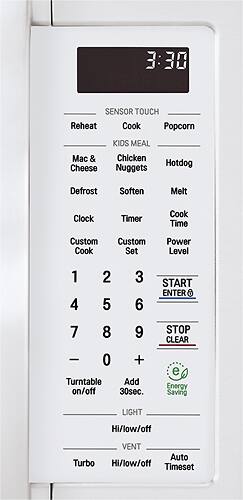
- A:Answer Be sure the economy setting isn't selected. (third button from bottom right)
Answered by jamar
Q: QuestionLG LMV2031ST: When stove top vent fen speed is high, will it be reduced when microwave is on? If yes, after microwave is off, will vent fan speed return to high?
Asked by Anonymous.
- A:Answer The vent speed does not slow down when the microwave is on. ^CP
Answered by LG Digital Customer Care

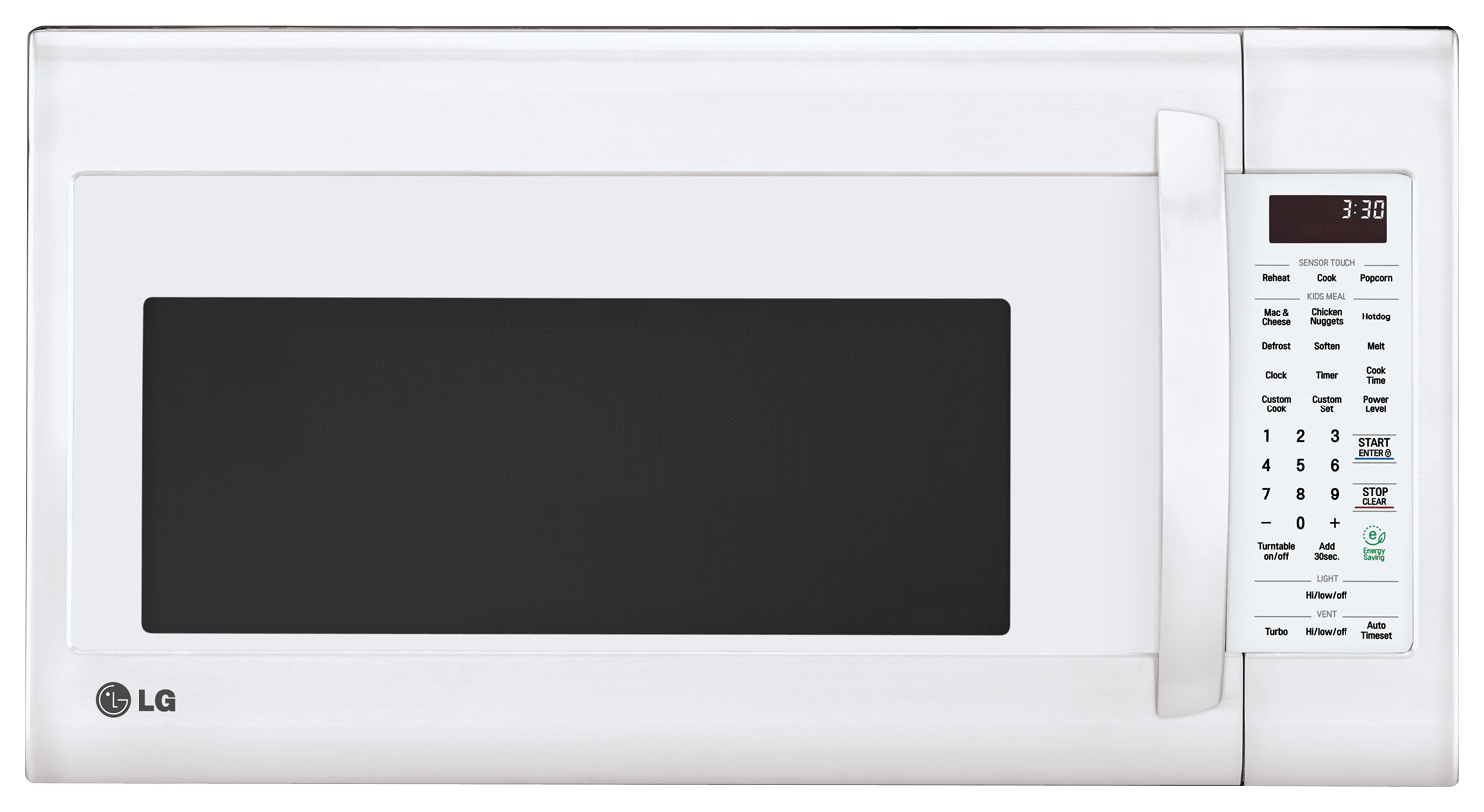
Q: QuestionAre the buttons backlit?
Asked by Anonymous.
This question was asked about the related product: LG - 2.0 Cu. Ft. Over-the-Range Microwave with Sensor Cooking and EasyClean - Stainless Steel
- A:Answer No they aren’t. I wish they were.
Answered by Saint1345
Q: QuestionDoes this unit allow venting back into the kitchen? I have no ducts in the kitchen to connect to outside. If yes, how to switch to internal ventilation before installing?
Asked by Beth.
This question was asked about the related product: LG - 2.0 Cu. Ft. Over-the-Range Microwave with Sensor Cooking and EasyClean - Black Stainless Steel
- A:Answer We don't have any ducts from above our microwave to the outside either. It vents out the top of the microwave --- which is fine UNLESS you have a cabinet over the built-in microwave. For us, we get a ton of sweat on the outside of the cabinet above the microwave if we are running it for more than a handful of minutes. We find ourselves having to keep the cabinet doors above the microwave open whenever we're running it more than 4 minutes. Kinda stinks, but it is what it is.
Answered by violet4600
Q: QuestionHow is it installed?
Asked by EPG.
This question was asked about the related product: LG - 2.0 Cu. Ft. Over-the-Range Microwave with Sensor Cooking and EasyClean - Stainless Steel
- A:Answer Two bolts screw into the microwave from above. The back base of the microwave has a metal lip running the length of the unit. There is a metal frame that needs to be screwed to the studs in the wall behind the microwave (unseen - very flat). To remove the old microwave, unscrew the two bolts. It will lean forward/down (this is a two person job). Lift it up off the lip and it's free from the wall. You can use the box or styrofoam from the new unit to rest the old unit instead of dropping it on the range. To install the new one, check the included metal frame against the one that is already mounted. If they're the same, tilt the new unit onto the lip of the frame (two people, again). [If not, remove the old frame, and install the new frame INTO THE STUDS]. Once the unit is on the lip solidly, tilt it up and install the bolts from above. You may have to drill a new hole in the bottom of the cabinet over the unit to align with the new bolt location. For me, one aligned perfectly, and the other was off by 1/2inch. Total time was 30-45m. Tools needed were screwdriver, drill, and a wide washer (that 1/2" hole was really close to the old hole) - helped distribute the weight. Seriously - this is an easy thing to do. And before I forget, I DID have to remove the blower motor to exhaust out the top instead of out the back. (Read the manual - see if your current unit exhausts out the top, out the back (into the wall), or into a flue.)
Answered by Averagehomeowner
Q: QuestionDoes the time of day disappear automatically (after 5 minutes) for everyone on model: LMV2031ST?
Asked by faron1.
- A:Answer When the LG - 2.0 Cu. Ft. Over-the-Range Microwave - Stainless-Steel, Model # LMV2031ST is first plugged in or after a power failure, the display will show "PLEASE SET TIME OF DAY". Once the time is set, it stays on all the time and does not automatically disappear after 5 minutes...^IFV
Answered by LG Digital Customer Care

Q: QuestionOne reviewer mentioned that you can set the timer only in one minute increments, not seconds. Is this accurate?
Asked by BooBoo.
This question was asked about the related product: LG - 2.0 Cu. Ft. Over-the-Range Microwave with Sensor Cooking and EasyClean - Black Stainless Steel
- A:Answer no, you can hit the "cook time" button and enter the time normally
Answered by PrintChecksPro
Q: QuestionDoes it have a night light underneath the microwave?
Asked by Anonymous.
This question was asked about the related product: LG - 2.0 Cu. Ft. Over-the-Range Microwave with Sensor Cooking and EasyClean - Black Stainless Steel
- A:Answer yes with multiple options of brightness. BUT like most microwave lights it gets very hot after any (15 min) length of use; even on lowest setting. Clearly not an LED light!
Answered by RobertN
Q: QuestionHow does the door open?
Asked by Grumpy.
This question was asked about the related product: LG - 2.0 Cu. Ft. Over-the-Range Microwave with Sensor Cooking and EasyClean - Stainless Steel
- A:Answer A pocket handle on the side of the door
Answered by AliPerk
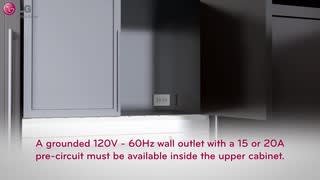
Q: QuestionWill this unit require hard wire or just AC outlet plug?
Asked by Anonymous.
This question was asked about the related product: LG - 2.0 Cu. Ft. Over-the-Range Microwave with Sensor Cooking and EasyClean - Stainless Steel
- A:Answer Plug
Answered by Anonymous
Q: QuestionDoes this microwave venting system have to go outside or is it self circulating and can vent back into the room?
Asked by MaFish.
- A:Answer The over the range microwave is set for roof venting by default but can also be set to vent through the rear wall or to recirculate back into the room. ^Daphane
Answered by LG Digital Customer Care

Q: Questiondoes this microwave have a one touch express ? By that I mean if you press the #1 the unit operates for 1 minute and if #2 is pressed it operates for 2 minutes etc.
Asked by Anonymous.
- A:Answer This unit does not, it has an Add 30Sec button that when touched 30 seconds of cooking time is automatically started. It can be pressed multiple times or just once. ^AC
Answered by LG Digital Customer Care

Q: QuestionThis model appears to vent out the front? But some models has a back plate that also allows for venting up a pipe (that is installed in my current microwave) that allows for external ventilation. Image does not show does it allow for external vent?
Asked by Vent.
- A:Answer Yes, it allows for venting out though the back to a ventilation system. There are options for above and behind the oven.
Answered by Robert
Q: QuestionI don’t have a vent, can this microwave work ductless and just circulate in the kitchen and if so, how good are the filter and how often need to be replaced?
Asked by Luis.
This question was asked about the related product: LG - 2.0 Cu. Ft. Over-the-Range Microwave with Sensor Cooking and EasyClean - Stainless Steel
- A:Answer yes it can be ductless
Answered by Bmiles13
Q: QuestionAre numbers hard to see for elderly people?
Asked by teri.
This question was asked about the related product: LG - 2.0 Cu. Ft. Over-the-Range Microwave with Sensor Cooking and EasyClean - Black Stainless Steel
- A:Answer Numbers are definitely large enough for elderly to see and read easily.
Answered by Bobbiejo
Q: QuestionWhat is the watts?
Asked by Ladyboss.
This question was asked about the related product: LG - 2.0 Cu. Ft. Over-the-Range Microwave with Sensor Cooking and EasyClean - Stainless Steel
- A:Answer Hi the rated power consumption for this unit (Microwave oven with cooktop lamp and ventilation fan) is 1800 W. ^Chris
Answered by LG Digital Customer Care

Top-rated Best Buy
- $209.99$209.99The price was $399.99
- $399.00$399.00The price was $449.00
- $1,134.00$1,134.00The price was $1,299.00