Winter SaleEnds 1/19. Limited quantities. No rainchecks.Shop now

Main Content

Questions & Answers

Your price for this item is $199.99
Page Showing 81-100 of 323 questions
  • QuestionDo I have to use the smart feature.

    Asked by Lynn.

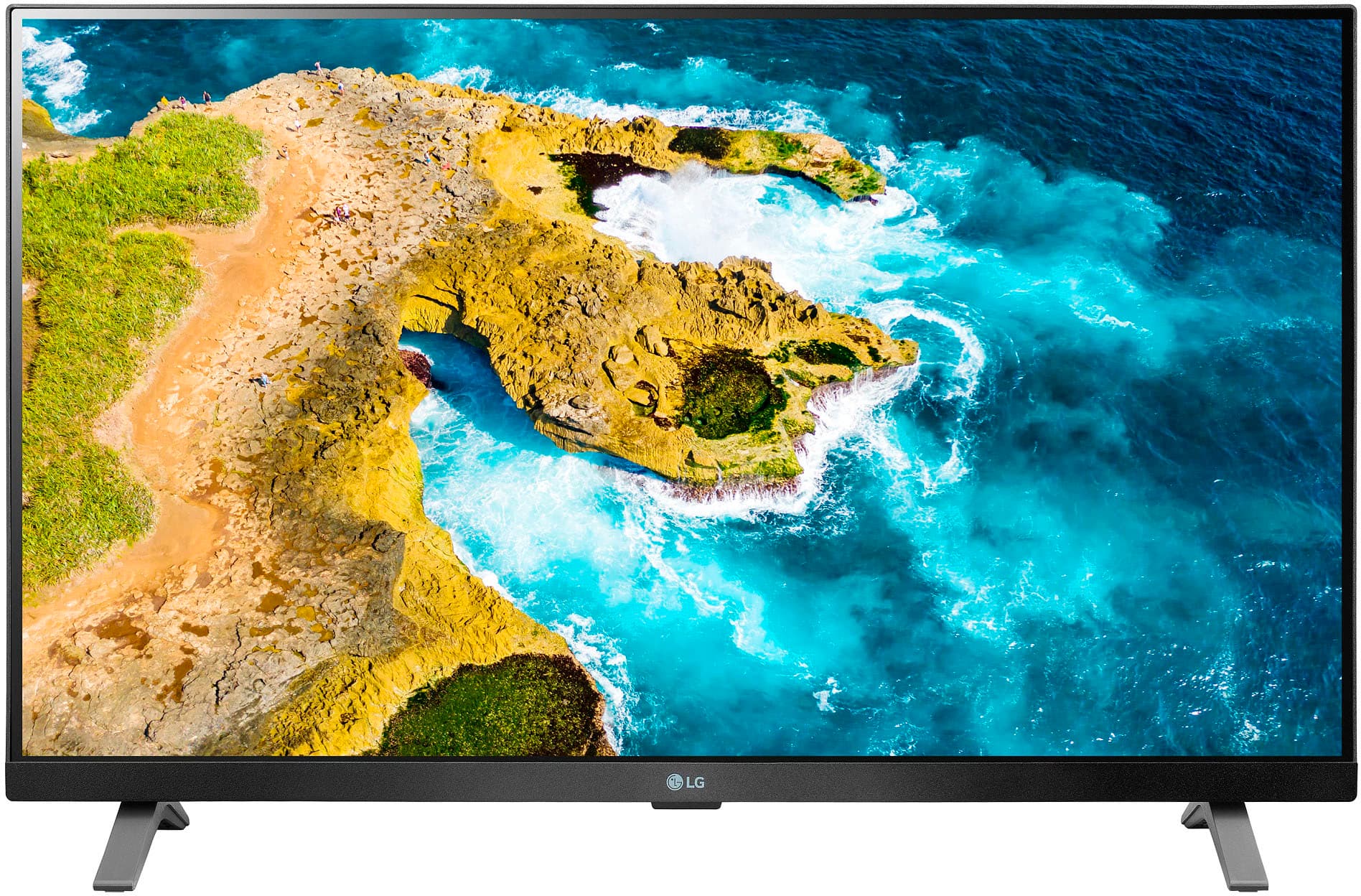
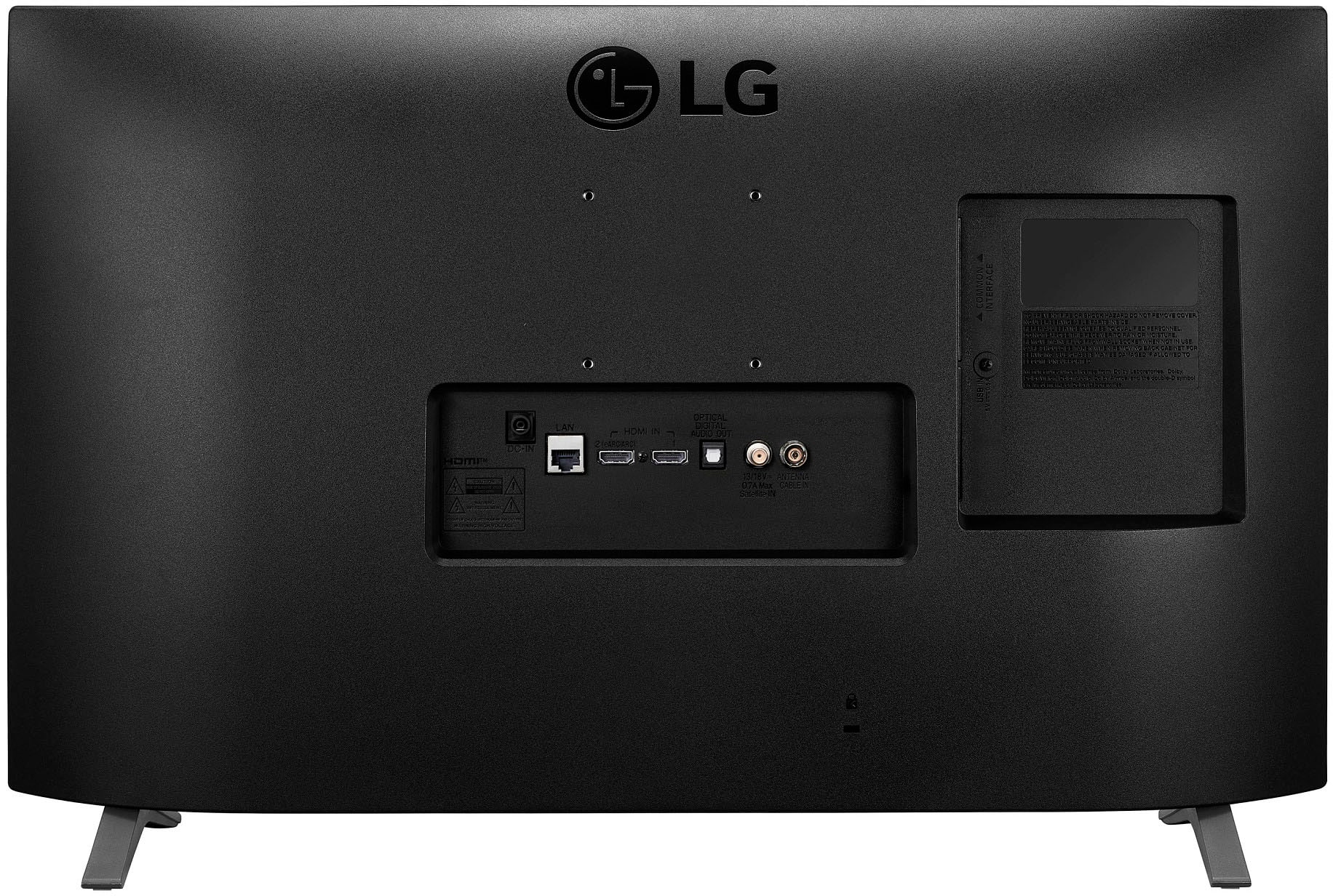
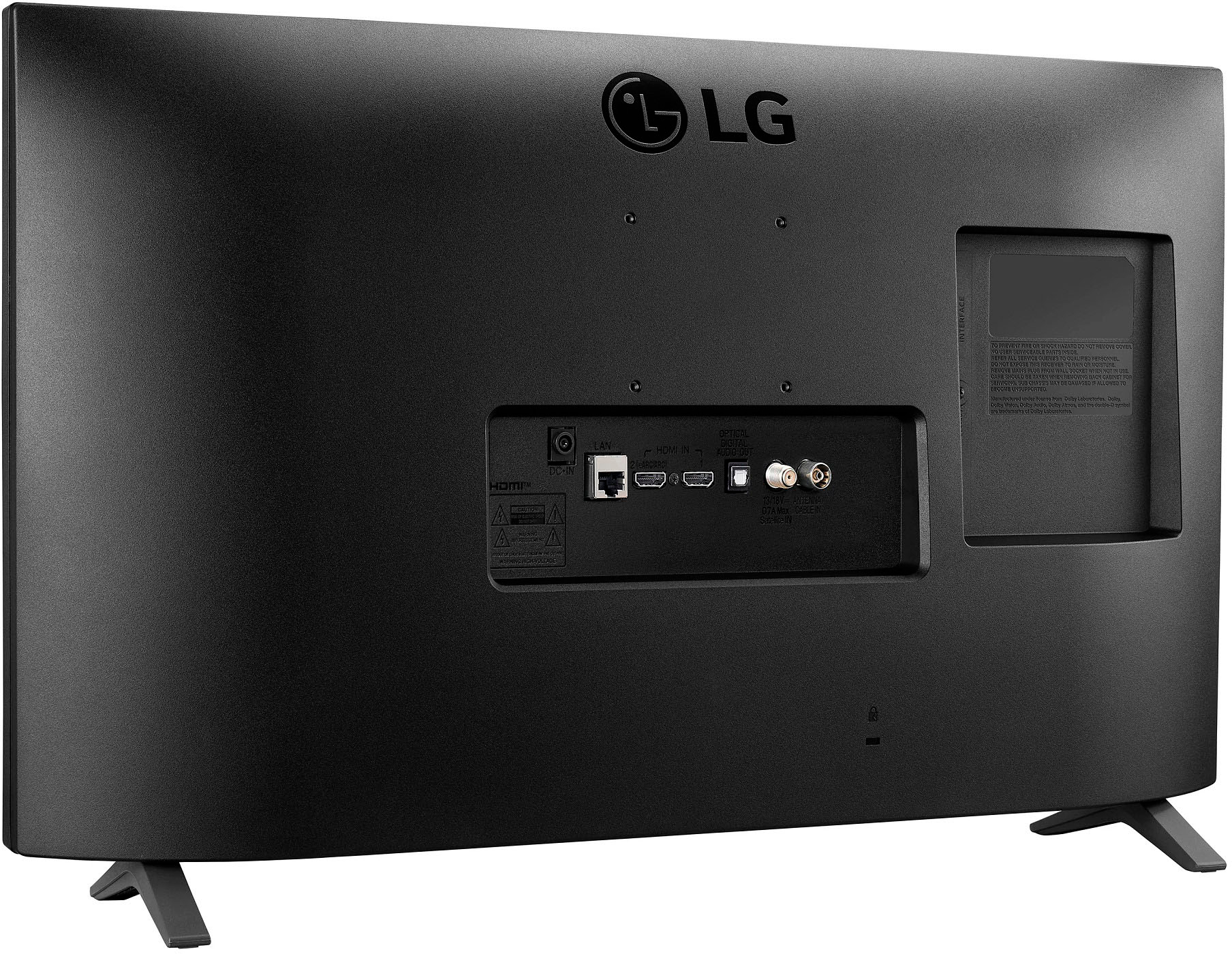
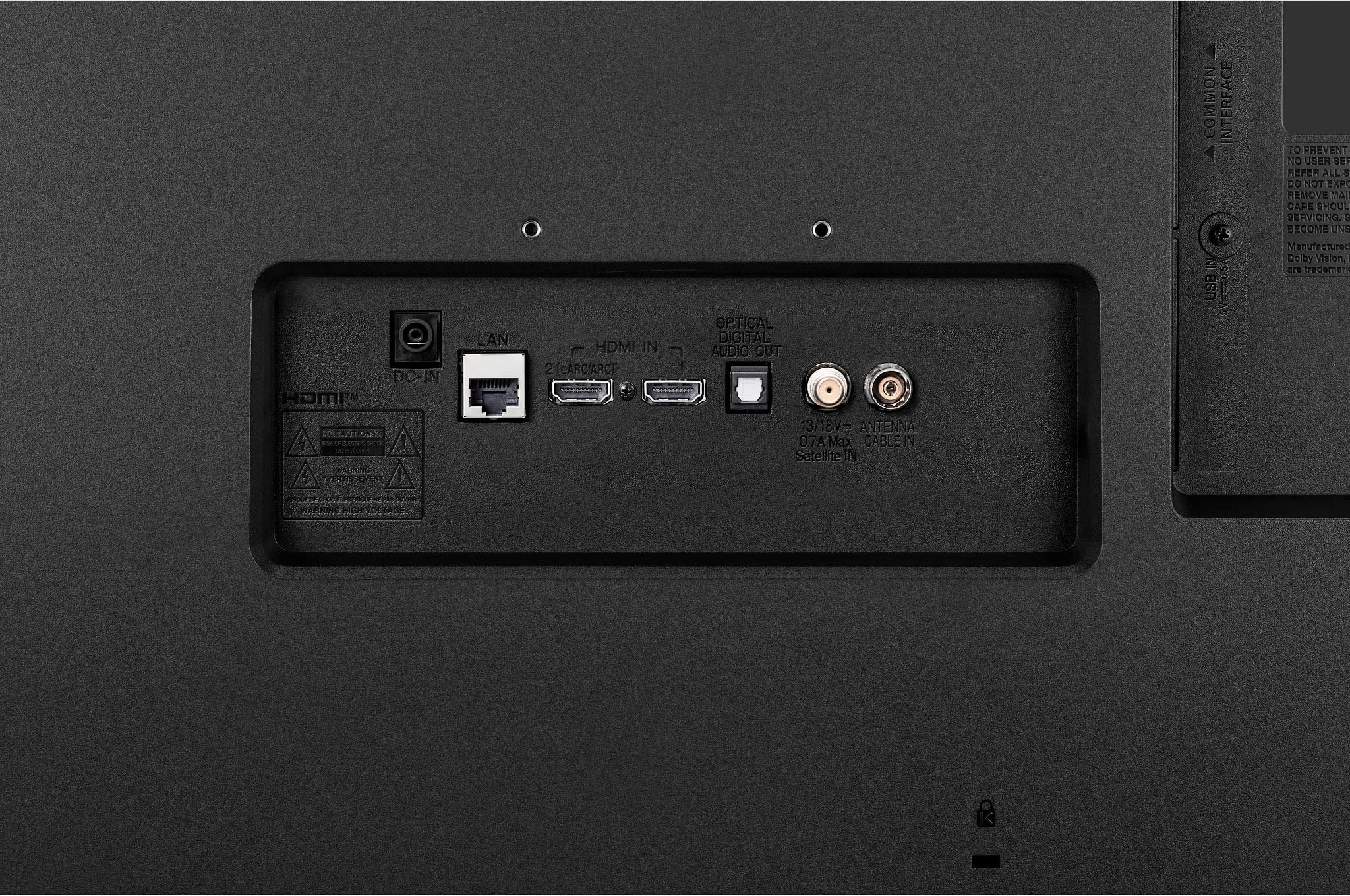
    • Answer Smart TVs have all the functionality of a traditional television along with smart capabilities and internet connectivity, so you can use the LG 27" Class LED Full HD Smart TV with webOS (2022), Model # 27LQ625S-PU as a standard TV. It can receive over-the-air broadcast signals and display programming just like a traditional TV and it has built-in TV tuners that allow you to watch local broadcast stations by just connecting an antenna to the F-Type, 75-Ohm, coaxial connector on the back of the TV labeled 'Antenna/Cable In. You can also subscribe to cable TV or satellite service and connect a set-top box to view cable channels. The process of scanning for channels, browsing channels, and watching live TV is the same as any regular television. So if you don’t intend to connect the TV to Wi-Fi and use the preinstalled streaming services or connected devices, the TV works just fine as a “dumb” TV with broadcast channels. You also will not be able to receive firmware updates when they become available if you are not connected to the internet...^Ivan.

      Answered by LG Digital Customer Care

  • QuestionCan I connect my dvd player to this tv

    Asked by Anonymous.

    • Answer Yes, if your DVD player has an HDMI port. I believe it also has a coaxial cable connection.

      Answered by John

  • Questionis it plug and play with spectrum

    Asked by Anonymous.

    • Answer Hi there! We understand your inquiry about whether the LG 27LQ625S-PU TV is plug-and-play with Spectrum. This model comes with built-in ATSC and NTSC tuners, which means it’s compatible with over-the-air antenna signals, but for cable services like Spectrum, you may need a cable box or a compatible Spectrum receiver for full functionality. Simply connect the receiver via HDMI to enjoy cable programming. https://www.bestbuy.com/site/lg-27-class-led-full-hd-smart-tv-with-webos-2022/6506780.p?skuId=6506780 If you need further help with setup or compatibility, please send us a private message on Social Media @LGUSSupport, and our team will be happy to assist you further. —Renzo

      Answered by LG Digital Customer Care

  • Questionhow good is audio sound out of the box? i plan to use in kitchen and bedroom, so need sound strong enough to overcome fans, running water, air filter, etc

    Asked by clearaudioplease.

    • Answer Hi, there. Thank you for your inquiry about the LG TV (27LQ625S-PU) model. The audio quality right out of the box is designed to be clear and balanced, with a good mid-range and treble response that should perform well in environments like a kitchen or bedroom. If you happen to have some background noise from fans, running water, or air filters, it might be a good idea to check out the sound settings or think about connecting external speakers for even better sound clarity. To get the best sound performance, you can tweak the audio settings to fit your taste through the sound menu. If you need more help, just hop over to https://www.lg.com/us/support/help-library/lg-tv-how-to-enable-clear-voice--20153207248714. And if you have any other questions or need assistance with settings, don’t hesitate to send us a private message on social media @LGUSSupport. We're here to help! ^Juvy

      Answered by LG Digital Customer Care

  • QuestionWhat type of SD card do I need to increase the memory of this tv?

    Asked by cardsfan.

    • Answer Hi there. Thank you for sharing your question. We understand your inquiry about increasing the memory of the LG 27LQ625S-PU via an SD card. According to LG’s support information, it is not possible to increase the internal storage of your LG TV using an SD card or any other method. The internal storage on LG TVs is fixed and reserved for system use and app installations; adding an SD card will not expand this capacity. While the 27LQ625S-PU includes a USB port (as noted in the specifications you provided), this can only be used for media playback (photos, videos, music) from external drives and does not serve to increase internal memory for installing additional apps or system functions. https://www.bestbuy.com/site/lg-27-class-led-full-hd-smart-tv-with-webos-2022/6506780.p?skuId=6506780 If you find internal storage limiting—for example, when installing many apps—you may consider using an external streaming device (such as Chromecast, Roku, or Apple TV) which offloads app storage and processing externally. For guidance on optimizing app usage, managing installed apps, or exploring alternative solutions, please send us a private message on Social Media @LGUSSupport. Our team will be happy to assist you further. —Renzo

      Answered by LG Digital Customer Care

  • Questioncan you hook up a lap top to this TV?

    Asked by 27inchlgtv.

    • Answer It has two HDMI ports, so it seems reasonable that you could hook up a laptop.

      Answered by Bella007

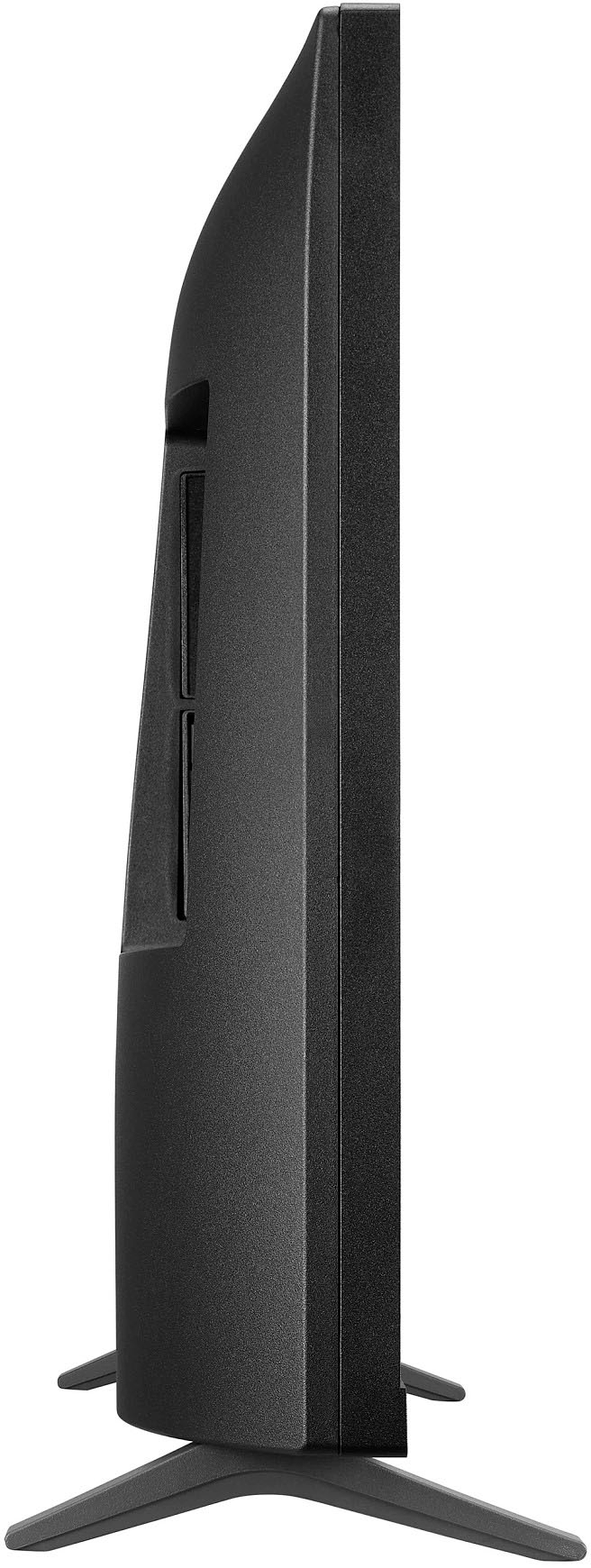
  • QuestionCan this TV be mounted on a wall with a bracket?

    Asked by Anonymous.

    • Answer Yes.

      Answered by PaulineC

  • QuestionWhat size memory does this TV have?

    Asked by Cricket.

    • Answer Hello there! We understand your inquiry about your LG 27" Class LED Full HD Smart TV with webOS (Model 27LQ625S-PU). You’re seeing about 1.29 GB of available storage, which reflects the portion of internal memory allocated for user-facing apps and content—most of the remaining memory is reserved by webOS for system and firmware operations. As a quick troubleshooting step, you can check and free up storage directly on your TV: Press the Home button and navigate to Settings > All Settings > General > About This TV > Storage to view total and available space. If you notice low free space, go to Settings > Apps > Manage Apps, select an app you seldom use, and choose Clear Cache or Uninstall to reclaim memory. https://www.bestbuy.com/site/lg-27-class-led-full-hd-smart-tv-with-webos-2022/6506780.p?skuId=6506780 We understand your inquiry and want to ensure you have the best experience with your smart TV. Please send us a private message on social media @LGUSSupport so we can explore any further solutions or alternatives for your needs. —Renzo

      Answered by LG Digital Customer Care

  • QuestionWidth of product

    Asked by Anonymous.

    • Answer Hi there. Thank you for your interest in the LG 27" Class LED Full HD Smart TV. We understand your inquiry about the product's width. This model has a width of approximately 24.1 inches, making it a great fit for compact spaces such as bedrooms, offices, or kitchens. If you plan to wall mount the unit, it supports a VESA mount pattern of 75mm x 75mm for easy installation. https://www.bestbuy.com/site/lg-27-class-led-full-hd-smart-tv-with-webos-2022/6506780.p?skuId=6506780 Should you need help with setup or finding a compatible mount, please don’t hesitate to send us a private message on Social Media @LGUSSupport — we’ll be happy to assist you further. —Renzo

      Answered by LG Digital Customer Care

  • QuestionDoes the LG 27" smart tv have closed captions all available on all channels

    Asked by Anonymous.

    • Answer Hello there! We understand your inquiry and appreciate you reaching out about your LG 27LQ625S-PU 27″ Class LED Full HD Smart TV (2022). This model does support closed captioning on all digital channels, so you can enjoy your programming with subtitles whenever they’re available. As a quick troubleshooting step, please try the following: Press the Settings button on your remote. Navigate to Accessibility > Closed Captioning. Toggle Closed Captions to On, and choose your preferred caption style. https://www.bestbuy.com/site/lg-27-class-led-full-hd-smart-tv-with-webos-2022/6506780.p?skuId=6506780 If you don’t see captions on a particular channel, make sure that the broadcaster is transmitting CC data for that program. Should you need further assistance—such as adjusting caption size or style—please send us a private message on social media @LGUSSupport and our team will be more than happy to explore possible solutions with you. We appreciate your patience and look forward to helping you enjoy your viewing experience fully. —Renzo

      Answered by LG Digital Customer Care

  • QuestionCan you watch YouTube TV on this model?

    Asked by Lisa.

    • Answer Yes, simply download the YouTube app using the onboard "App Store", and add the icon to the TV's home screen

      Answered by TXUser

  • QuestionDoes this tv come with remote?

    Asked by andy.

    • Answer Yes it does.

      Answered by PM79

  • QuestionHow many HDMI inputs does this TV have?

    Asked by Anonymous.

    • Answer 2 HDMI ports.

      Answered by PM79

  • QuestionDoes this tv have bluetooth and can it connect to a Bluetooth speaker?

    Asked by Ozmandius.

    • Answer I don't recall seeing Bluetooth in there. There are 2 HDMI ports and an optical port. I used the optical port (uses an optical cable) to connect to a speaker I bought on Amazon, works very well.

      Answered by PM79

  • QuestionDoes the tv have a usb port?

    Asked by Bob.

    • Answer yes

      Answered by Babybellman

  • QuestionCan I surf the internet with this Monitor and Can i use a USB keyboard and mouse with it?

    Asked by John.

    • Answer Yes and yes

      Answered by JaniceK

  • Questionyour specs state it is a 240 volt TV. Is this correct or will normal house current of 110 volts work?

    Asked by Anonymous.

    • Answer Normal house current

      Answered by Babybellman

  • QuestionWhat is the viewing angle of the LG 27LQ625S-PU 27 inch Class LED Full HD Smart TV ?

    Asked by Gary.

    • Answer Hi there, Gary. Thank you for reaching out with your inquiry regarding your LG 27LQ625S-PU unit. We understand your situation, and we're happy to help clarify the specifications for you. The official specs indicate a viewing angle of 178˚ for both left/right and up/down, ensuring excellent clarity and consistency from almost any position. If you ever feel that the display performance isn’t matching up to this wide viewing angle, a good troubleshooting step is to check and adjust your display settings. Sometimes a slight tweak in brightness or contrast can help optimize your viewing experience. https://www.lg.com/us/monitors/lg-27lq625s-pu-ips-monitor#pdp_specsPlease send us a private message on Social Media @LGUSSupport, and our team will be more than happy to explore possible solutions with you. —Renzo

      Answered by LG Digital Customer Care

  • QuestionCan you operate/program this tv without having to download an app on your phone?

    Asked by twowheelergeorge.

    • Answer Yes, the built in programming provides full functionality.

      Answered by TXUser

  • Questionwhat is the return policy on an open box 27"tv

    Asked by Anonymous.

    • Answer Hello there. Thank you for reaching out regarding the return policy for an open-box LG 27LQ625S-PU TV. Since return policies may vary depending on the retailer, we recommend contacting Best Buy directly for the most accurate information regarding their open-box return and exchange policies. https://www.bestbuy.com/site/lg-27-class-led-full-hd-smart-tv-with-webos-2022/6506780.p?skuId=6506780 If you need any assistance with your LG TV, please send us a private message on Social Media @LGUSSupport, and we'd be happy to help! —Renzo

      Answered by LG Digital Customer Care