Main Content

Questions & Answers

$289.99
Save $60
The comparable value is $349.99
Page Showing 41-60 of 65 questions
  • QuestionIs the backlight bleed normal?

    Asked by Anonymous.

    • Answer Backlight bleed is a common issue in LED TVs, but it is not necessarily normal. While some degree of backlight bleed is expected and can be a byproduct of the manufacturing process, on the LG 55” Class UA77 Series LED AI 4K UHD Smart webOS TV (2025), Model# 55UA7700PUB, it can also be caused by factors such as temperature changes, overtightened screws, or manufacturing. If you notice significant backlight bleed on the TV, it may be worth contacting our Customer Support on social media (Twitter, Facebook, instagram, YouTube etc.,) using our handle @LGUSSUPPORT for a warranty service, or to discuss potential repair options...^Ivan. 6
      Answered by LG Digital Customer Care

  • Questiondoes this tv also use 220V input power?

    Asked by LawranceA.

    • Answer The LG 55” Class UA77 Series LED AI 4K UHD Smart webOS TV (2025), Model # 55UA7700PUB, is not a dual voltage (or free voltage TV as some call it), and it will not work on 220~240V. It has a power requirement of 120VAC, 50/60Hz...^Ivan.

      Answered by LG Digital Customer Care

  • QuestionDoes this TV have a PBS app that will turn on subtitles

    Asked by Ed.

    • Answer The WETA + PBS, Cascade PBS, PBS Charlotte, Rocky Mountain PBS +, PBS KVIE, and Nashville PBS apps are compatible with the webOS 25 TV Platform that the LG 55” Class UA77 Series LED AI 4K UHD Smart webOS TV (2025), Model # 55UA7700PUB runs on and they can be downloaded and installed on the TV through the LG Content Store (App Store) feature on the TV. If the streaming apps support subtiltles, you will be able to turn then on on the TV...^Ivan.

      Answered by LG Digital Customer Care

  • QuestionWhat is the bolt size for the back mount?

    Asked by Fred.

    • Answer Bought generic stand for mine and the bolts fit.

      Answered by StephenR

  • QuestionCan I connect a Samsung sound bar to this TV?

    Asked by Anonymous.

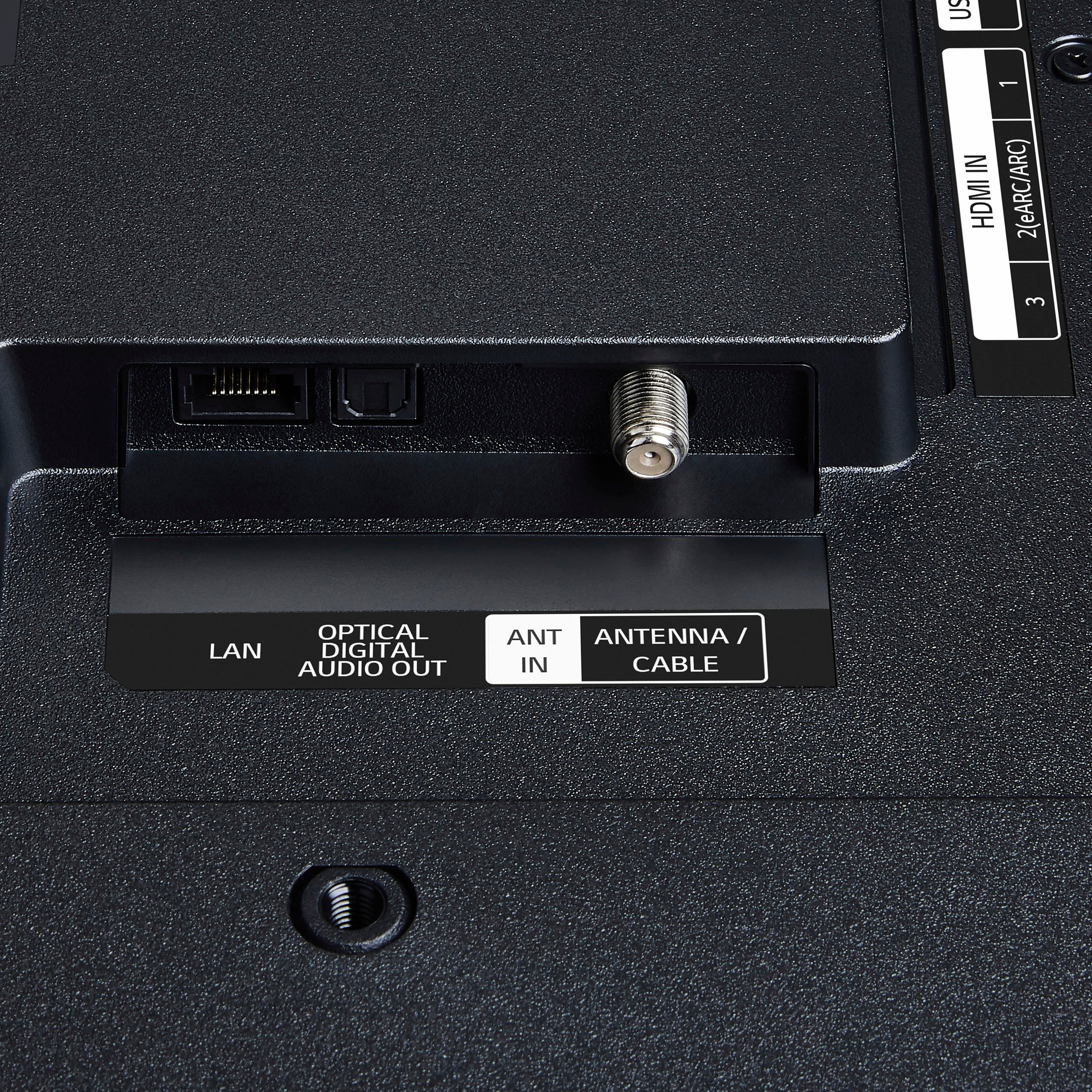
    • Answer It has an optical sound out which I used to connect to a Visio sound bar. I would be mega surprised if a samsung using optical did not work.

      Answered by SteveS

  • QuestionDoes it have wifi connection?

    Asked by PappaRick.

    • Answer Yes, works great

      Answered by StephenR

  • QuestionDoes this work with Xbox streaming?

    Asked by Presto.

    • Answer Are you asking about the Xbox Cloud Gaming app, which allows users to stream games from their Xbox console to various devices? All of our 2025 LG Smart TVs support Xbox Cloud Gaming and you can access the Xbox app on the LG 55” Class UA77 Series LED AI 4K UHD Smart webOS TV (2025), Model # 55UA7700PUB, through the LG Gaming portal to start gaming instantly. To use Xbox Cloud Gaming, you need an Xbox Game Pass Ultimate subscription, which provides access to a library of games...^Ivan.

      Answered by LG Digital Customer Care

  • QuestionIs Netflix installed Or is it easy to setup?

    Asked by Tee.

    • Answer Super easy to sign in or download any app you want

      Answered by KevinJ

  • QuestionCan you use an Xfinity remote with this tv?

    Asked by Db191.

    • Answer I had no trouble pairing it with my previous LG TV.

      Answered by Anonymous

  • QuestionDoes the tv come with protective film on the screen?

    Asked by ZB.

    • Answer No

      Answered by IreneD

  • QuestionDoes this have YouTube TV and Peacock apps?

    Asked by Jibby.

    • Answer Has Peacock You Tube was easy to install

      Answered by LarryF

  • QuestionWhat is lg magic remote.

    Asked by Booder.

    • Answer My 55 inch did not have the magic remote.

      Answered by TC102

  • QuestionWould this be compatible with the Philips hue lights? And the hue sync app ?

    Asked by Anonymous.

    • Answer The LG 55” Class UA77 Series LED AI 4K UHD Smart webOS TV (2025), Model # 55UA7700PUB, is incompatible with the Philips Hue lights and the Hue Sync app...^Ivan.

      Answered by LG Digital Customer Care

  • QuestionHulu app

    Asked by Feernunn.

    • Answer It has the Hulu app pre-loaded on it.

      Answered by AdamN

  • QuestionHow many watts are the speakers?

    Asked by Sam.

    • Answer Hi there, Sam. Thank you for reaching out to us. We understand your inquiry about the 55UA7700PUB TV. The speakers on this unit are 2.0 channels with 20 watts of output power. If you need any further assistance, please send us a private message on Social Media @LGUSSupport and our team will be more than happy to explore possible solutions. https://www.bestbuy.com/site/lg-55-class-ua77-series-led-ai-4k-uhd-smart-webos-tv-2025/6621807.p?skuId=6621807 We appreciate your patience. —Renzo

      Answered by LG Digital Customer Care

  • QuestionCan the Spectrum app be downloaded on this TV so that shows can be watched without a cable box?

    Asked by Erock.

    • Answer The Spectrum TV app is compatible with the webOS 25 TV Platform that this LG 55” Class UA77 Series LED AI 4K UHD Smart webOS TV (2025), Model # 55UA7700PUB, runs on so it can be downloaded and installed on the TV through the LG Content Store (App Store) feature on the TV's home screen...^Ivan.

      Answered by LG Digital Customer Care

  • QuestionHow to connect comcast

    Asked by Anonymous.

    • Answer Done by geek

      Answered by IreneD

  • QuestionHow do you connect TV with Alexa Show? I have the Magic Remote. We like to tell Alexa to mute TV. Thanks. https://www.bestbuy.com/site/lg-55-class-ua77-series-led-ai-4k-uhd-smart-webos-tv-2025/6621807.p?skuId=6621807

    Asked by CrochetLady.

    • Answer Hello there. Thank you for sharing your inquiry with us. We understand you're asking how to connect your LG 55UA7700PUB TV with an Alexa Show to control it with voice commands, such as muting the TV. Your LG TV is compatible with Amazon Alexa, allowing you to control certain functions using voice commands through an Alexa-enabled device like an Alexa Show. Here's a general outline of how to connect them: Ensure TV and Alexa Show are on the same Wi-Fi network: Both devices need to be connected to the same home Wi-Fi network. Enable LG ThinQ Skill in Alexa App: Open the Amazon Alexa app on your smartphone or tablet. Go to "More" or the menu icon, then select "Skills & Games." Search for "LG ThinQ" and enable the skill. You will be prompted to log in with your LG account credentials (the same account you use for the LG ThinQ app). Add TV to LG ThinQ App: If you haven't already, add your LG TV to the LG ThinQ app on your smartphone. This is usually done by opening the ThinQ app, tapping the "+" to add a new device, and following the on-screen instructions to connect to your TV. Discover Devices in Alexa App: Once the LG ThinQ skill is enabled and linked, go back to the Alexa app. Go to "Devices." Tap the "+" icon (or "Discover Devices") to have Alexa search for new smart home devices. Your LG TV should be discovered. Voice Commands: Once connected, you can use commands like "Alexa, mute [TV name]" (e.g., "Alexa, mute Living Room TV"). You can also try commands like "Alexa, turn on/off [TV name]," "Alexa, change channel to [channel number] on [TV name]," or "Alexa, set volume to [number] on [TV name]." https://www.bestbuy.com/site/lg-55-class-ua77-series-led-ai-4k-uhd-smart-webos-tv-2025/6621807.p?skuId=6621807 Please send us a private message on Social Media @LGUSSupport if you have any further questions or encounter any difficulties during the setup process. We appreciate your patience. —Renzo

      Answered by LG Digital Customer Care

  • QuestionDoes this TV also connect to 2.4Ghz wifi or only 5 Ghz? Thank you.

    Asked by GG88.

    • Answer Mine used 2.4

      Answered by TC102

  • QuestionCan you use a different LG remote? I prefer more direct functionality instead of the pop-up menus to access numbers, changing inputs, rewind/ff, etc. Does this support timeshift for OTA channels with a flash drive in USB port?

    Asked by freekickus.

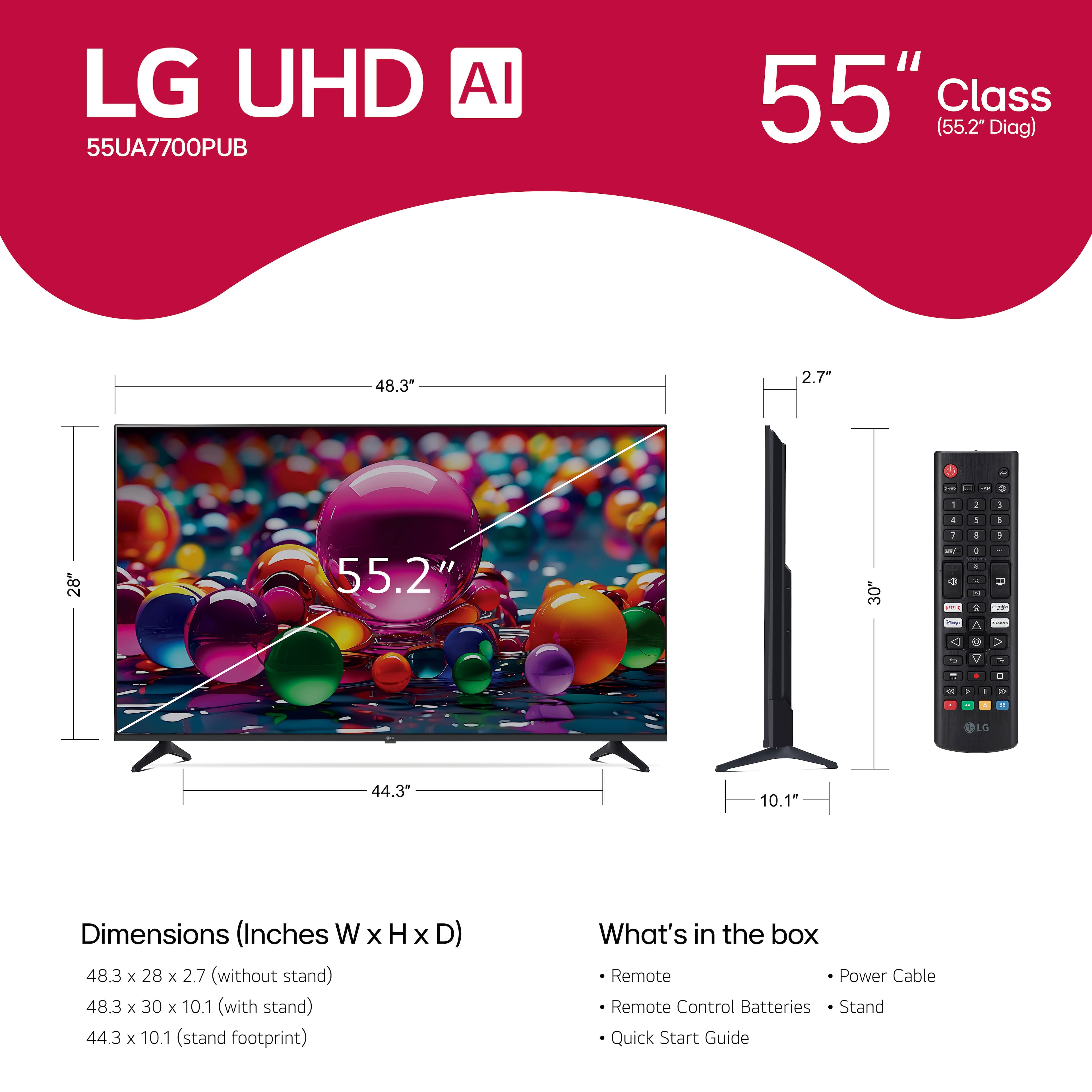
    • Answer An LG standard remote is included with the LG 55” Class UA77 Series LED AI 4K UHD Smart webOS TV (2025), Model # 55UA7700PUB, but it is also compatible with the LG Magic remote, Model # MR25GN, which has to be purchased separately. You can also search for universal remotes that can be programmed to operate some functions on LG TVs. The packaging on universal remotes will identify which brands of TV they can be programmed with and what functions they will operate...^Ivan.

      Answered by LG Digital Customer Care