Questions & Answers
- Model:
- OLED65C4PUA
- |
- SKU:
- 6578042
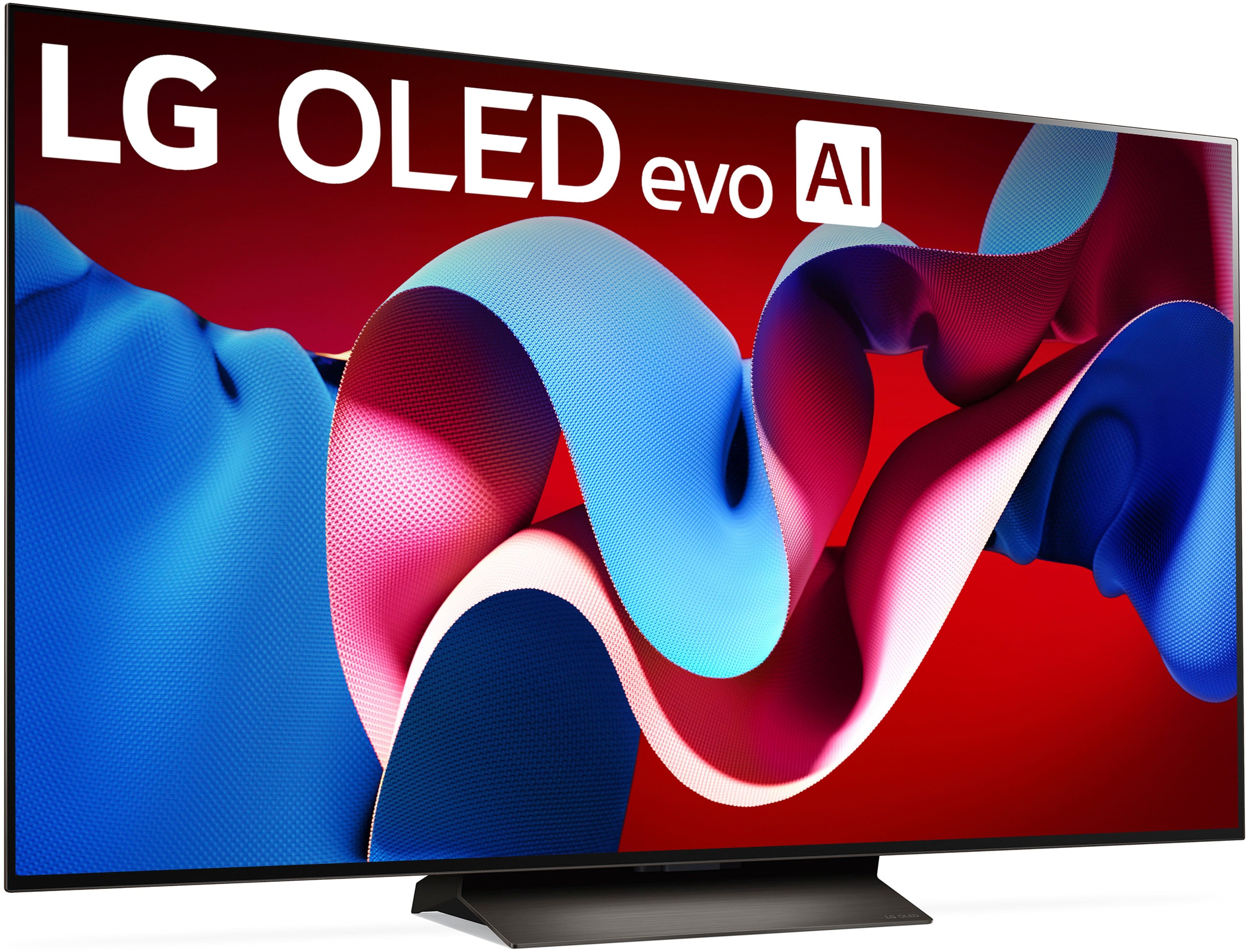
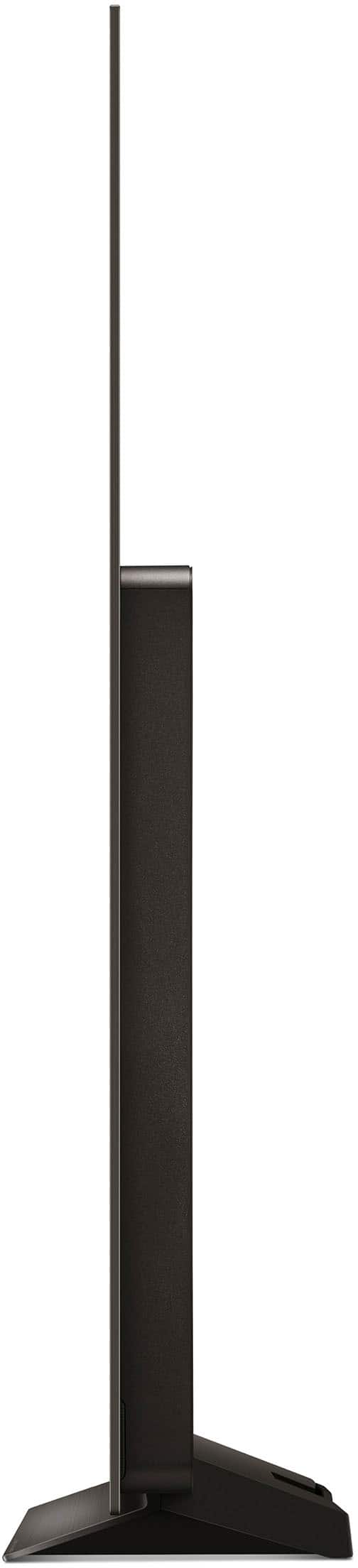
Q: QuestionUsing the stand, can the tv be tilted forward a little ?
Asked by Greatsound.
- A:Answer Unfortunely no. It is in a fixed stand.
Answered by WMRr
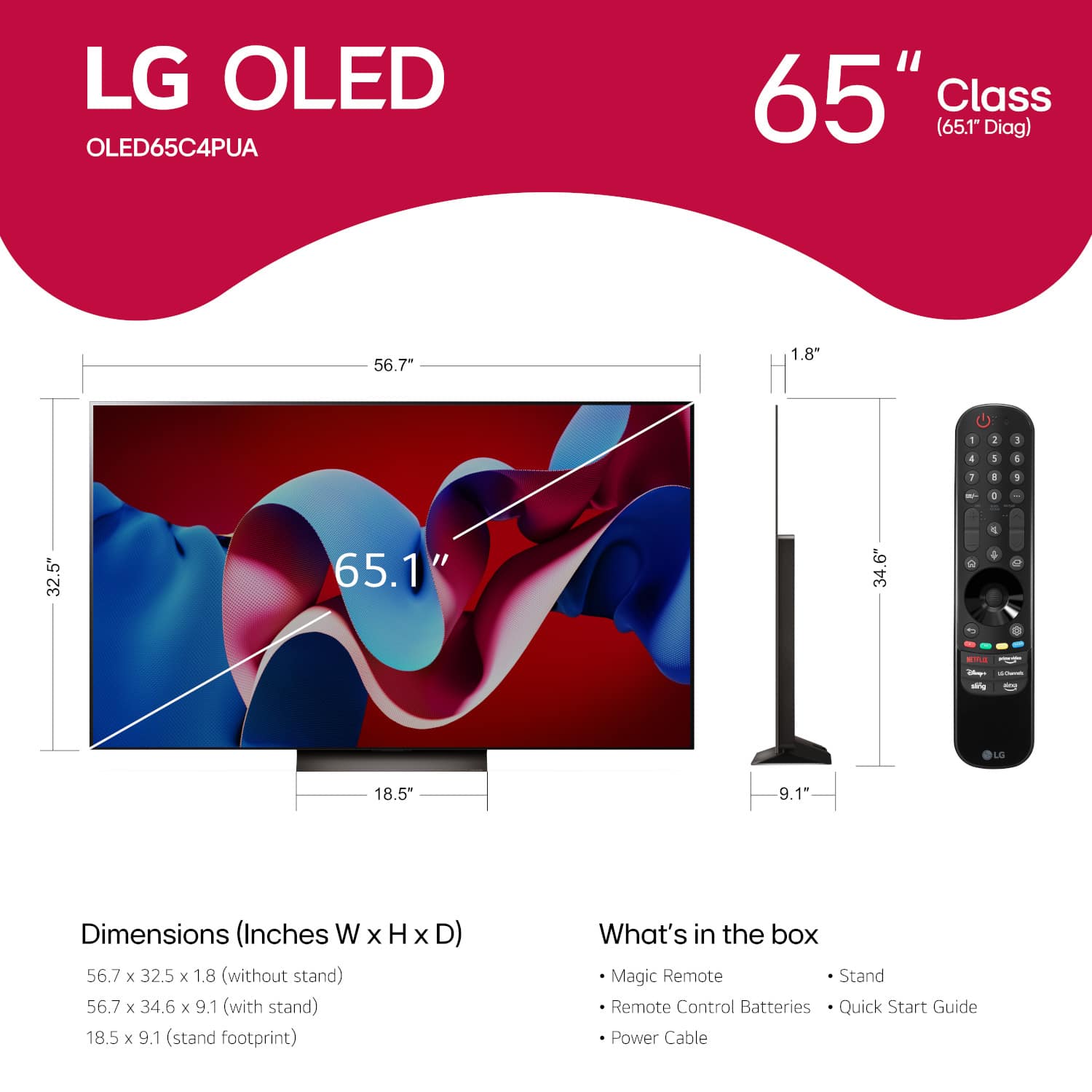
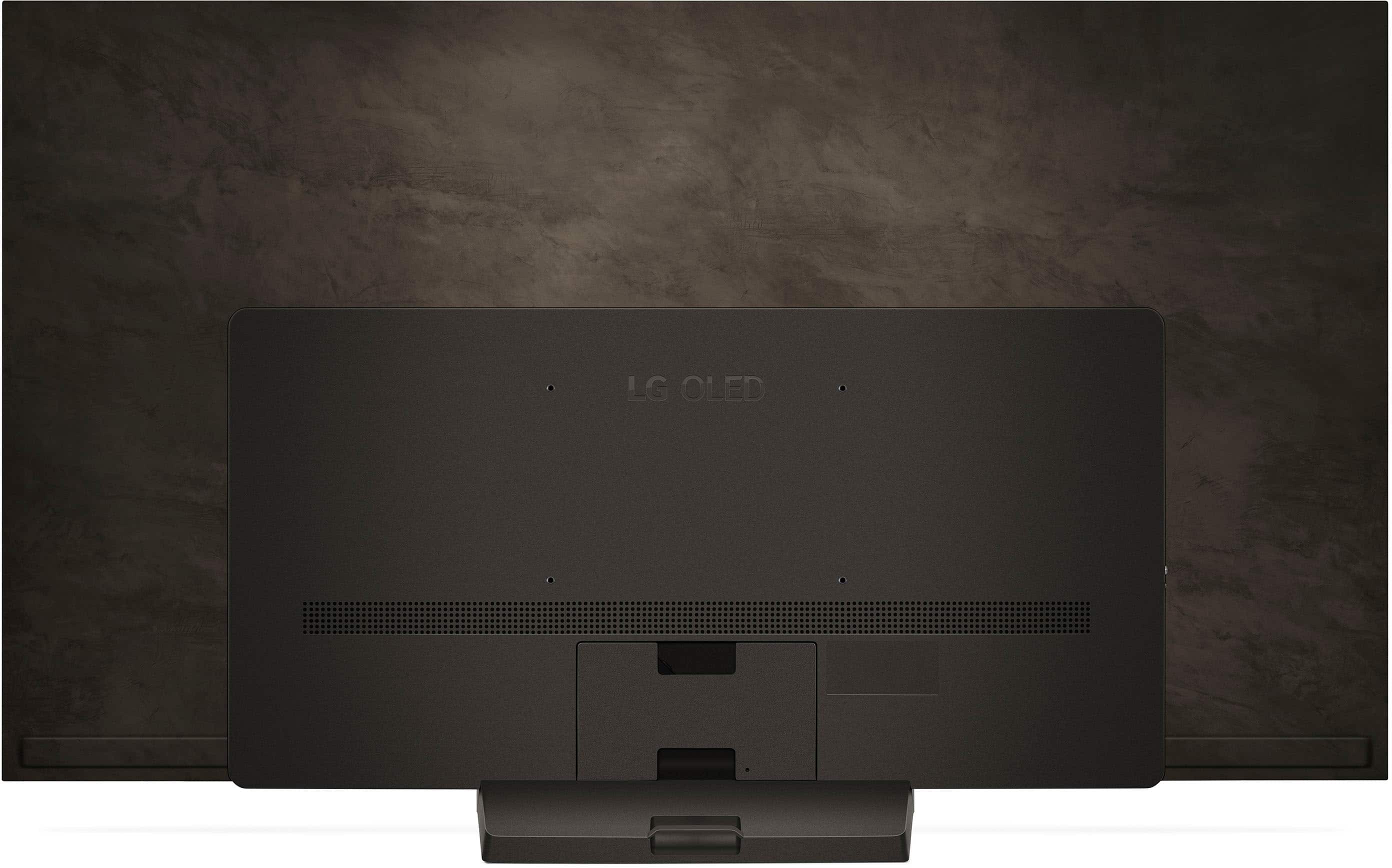
Q: QuestionWhat are the box dimensions? If I decide to buy tv want to make sure it will fit in my SUV
Asked by Anonymous.
- A:Answer Does not fit in a Sportage.
Answered by niceyard
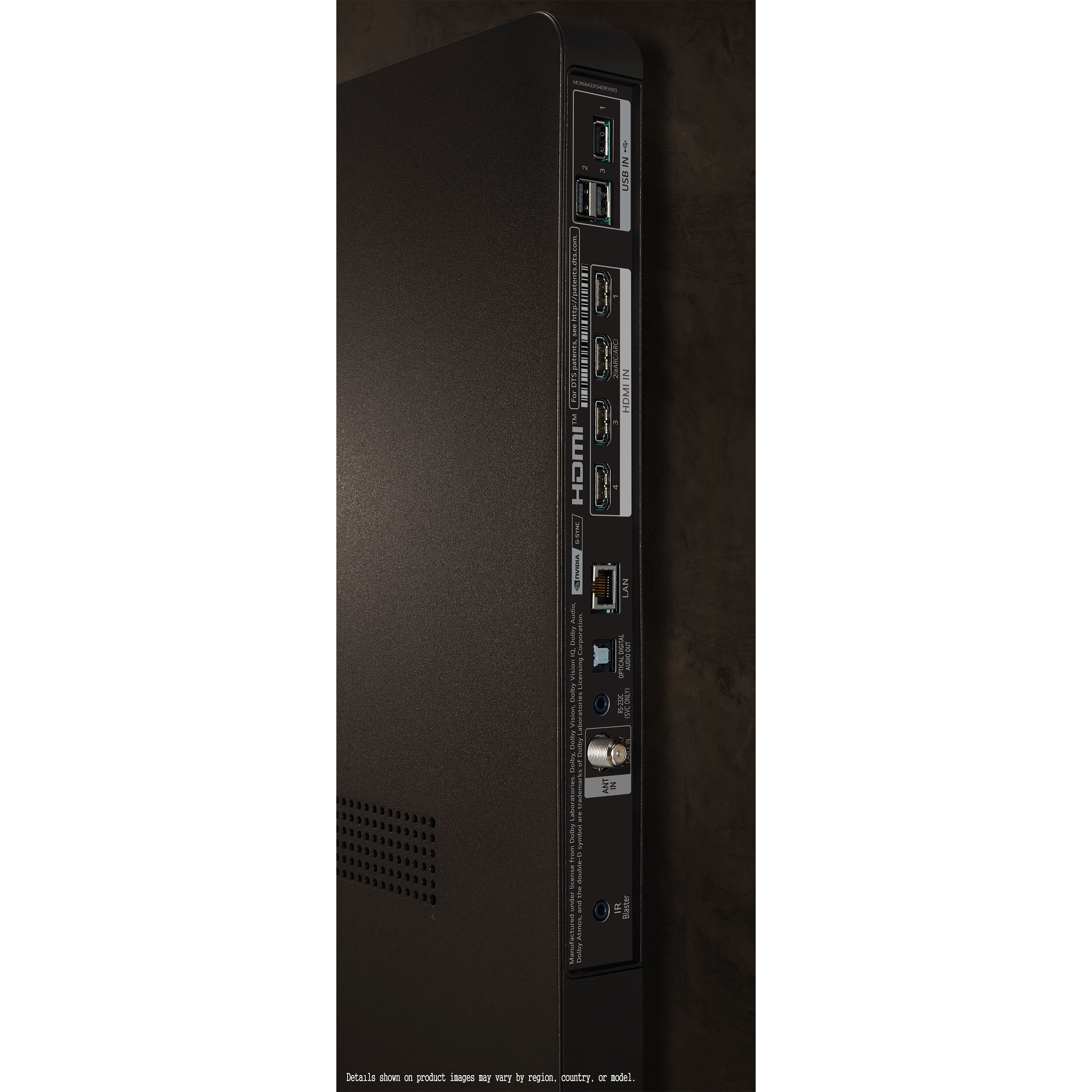
Q: QuestionCan you switch back and forth from cable box to wi fi. I have a contour cable box from cox and I want to be able to use my cable, but I may want to switch back and forth. Is there an input selector on this set?
Asked by carld.
- A:Answer Yes, it is very easy to switch between all the inputs. Much simpler than its samsung counterparts
Answered by WMRr
Q: QuestionWhat happens after 5 years when it’s unable to receive updates?
Asked by RichD.
- A:Answer Hi there, RichD. Thank you for your question about the LG OLED65C4PUA 4K OLED TV and its software updates. We understand the importance of keeping your TV up-to-date for the best performance and features. LG provides software updates to enhance functionality, introduce new features, and ensure compatibility with evolving technologies. However, after a certain period—usually after the warranty period ends—updates may no longer be available. Once the TV is no longer receiving updates, it will still function as expected with the current software version. You can continue to enjoy your TV's features, but future enhancements or compatibility with new apps and services might be limited. https://www.lg.com/us/tvs/lg-oled65c4pua-oled-4k-tv#pdp_specs For ongoing support and tips on optimizing your TV’s performance, feel free to reach out to us via private message on Social Media @LGUSSupport. We’re here to help ensure you continue enjoying your viewing experience. —Renzo
Answered by LG Digital Customer Care

Q: QuestionIs it possible to setup an Optical Out Device headset and a Bluetooth headset and be able to listen to them simultaneously? Thanks!
Asked by Mark.
- A:Answer Yes
Answered by BrianjoelP
Q: Questionwhat is ls warranty?
Asked by Anonymous.
- A:Answer Hello there! Thank you for reaching out with your question about the LG OLED65C4PUAS. We understand that you'd like to know more about the warranty coverage for this model. The manufacturer's limited warranty for the LG OLED65C4PUAS includes: Labor Coverage: 1 Year Parts Coverage: 1 Year This warranty ensures that you are covered for any potential manufacturing defects or issues within the first year. LG WARRANTY INFORMATION: https://www.lg.com/us/support/warranty-information#cusCode=OLED65C4PUA.AUS&cat=CT10000018&salCode=CT30017665&sufCode=undefined For additional details or assistance, please feel free to send us a private message on Social Media @LGUSSupport, and our team will be happy to assist you further. We appreciate your interest in our product! —Renzo
Answered by LG Digital Customer Care

Q: QuestionDoes this TV support the latest Apple TV app?
Asked by MirS.
- A:Answer Yes!
Answered by AileenH
Q: QuestionHow easy do the pixels get burn in?
Asked by Quade.
- A:Answer Burn in isn't really something that happens on a per pixel basis, it's large parts of the screen where an image sits for long periods of time. Older OLED panels took years for burn in to set, modern OLEDs use newer panel protection technology which extends the risk of burn in years down the road. It's not something to really worry about anymore.
Answered by Spency
Q: Questioni want to get an owners manuel
Asked by lcglide.
- A:Answer I do not have a clue. I suspect you should go to the LG website and search for it.
Answered by JpaulH
Q: QuestionHow many speakers are built in?
Asked by RJ.
- A:Answer how many speakers does a lg 65inch have
Answered by Anonymous
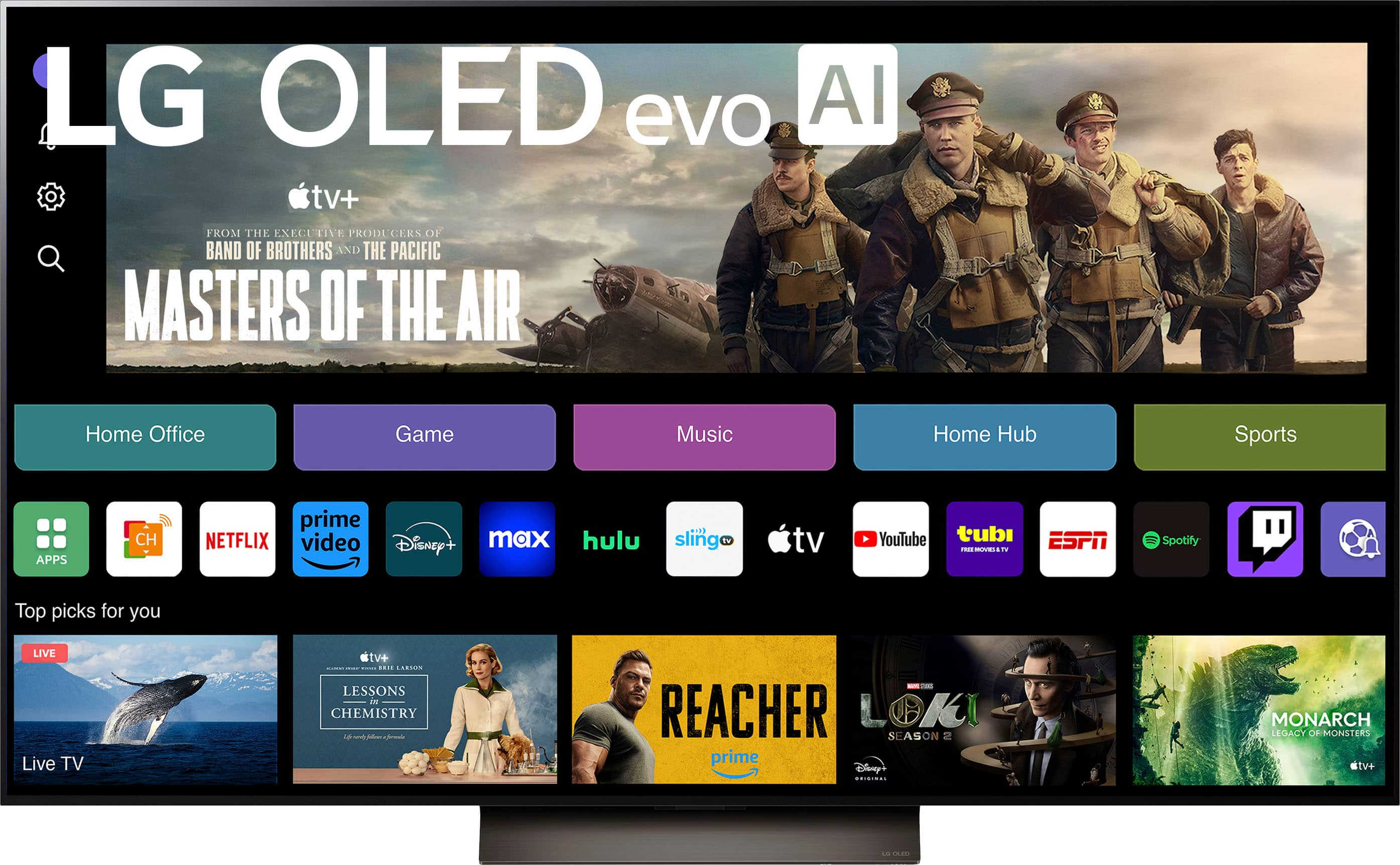
Q: QuestionWith LG C4, can you add APPS?
Asked by RickAB.
- A:Answer Yes. but there is no app for the Criterion channel, so you will need to buy a Roku - they have the best app for that service
Answered by RobertF
Q: QuestionHow do I connect with Direct TV?
Asked by Dan.
- A:Answer You can either download the Direct TV app or connect the box through HDMI.
Answered by Spency
Q: Questionhow to get apple tv for 3 mo free says i have to pay $9.95@ mo????
Asked by rrrrr.
- A:Answer Hi there, Rick. We understand you'd like to claim the 3-month free Apple TV+ offer. To assist you properly, could you please provide more details on where you saw the promotion (e.g., Best Buy's website or a different platform)? It would also be helpful to know if the promotion mentioned any specific steps to redeem the offer. Typically, Apple TV+ offers are part of specific promotions for new purchases, and there might be terms or conditions related to how the offer is redeemed. If you can clarify where you saw this, we'd be happy to guide you through the process! https://www.bestbuy.com/site/lg-65-class-c4-series-oled-evo-4k-uhd-smart-webos-tv-2024/6578042.p?skuId=6578042 Feel free to reach out again with more details, and we'll ensure everything is sorted out for you! —Renzo
Answered by LG Digital Customer Care

Q: QuestionI want to purchase a LD OLED C4 65" TV. , I currently have an older LG that is hooked up directly to cable using the old red, blue and yellow plug in cables, Will I need some type of converter with the new tv.
Asked by Carson.
- A:Answer Yes, but there is no point in doing so - the signal is limited by the connection, so the TV can’t deliver its full potential. Use HDMI for proper quality.
Answered by fr3dd
Q: QuestionIs the remote backlit and is it compatible with Cox Cable ?
Asked by Anonymous.
- A:Answer The controller is not backlit. I do not know anything about Cox Cable.
Answered by PhillM
Q: Question1) how do i listen to Spotify on my TV... I am already paying for the app on my computer & phone 2) can I view my laptop by HDMI on TV 3) will "Optical digital audio out" send audio out to my AV (RCA) inlet on my 1984 Panasonic receiver.
Asked by bruce.
- A:Answer Hello there, Bruce. Thank you for reaching out with your questions about your LG OLED65C4PUA 4K TV. We understand that you'd like to make the most out of your TV’s features, and we’re happy to assist you! Spotify on your TV: Since you already have a Spotify account, you can easily listen to Spotify on your TV by downloading the Spotify app from the LG Content Store (found on your webOS home screen). Once installed, simply log in with your account credentials and enjoy your music directly on the TV. Viewing your laptop via HDMI: Yes, you can view your laptop on the TV using an HDMI cable. Simply connect one end of the HDMI cable to your laptop and the other end to one of the HDMI ports on your LG OLED TV. Make sure to select the correct HDMI input source on your TV using the remote. Optical Digital Audio Out to your AV receiver: The “Optical Digital Audio Out” port will provide digital audio output from your TV. However, your Panasonic receiver (from 1984) may not have an optical input, as most older receivers typically support RCA or coaxial inputs. If that’s the case, you might need an optical-to-RCA adapter to connect the TV to your receiver. https://www.lg.com/us/tvs/lg-oled65c4pua-oled-4k-tv#pdp_specs For further assistance, please send us a private message on Social Media @LGUSSupport, and our team will be happy to guide you through any additional steps. We appreciate your patience. —Renzo
Answered by LG Digital Customer Care

Q: Questioncan i listen to Spotify on my TV... is there a smart app for Spotify made available. ?
Asked by bruce.
- A:Answer Hi there, Bruce. Thank you for reaching out to us about the LG OLED65C4PUA. We understand you're curious about accessing Spotify on your TV. The great news is that with the built-in webOS platform, you can enjoy a wide variety of streaming apps, including Spotify! To get started, simply access the LG Content Store on your TV, search for the Spotify app, and download it. Once installed, log in with your Spotify account, and you're ready to stream your favorite tunes directly on the TV! https://www.lg.com/us/tvs/lg-oled65c4pua-oled-4k-tv#pdp_specs If you have any trouble setting this up or need further assistance, please send us a private message on social media @LGUSSupport, and we'll be happy to assist further. —Renzo
Answered by LG Digital Customer Care

Q: QuestionI have a 1984 Panasonic receiver that only has AV (RCA) ports (no optical audio, no HDMI) . It is mandatory to be able to connect the TV audio output onto my existing receiver for audio. photos of receiver & existing Samsung TV audio out
Asked by bruce.
- A:Answer Hi there, Bruce. Connecting your 1984 Panasonic receiver with only AV (RCA) ports to your LG OLED65C4PUA TV for audio is possible using a digital-to-analog audio converter. Here's a step-by-step guide to help: Why the TV Requires an Adapter Modern TVs like the LG OLED65C4PUA use advanced audio outputs, such as Optical Digital (SPDIF) or HDMI eARC, instead of older RCA (red/white) connections. Since your receiver doesn't have optical or HDMI inputs, you'll need a converter. Solution: Digital-to-Analog Audio Converter You’ll need a Digital-to-Analog Audio Converter with the following features: Optical (TOSLINK) input (from the TV’s optical audio output). RCA (red/white) output (to your receiver). Power adapter (to power the converter). Step-by-Step Setup Connect the TV to the Converter Use an optical (TOSLINK) cable to connect the TV's Optical Digital Out port to the converter’s Optical In port. Ensure the cable clicks into place for a secure connection. Connect the Converter to the Receiver Use an RCA cable to connect the converter’s RCA Out ports to the corresponding AV In ports on your receiver (match red to red, white to white). Set the TV Audio Output On your LG OLED TV, go to: Settings → Sound → Sound Out → Optical/HDMI ARC. Enable PCM as the audio format (important for compatibility with older devices). Power the Converter Plug in the converter’s power adapter and ensure it’s powered on. Select the Correct Input on the Receiver Switch your Panasonic receiver to the AV input channel corresponding to the RCA connection. Things to Note Cables Needed: Optical (TOSLINK) and RCA cables are typically sold separately. Converter Quality: For better audio, consider a higher-quality converter that supports noise reduction. Alternative: If your receiver supports AUX (3.5mm jack), use a digital-to-analog converter with a 3.5mm output and a 3.5mm-to-RCA cable. https://www.lg.com/us/tvs/lg-oled65c4pua-oled-4k-tv#pdp_specs Let us know if you need further assistance or recommendations for specific converters! —Renzo

Answered by LG Digital Customer Care

Q: QuestionBought LG TV June 2024. After few months, the TV screen goes black for a second or two and the picture comes back but very annoying. It seems to happen more when TV is on for hour or so. Has this been problem with this TV? How do we get it fixed?
Asked by Scott.
- A:Answer Hello there, Scott. Thank you for sharing your experience with your LG OLED65C4PUA. We understand how concerning it can be to have your TV screen go black intermittently. Let’s explore a few steps to address this issue: Check the HDMI Cable Connection: Turn off the TV and your connected device (like a set-top box), then disconnect and reconnect the HDMI cable. Ensure the cable is securely connected on both ends. Use a Certified HDMI Cable: If possible, use an HDMI 2.0 or higher cable to ensure optimal performance. Test with a Different HDMI Port or Device: Try connecting the device to another HDMI port or test a different device to rule out compatibility issues. If the problem persists, we’d like to assist you further. Please send us a private message on social media @LGUSSupport, and our team will gladly help resolve this for you. LG TV Screen] Does the screen flicker, accompanied by a scratchy sound? - https://www.lg.com/levant_en/support/product-help/CT20158005-20153271093129 We appreciate your patience and look forward to helping you enjoy your TV to its fullest. —Renzo Let me know if this

Answered by LG Digital Customer Care

Best-selling TVs
- Doorbuster$169.99Your price for this item is $169.99
- Black Friday Deal$99.99Your price for this item is $99.99
- $89.99Your price for this item is $89.99$149.99The comparable value for this item is $149.99
- Black Friday Deal$329.99Your price for this item is $329.99
- Black Friday Deal$189.99Your price for this item is $189.99
- $249.99Your price for this item is $249.99$379.99The comparable value for this item is $379.99
- Black Friday Deal$349.99Your price for this item is $349.99
- Black Friday Deal$449.99Your price for this item is $449.99
- Flash Deal$99.99Your price for this item is $99.99
- Black Friday Deal$69.99Your price for this item is $69.99
- Black Friday Deal$169.99Your price for this item is $169.99
- Black Friday Deal$229.99Your price for this item is $229.99
- Black Friday Deal$74.99Your price for this item is $74.99
- Black Friday Deal$329.99Your price for this item is $329.99
- Black Friday Deal$899.99Your price for this item is $899.99
- Black Friday Deal$299.99Your price for this item is $299.99
- $549.99Your price for this item is $549.99$1,299.99The comparable value for this item is $1,299.99
- Black Friday Deal$379.99Your price for this item is $379.99
- Black Friday Deal$1,399.99Your price for this item is $1,399.99
- Black Friday Deal$499.99Your price for this item is $499.99