Questions & Answers




. Independently Tested for Quality and Workmanship CheckPlus: 100 % Color Volume to DCI-P3 oi PSSEANE Intertek [www.IntertekCheck.com](http://www.IntertekCheck.com). 100% Color Fidelity and '100% Color Volume to DCI-P3' applies to 2025 OLED TVs. *LG OLED Display is verified by UL for Perfect Color measured to IDMS 11.5 Ring-light Reflection standards. *100% Color Volume is defined as the performance of display which is equal or greater than the size of DCI-P3 standard color volume as verified independently by Intertek. *The LG OLED Panel is certified by Intertek for 100% Color Fidelity, measured to IDMS 11.5 Ring-light Reflection standards.](https://pisces.bbystatic.com/image2/BestBuy_US/images/products/3661ed5e-8d92-47a9-baef-65aa6eb5dcb9.jpg)














- Model:
- OLED65C5PUA
- |
- SKU:
- 10316771
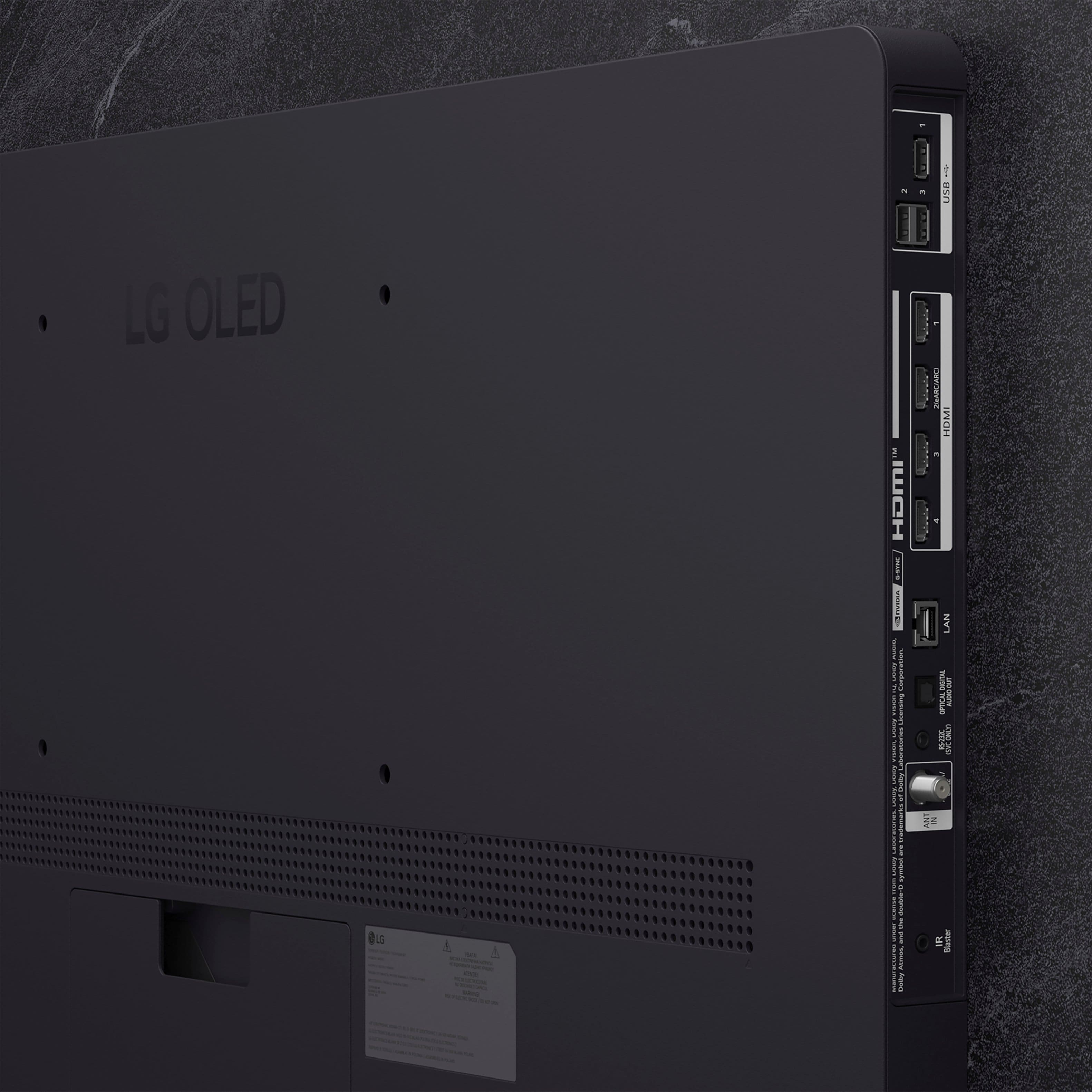
Q: QuestionDoes this TV have an optical output for audio?
Asked by Anonymous.
- A:Answer AS with all other current TVs, regardless of brand or manufacturer, the LG 65" Class C5 Series OLED evo AI 4K UHD Smart webOS TV (2025), Model # OLED65C5PUA, has an Optical Digital Audio Output, which is still the most common way to connect external audio devices to a TV...^Ivan.
Answered by LG Digital Customer Care
Q: QuestionWhat is the country of origin?
Asked by Anonymous.
- A:Answer Country of Origin for the LG 65" Class C5 Series OLED evo AI 4K UHD Smart webOS TV (2025), Model # OLED65C5PUA, is listed as Mexico in its specifications on the company site...^Ivan.
Answered by LG Digital Customer Care
Q: QuestionCan you attach a Roku Stick device to the tv
Asked by Red.
- A:Answer Yes. I'm doing so, and it works great. I actually chose this tv because it also had a number of USB ports. Very helpful if you are plugging in a lot of items.
Answered by GarrickD
Q: QuestionWhere are the hdmi inputs located?
Asked by Lanski.
- A:Answer The HDMI inputs for the LG 65" Class C5 Series OLED evo AI 4K UHD Smart webOS TV (2025) Model # OLED65C5PUA, are located on the back of the TV, specifically on the left-hand side panel when facing the screen from the front. They are arranged to face sideways for easier access, accommodating four HDMI 2.1 ports. If you click on the fourth thumbnail image from the top, with +21 on it, that is to the right of the main image, you can use the navigation arrows to scroll to the 15th thumbnail image to the right that shows the HDMI inputs on the TV...^Ivan.
Answered by LG Digital Customer Care
Q: QuestionDoes this TV have the ATSC 3.0 tuner for NextGen TV
Asked by ScottF.
- A:Answer LG was one of the very first companies to bring ATSC 3.0 tuners to its TVs back in 2020, and it's one of the first to drop it. LG confirmed in Sept, 2023 that its 2024 OLED TVs won't include next-generation ("NEXGEN") ATSC 3.0 4K tuners, and the decision also meant that 2025 LG TVs would not include ATSC 3.0 support, as the company has suspended the inclusion of this technology in its lineup for the U.S. market...^Ivan.
Answered by LG Digital Customer Care
Q: QuestionIs this TV functioning also in Europe (220 V compatible? Thanks
Asked by Ben.
- A:Answer The LG 65" Class C5 Series OLED evo AI 4K UHD Smart webOS TV (2025), Model # OLED65C5PUA, is not a dual voltage TV or what is now referred to as a "free voltage" TV. It has a power requirement of 120 V, 50~60 Hz. But it also has a built-in ATSC and QAM tuner, neither of which are compatible with the TV Broadcast systems used in Europe. While DVB-T is the standard used in many European countries, such as Italy, Ireland, and the UK, not all European countries use DVB-T for terrestrial TV broadcasts, and there are variations in the systems used. Some countries have adopted different standards, such as ATSC in North America and ISDB in Japan, which do not use DVB-T...^Ivan.
Answered by LG Digital Customer Care
Q: QuestionDoes this model support spectrum streaming and is the app installed
Asked by Doc8.
- A:Answer The Spectrum TV app is not preinstalled on the LG 65" Class C5 Series OLED evo AI 4K UHD Smart webOS TV (2025), Model # OLED65C5PUA, but it is compatible with the LG webOS 25 TV Platform that the TV runs on, so it can be downloaded and installed on the TV through the LG Content Store (App Store) feature on the TV's home screen...^Ivan.
Answered by LG Digital Customer Care
Q: QuestionWhy are reviews allowed to contain false information? Two of the reviews state this TV no longer has Dolby Vision and gave the TV a decreased rating when this is not true. This TV no longer has DTS passthrough but it still has Dolby Vision.
Asked by Sam.
- A:Answer Thank you for pointing that out, Sam! Dolby Vision® is still supported on the 65" Class C5 Series OLED evo AI 4K UHD Smart webOS TV (2025), Model # OLED65C5PUA and after removing DTS audio support in the past and reintroducing it with its 2023 models, LG is once again dropping DTS support from its 2025 TVs, including the LG G5 OLED TV. This means that these TVs no longer support the DTS:X format. For our 2023 and 2024 TVs, DTS support included both DTS:X (in DTS-HD MA) decoding for internal speakers and DTS passthrough via HDMI. However, there was no support for DTS:X IMAX Enhanced (DTS:X Profile 2), which prevented Disney+ from delivering DTS:X audio. With the removal of DTS audio support, LG's 2025 TVs will once again support only Dolby audio formats. However, Google recently demonstrated Eclipsa Audio running on an LG TV...^Ivan.
Answered by LG Digital Customer Care
Q: QuestionDoes this model have HDMI 2.1?
Asked by tbow.
- A:Answer Hello there. Thank you for sharing your experience with us. We understand your inquiry regarding the OLED65C5PUA 65″ Class C5 Series OLED evo AI 4K UHD Smart webOS TV (2025). You asked if this model features HDMI 2.1 ports. Yes, the OLED65C5PUA is equipped with four HDMI 2.1 inputs, allowing you to connect multiple high-bandwidth devices—such as next-gen gaming consoles, 4K/120Hz PCs, or ARC/eARC soundbars—while taking full advantage of gaming features like 4K at 120 Hz, ALLM, VRR, and G-Sync/FreeSync support. As a first troubleshooting step, if you’re experiencing issues with HDMI connectivity (for instance, no signal or intermittent video), please ensure you’re using a Premium High Speed or Ultra High Speed HDMI cable rated for 48 Gbps. Disconnect the HDMI cable, power off both TV and source device, reconnect the cable firmly into the HDMI 2.1 port (labeled “HDMI 1 (eARC/ARC)” or “HDMI 2/3/4 (4K@120Hz)”), then power both devices back on. Navigate to Settings → All Settings → General → Additional Settings → External Device Manager → Device Connection Manager, and make sure the HDMI ultra-high speed mode is enabled for 4K120 content. https://www.bestbuy.com/site/lg-65-class-c5-series-oled-evo-ai-4k-uhd-smart-webos-tv-2025/6621824.p?skuId=6621824 If your HDMI device still doesn’t appear correctly—such as missing 4K/120Hz resolution or no audio via eARC—please send us a private message on Social Media @LGUSSupport. Our team will be happy to guide you through additional troubleshooting or schedule a service check if necessary. We appreciate your patience and are committed to helping you get the best performance from your OLED65C5PUA. —Renzo
Answered by LG Digital Customer Care
Q: QuestionWhat’s the length in height of the TV?
Asked by Anonymous.
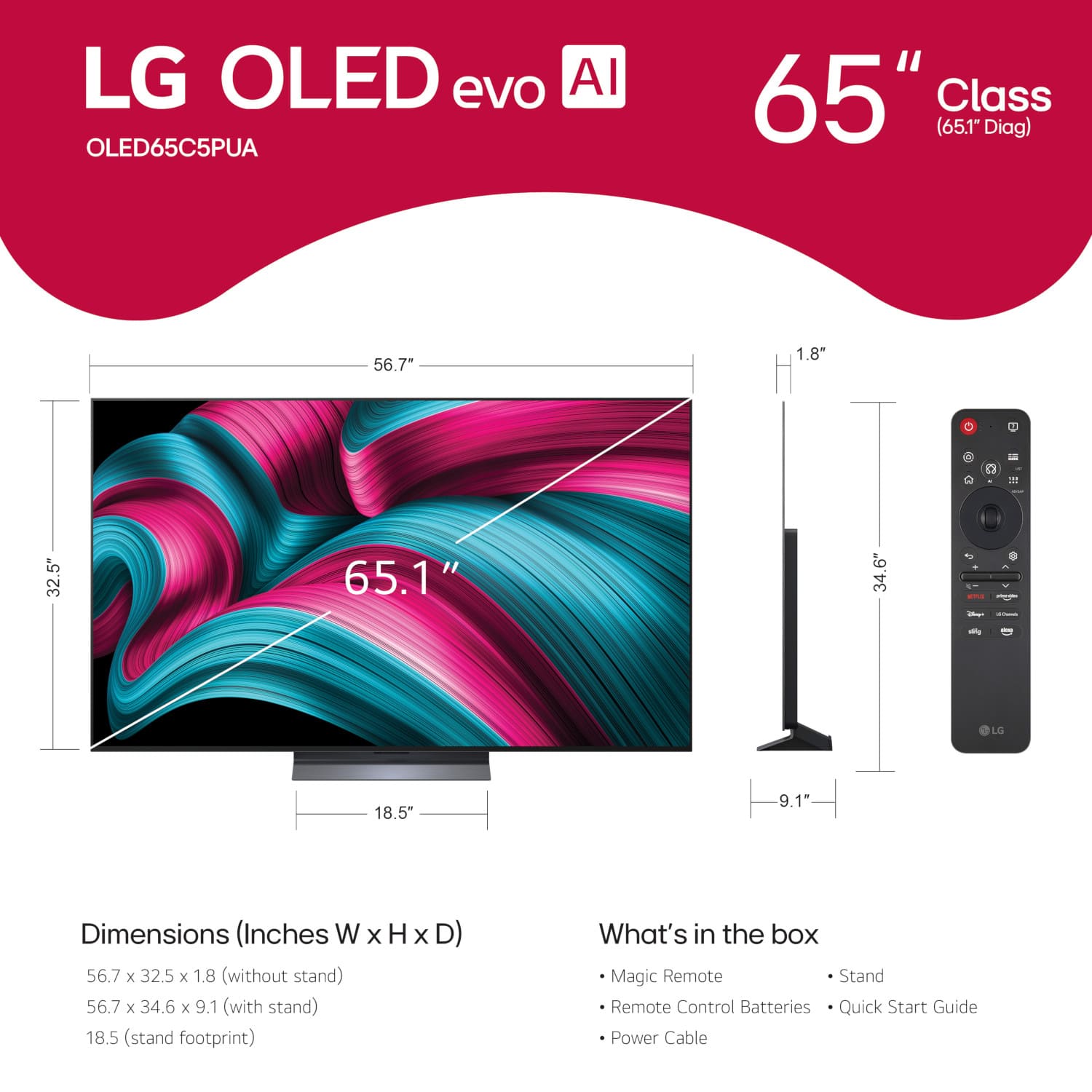
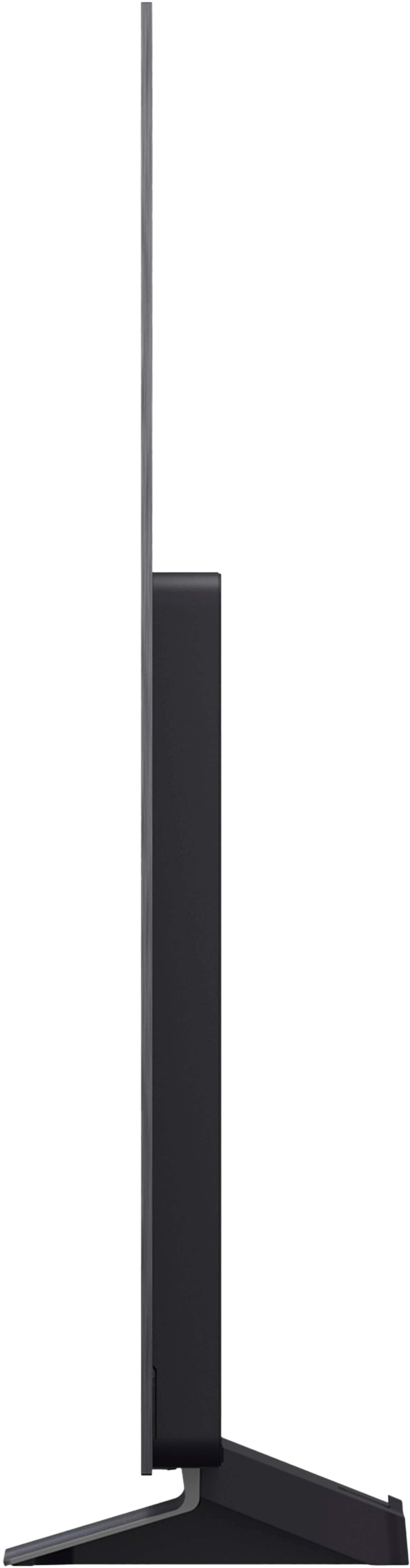
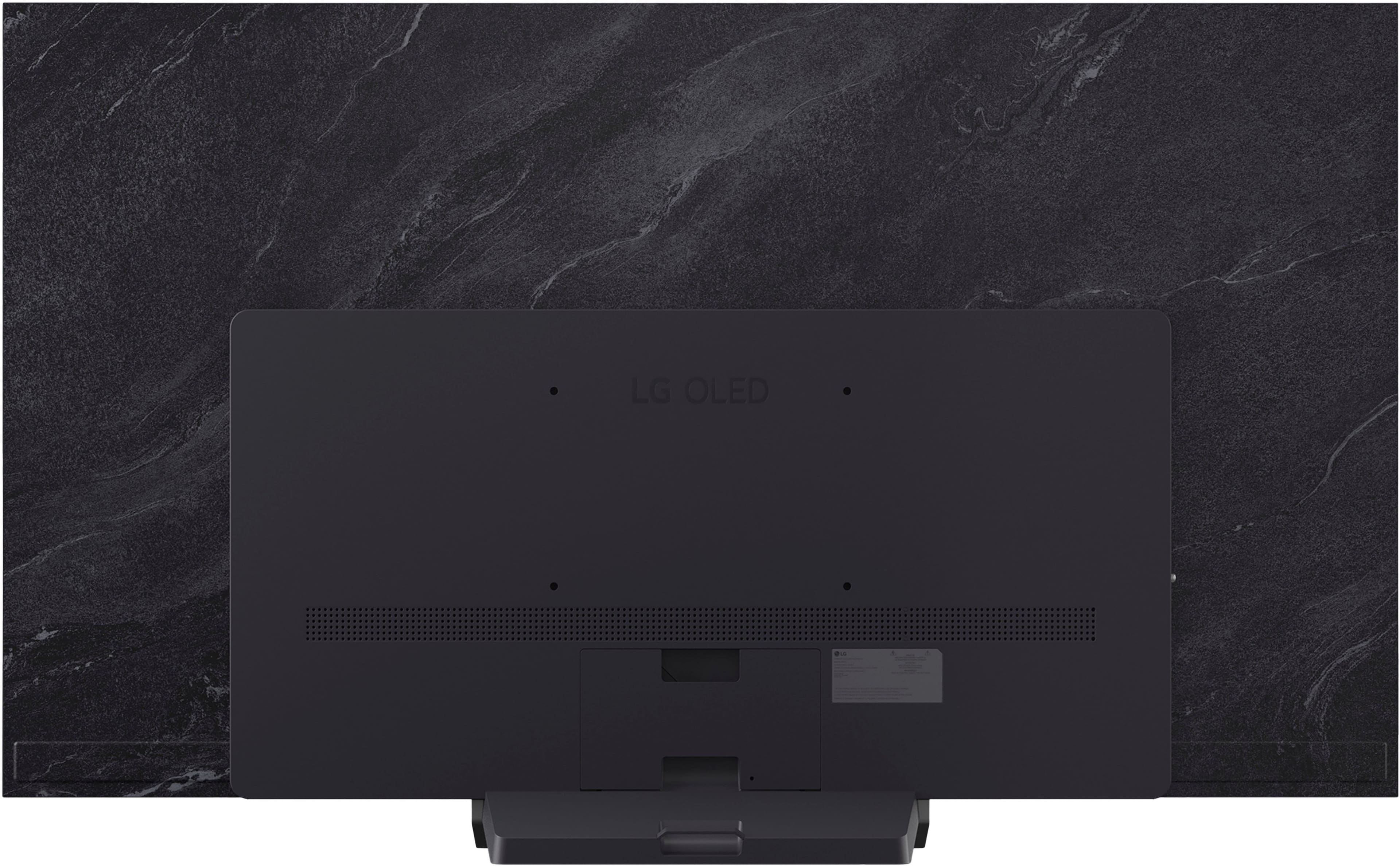
- A:Answer If you scroll down to 'Specifications' on the product detail page for this LG 65" Class C5 Series OLED evo AI 4K UHD Smart webOS TV (2025), Model # OLED65C5PUA, and click on 'See all Specifications', you can scroll down to Dimensions, where Product Height Without Stand is listed as 32.5 inches, Product Height With Stand is listed as 34.6", Product Depth With Stand is listed as 9.1 inches, Product Depth Without Stand is listed as 1.8", Product Width is listed as 56.7 inches. Dimensions for TVs do not list "Length". They use the term "Width" instead.. In the manufacturing and retail industries, three-dimensional physical objects are strictly measured using the Width x Height x Depth (W x H x D) standard. Because a television is a stationary, upright object, "width" represents the horizontal distance from left to right (what you are looking for as length), "height" is top to bottom, and "depth" is front to back...^Ivan.
Answered by LG Digital Customer Care
Q: QuestionCan I hear sound using Bluetooth wireless Bose headphones?
Asked by Ronboy.
- A:Answer Yes
Answered by ORKHAN
Q: QuestionAre the 4 HDMI ports 2.1
Asked by Jalen.
- A:Answer Hello, Jalen! Thank you for sharing your question to us about the LG TV (OLED65C5PUA). Yes, all four HDMI ports on the OLED65C5PUA are HDMI 2.1, which means they support advanced features such as 4K at 120Hz, Variable Refresh Rate (VRR), Auto Low Latency Mode (ALLM), and Enhanced Audio Return Channel (eARC). These capabilities make the C5 series ideal for next‑generation gaming consoles and high‑performance home theater setups. With HDMI 2.1, you’ll also benefit from compatibility with G‑SYNC and FreeSync, ensuring smooth performance for PC gaming. You can explore the full feature list and support details here: https://www.bestbuy.com/product/lg-65-class-c5-series-oled-evo-ai-4k-uhd-smart-webos-tv-2025/JJ8VPZTRG6. For further guidance on setting up your HDMI devices for the best performance, please email us at lgdigitalcare@lg.sprinklrsupport.com and we’ll be glad to help. — Avril
Answered by LG Digital Customer Care
Q: QuestionDoes the tv support PBS?
Asked by PBSsupport.
- A:Answer PBS, Cascade PBS, WETA+PBS, Rocky Mountain PBS +, Charlotte PBS, Nashville PBS, and PBS KVIE, are all compatible with the webOS 25 TV Platform that this LG - 65" Class C5 Series OLED evo AI 4K UHD Smart webOS TV (2025), Model # OLED65C5PUA runs on, so they can all be downloaded and installed on the TV...^Ivan.
Answered by LG Digital Customer Care
Q: QuestionDo they have any model of this tv on display for sale
Asked by openboxmagicmouse.
- A:Answer It's unlikely that Best Buy will display a TV that is on sale, especially since this is a 2025 model, but Best Buy will typically indicate if they have it displayed on its showroom floor on the product detail page for the LG 65" Class C5 Series OLED evo AI 4K UHD Smart webOS TV (2025), Model # OLED65C5PUA for the store that yu are shopping on. If there is no indication on the product detail page about it being on display, that would mean they do not have it displayed in the store you are shopping in, but you can always check with Best Buy's Customer Support...^Ivan.
Answered by LG Digital Customer Care
Q: QuestionHow do I turn on closed captions?
Asked by David.
- A:Answer To turn on the Closed Caption on the LG 65" Class C5 Series OLED evo AI 4K UHD Smart webOS TV (2025), Model # OLED65C5PUA, Settings (gear) button on your remote, select All Settings, go to General, choose Accessibility, and toggle Closed Caption (or Subtitles) to On. If you are watching Netflix, YouTube, or Prime Video, captions usually need to be turned on inside that specific app's player menu rather than the main TV settings. If you use an external set-top box via HDMI, the TV's internal caption decoder may not work; you must turn on captions in your provider's box settings instead...^Ivan.
Answered by LG Digital Customer Care
Q: QuestionDoes this have VVR?
Asked by Stebe.
- A:Answer Hello, Stebe! Thank you for sharing your question to us about the LG TV (OLED65C5PUA). Yes, this model features comprehensive Variable Refresh Rate (VRR) support. It is equipped with four HDMI 2.1 ports that support standard VRR up to 144Hz, along with NVIDIA G-Sync compatibility and AMD FreeSync Premium, ensuring smooth, tear‑free gaming performance. These features make the OLED65C5PUA a strong choice for gamers who want fluid motion and reduced input lag when paired with modern consoles or gaming PCs. You can explore the full feature list and support details here: https://www.bestbuy.com/product/lg-65-class-c5-series-oled-evo-ai-4k-uhd-smart-webos-tv-2025/JJ8VPZTRG6. If you’d like more guidance on optimizing VRR or gaming settings, please email us at lgdigitalcare@lg.sprinklrsupport.com and we’ll be glad to assist further. — Avril
Answered by LG Digital Customer Care
Q: QuestionRegardless of Picture Mode(s) or settings, there is a noticeable greenish tint. It is noticeable when whites are not quite white and blacks have a green patina sheen, especially when watching streaming in HD/UHD. Any recommended settings to fix?
Asked by RJB.
- A:Answer There are reports about the green tint or shift being a widely recognized phenomenon with LG WOLED panels, including the LG 65" Class C5 Series OLED evo AI 4K UHD Smart webOS TV (2025), Model # OLED65C5PUA, or LG C5 series, and while your HD/UHD streaming content itself isn't the root cause, low bitrates and over-aggressive AI picture processing on streaming platforms can heavily exaggerate the issue. Slight color shifts, especially visible on off-angles or near-white/gray backgrounds, are inherent to the WOLED technology. Some users note that the anti-reflection coating on LG C-series panels can cast a slight green hue depending on the ambient lighting and viewing angle. Compressed HD/UHD streaming can result in "color banding" or "mosquito noise" in dark scenes. The TV's processor tries to smooth these gradients out, which can inadvertently create visible greenish patches in shadows or grayscale areas. LG's out-of-the-box settings are often tuned slightly warm, which mixes with the panel's native white point and can make flesh tones and dark grays look sickly or green. If faces look green, you can try adjusting the color temperature to a warmer setting or use the TV's 2-point white balance. Setting it to Warm 50 generally produces the most accurate image. Use FILMMAKER MODE or ISF Expert (Dark/Bright Room). These modes disable many of the dynamic AI enhancements that can distort skin tones and over-saturate color gradients. In your settings, navigate to Picture > Advanced Settings > Color > Tint, where you can slightly adjust the slider toward red to counteract a strong green cast. If the tint appears as a static blob or vertical banding in the center of the screen, it could be image retention or pixel aging. Run the Pixel Cleaning (or Pixel Refresher) cycle via the TV's OLED Care menu and let it complete. In the streaming apps or the TV's AI Service menu, experiment with turning off AI Picture Pro or AI Brightness. These settings sometimes apply localized contrast boosts that mess with color fidelity on low-bitrate streams. If the green tint is visible from straight on and across all bright scenes, not just compressed streaming content, you may need to schedule a repair service appointment...^Ivan.
Answered by LG Digital Customer Care
Q: QuestionWhat does it weigh
Asked by Rmr.
- A:Answer Hello, there! Thank you for sharing your question to us about the LG TV (OLED65C5PUA). The TV weighs about 36.6lbs without the stand and 40.8lbs with the stand, making it manageable for most standard wall mounts or TV stands. You can explore the full feature list and support details here: https://www.bestbuy.com/product/lg-65-class-c5-series-oled-evo-ai-4k-uhd-smart-webos-tv-2025/JJ8VPZTRG6. If you’d like further assistance with setup or support, please reach out to us at lgdigitalcare@lg.sprinklrsupport.com. — Avril
Answered by LG Digital Customer Care
Q: QuestionHow much memory storage does it have for apps?
Asked by S4545.
- A:Answer Regrettably, LG does not divulge information about the storage capacity for apps for the LG 65" Class C5 Series OLED evo AI 4K UHD Smart webOS TV (2025), Model # OLED65C5PUA, in the technical data in its specifications. It has approximately 2.7 GB to 4.2 GB of usable internal storage for downloading apps and small games. The rest of the TV's memory is reserved for the operating system and system files. If you need more storage space, you can manage and free up space directly using your remote, and navigate to the app list, hover over an app you want to remove, and hold the Select button to delete it. You can clear temporary cache and data by going to Settings > General > OLED Care > Device Self-Care > Memory Optimizer and selecting Start...^Ivan.
Answered by LG Digital Customer Care
Q: QuestionDoes the remote have a mute button?
Asked by David.
- A:Answer Hello, David! Thanks for sharing this question to us about the LG TV (OLED65C5PUA). Yes, the remote control included with the OLED65C5PUA does feature a mute button, allowing you to quickly silence audio when needed. This is part of the standard LG Magic Remote design, which also provides voice control and easy navigation. You can explore the full feature list and support details here: https://www.bestbuy.com/product/lg-65-class-c5-series-oled-evo-ai-4k-uhd-smart-webos-tv-2025/JJ8VPZTRG6. If you’d like additional guidance on using the remote or need support with warranty or repair coverage, please reach out to us at lgdigitalcare@lg.sprinklrsupport.com. — Avril
Answered by LG Digital Customer Care