A:AnswerWe hate to hear that, but would love to be able to help. We would be happy to see what's going on. Please contact LG Customer Support so that we can better investigate your issues and assist you towards a resolution. We can be reached by any of the following contact methods:
Phone: 1-800-243-0000
LiveChat or Email: www.lg.com/us/support/chat-and-email-information
Facebook Messenger: https://www.facebook.com/LGUSA/
Twitter: @LGUSSupport
The LG Community Forum is also a great resource for getting help from other LG customers: https://lgcommunity.us.com/ ^CP
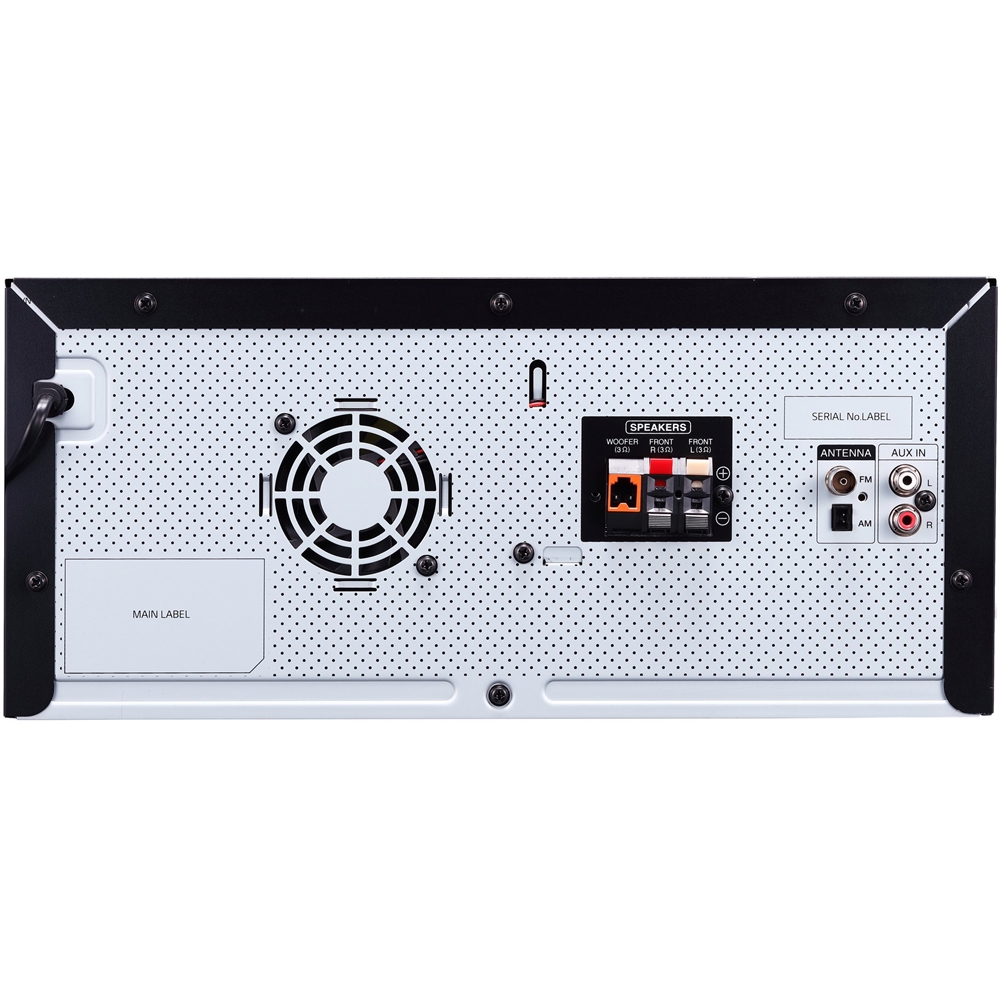
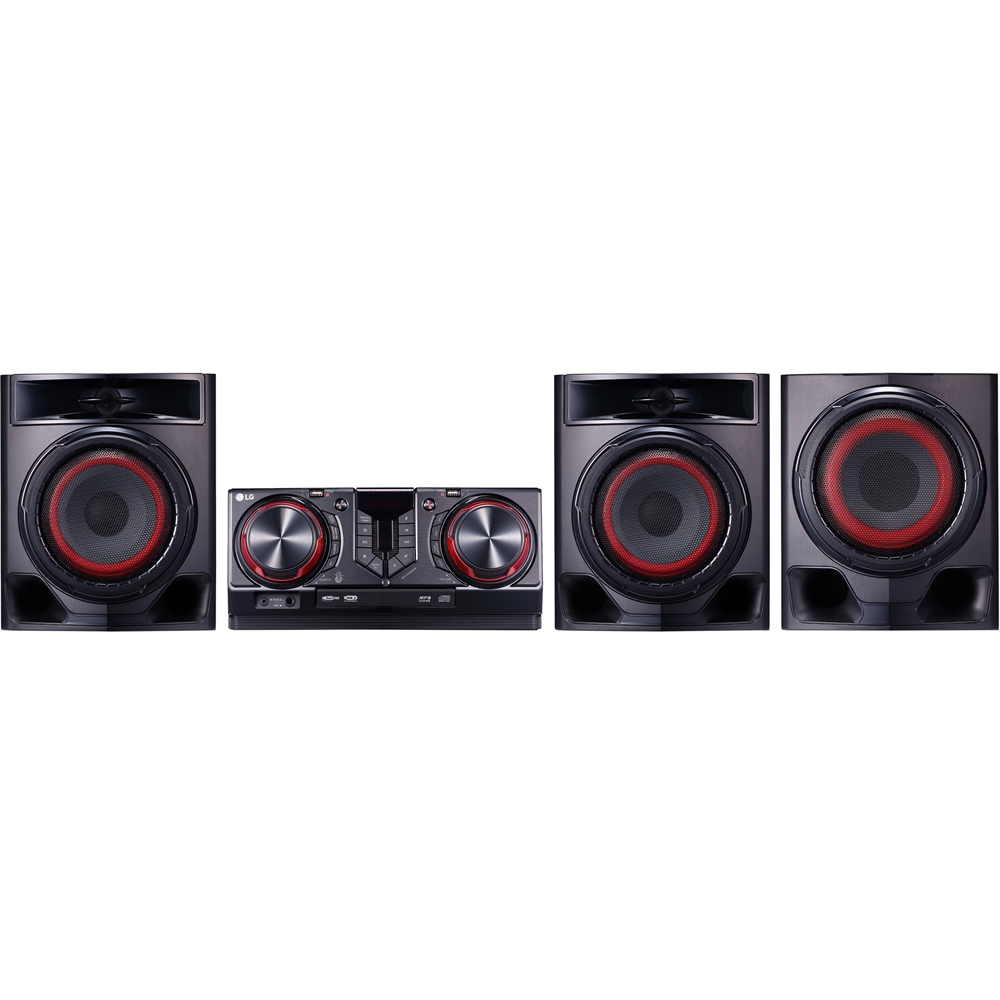
A:AnswerHow you get the LG 720W Hi-Fi Entertainment System with Bluetooth® Connectivity, Model # CJ45 to work with your TV depends on what type of TV you have and what audio connections it has. If your TV supports Bluetooth, you can pair the CJ45 with it to stream audio wirelessly via Bluetooth. Refer to the instructions in your owner's manual on how to pair it with Bluetooth devices. If you have an older TV with only Analog Stereo RCA Audio Out ports, you can plug directly into the AUX In on the CJ45. If you only have an Optical Digital Audio Out on your TV, you will need a Digital/Analog Converter and an Optical (Toslink) cable to make the necessary connections. A copy of the owner's manual can be found on our website at https://www.lg.com/us/support-product/lg-CJ45#manuals ^CP
A:AnswerUnfortunately this unit's bluetooth capability cannot be password protected. We apologize this is happening and we will pass your feedback to our design team for consideration. If you are in need of any assistance, have additional questions, or would just like to see our helpful tips, check us out on Twitter @LGUSSupport Facebook https://www.facebook.com/LGUSA/ or you can give us a call at 800-243-0000. ^CP
A:AnswerWHY? You are questioning the motives of a machine! I would guess it assumes that if you open the tray, that you have inserted a CD in order to play it.
A:AnswerThe unit does not have the option to connect additional speakers. If you have a TV with only Analog Stereo RCA Audio Out ports, you can plug directly into the AUX In on the CJ45. If you are in need of any assistance, have additional questions, or would just like to see our helpful tips, check us out on Twitter @LGUSSupport Facebook https://www.facebook.com/LGUSA/ or you can give us a call at 800-243-0000. ^CP
A:AnswerThis unit will turn itself off to save electricity in the case were the main unit is not connected to an external device and is not used for 15 minutes. The unit will also turn itself off after six hours if the main unit has been connected to another device using the analog inputs. Auto power down function is applied to only MASTER (Primary) unit in case of WIRELESS PARTY LINK connection. In case of SLAVE (Secondary) unit, Auto power down is available after disconnection SLAVE (Secondary) unit and MASTER (Primary) unit. ^CP
A:AnswerHow you get the LG 720W Hi-Fi Entertainment System with Bluetooth® Connectivity, Model # CJ45 to work with your TV depends on what type of TV you have and what audio connections it has. If your TV supports Bluetooth, you can pair the CJ45 with it to stream audio wirelessly via Bluetooth. Refer to the instructions in your owner's manual on how to pair it with Bluetooth devices. If you have an older TV with only Analog Stereo RCA Audio Out ports, you can plug directly into the AUX In on the CJ45. If you only have an Optical Digital Audio Out on your TV, you will need a Digital/Analog Converter and an Optical (Toslink) cable to make the necessary connections. ^CP
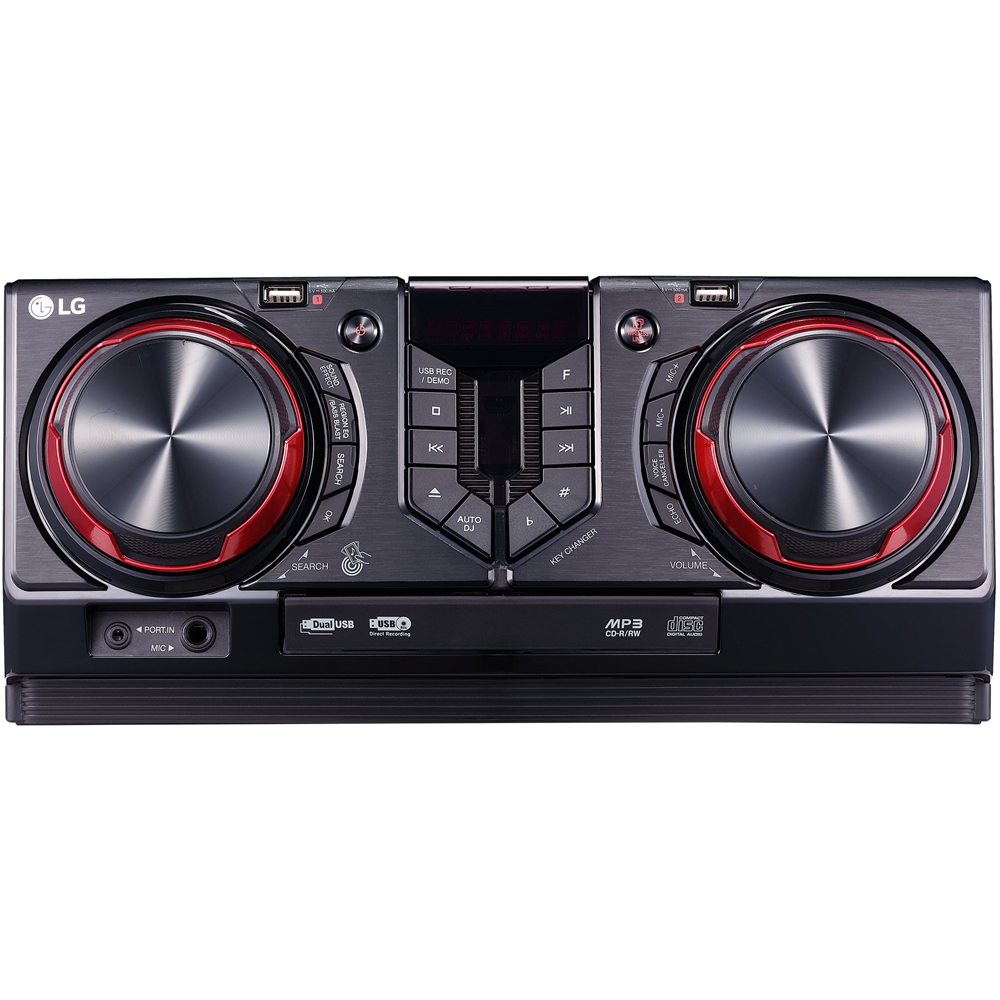
A:AnswerUSB requirements can be found in the owners manual on page 7 https://www.lg.com/us/support-product/lg-CJ45#manuals If you are in need of any assistance, have additional questions, or would just like to see our helpful tips, check us out on Twitter @LGUSSupport Facebook https://www.facebook.com/LGUSA/ or you can give us a call at 800-243-0000. ^CP
A:AnswerThe LG XBOOM 720W Hi-Fi Entertainment System with Bluetooth® Connectivity, Model # CJ45 does not have a docking station for iPod playback. You can pair your device with the unit via Bluetooth if your device supports Bluetooth to stream audio to it wirelessly, or you can connect the Portable In port on the CJ45 to the headphone jack on your device for playback...^IFV
A:AnswerThe unit does not have the option to connect additional speakers. If you are in need of any assistance, have additional questions, or would just like to see our helpful tips, check us out on Twitter @LGUSSupport or you can give us a call at 800-243-0000. ^CP