


Main Content

Questions & Answers

Your price for this item is $1,199.99
The comparable value price is $1,699.99
Page Showing 1-20 of 30 questions
  • QuestionWhat surround sound formats are supported by this soundbar?

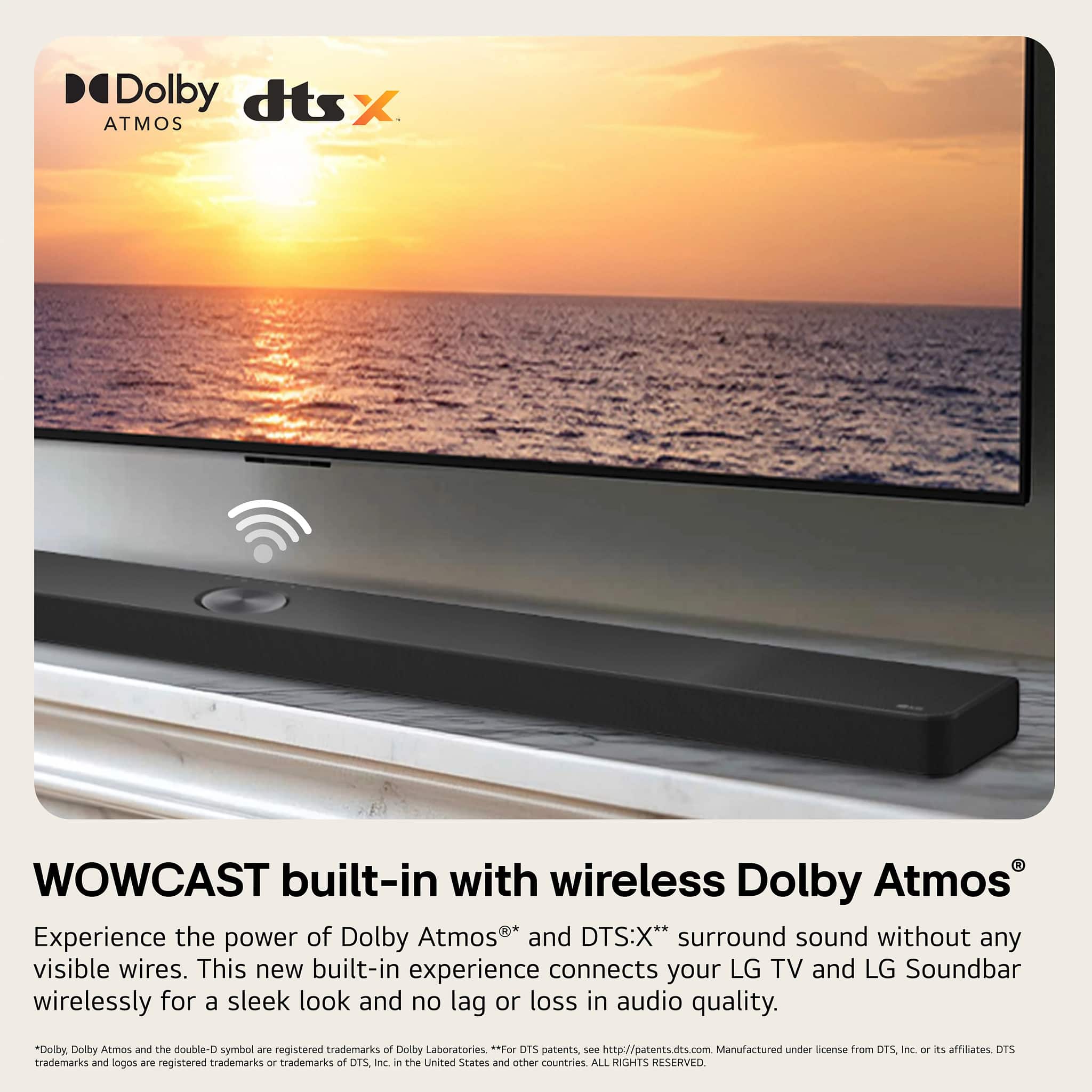
    • Answer This soundbar supports Dolby Atmos and DTS:X surround sound formats.
    This question and answer was generated by AI based on customer and product data.
  • QuestionCan I mount this soundbar on the wall?

    • Answer Yes, the soundbar can be mounted on a wall.
    This question and answer was generated by AI based on customer and product data.
  • QuestionWhat is the size of the subwoofer's woofer?

    • Answer The subwoofer has an 8-inch woofer.
    This question and answer was generated by AI based on customer and product data.
  • QuestionDoes the soundbar have high-resolution audio?

    • Answer Yes, the soundbar supports high-resolution audio.
    This question and answer was generated by AI based on customer and product data.
  • QuestionHow can I control the soundbar?

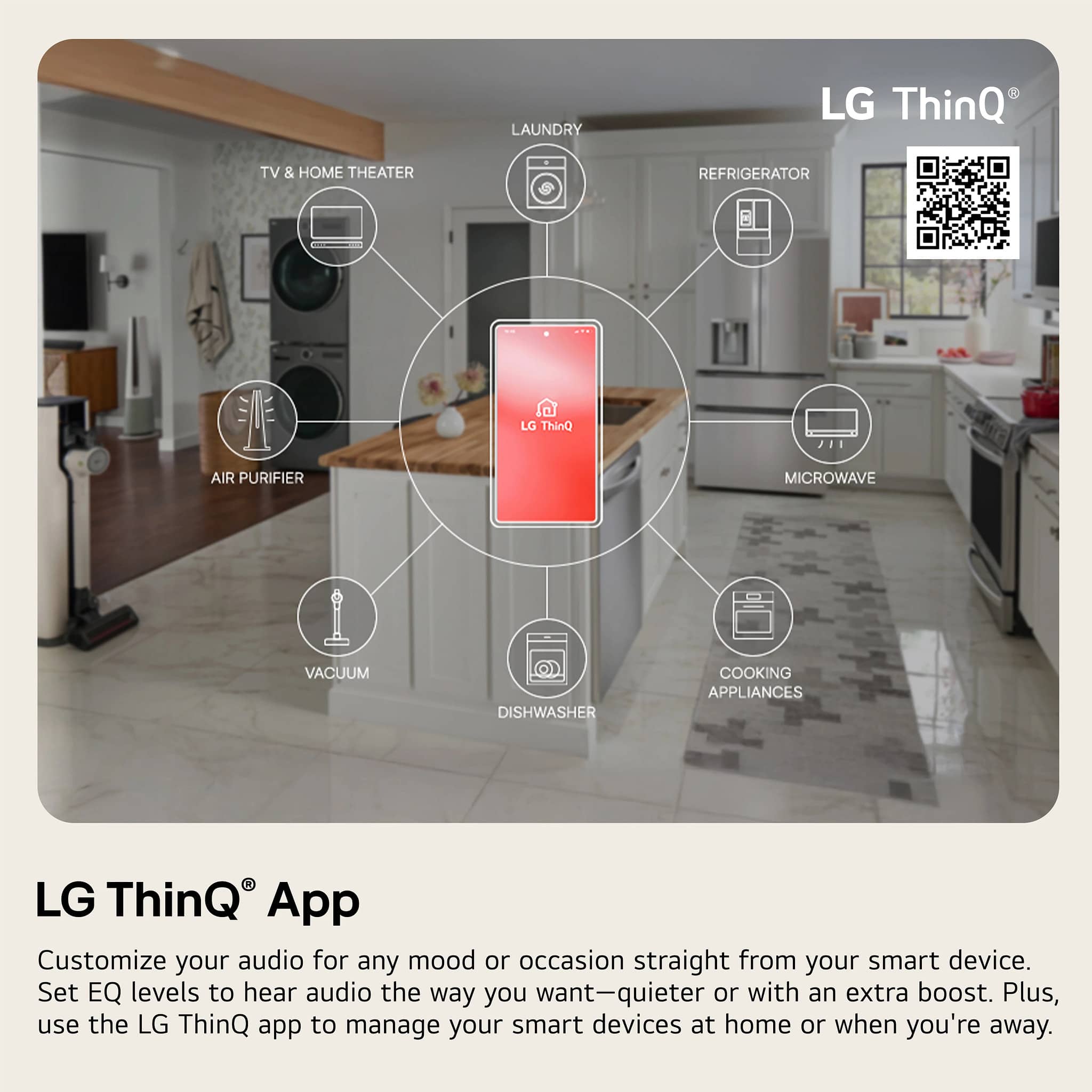
    • Answer You can control the soundbar and your LG TV with one remote. You can also control it using the LG ThinQ app on a compatible smart device.
    This question and answer was generated by AI based on customer and product data.

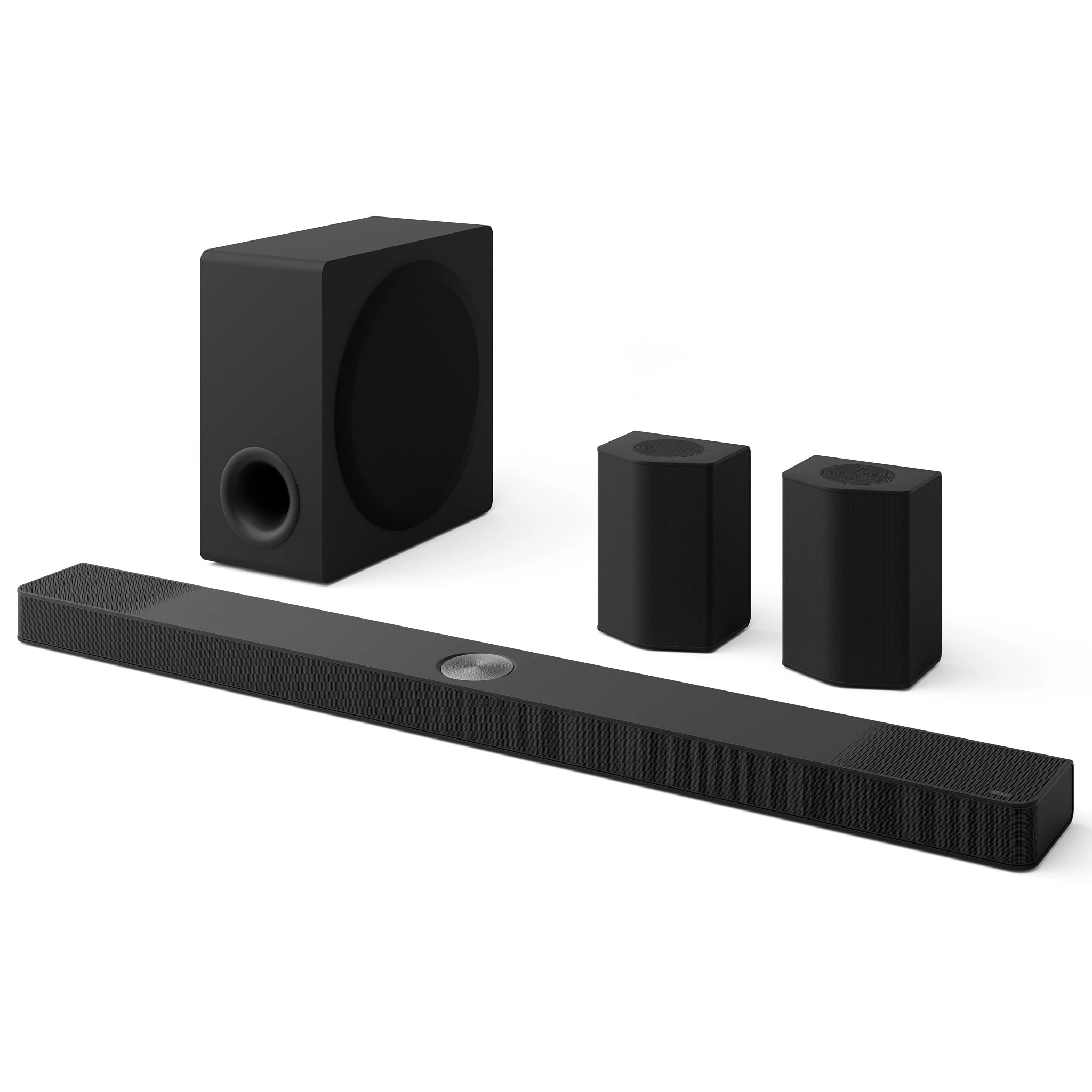
  • QuestionDoes this soundbar have a wireless subwoofer?

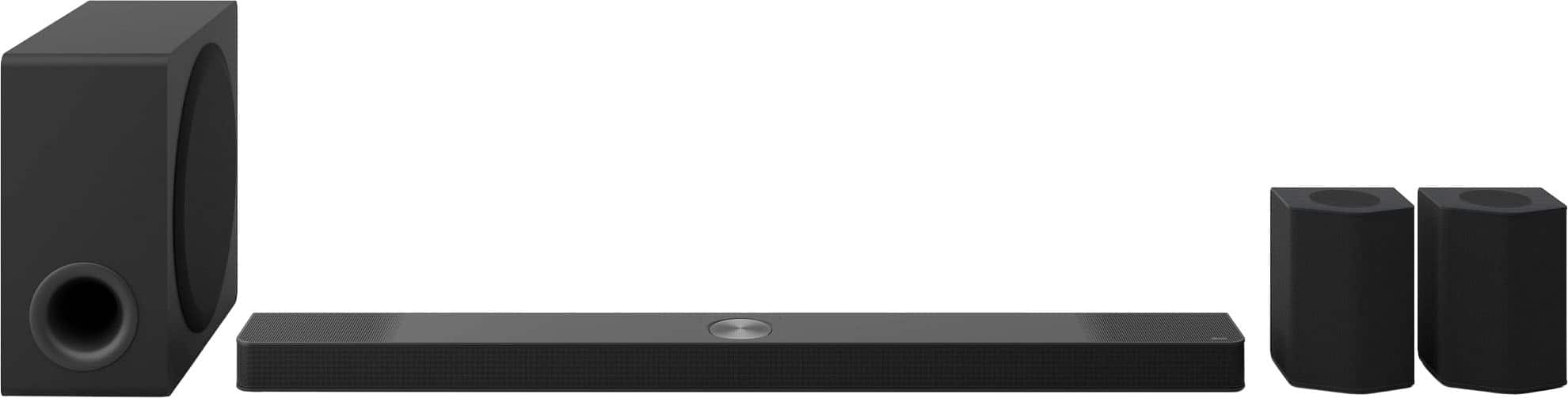
    • Answer Yes, the LG S95AR soundbar comes with a wireless subwoofer.
    This question and answer was generated by AI based on customer and product data.

  • QuestionWhat channels does the LG S95AR soundbar support?

    • Answer The LG S95AR soundbar supports 9.1.5 channels.
    This question and answer was generated by AI based on customer and product data.

  • QuestionWhat is the difference between the S 95 AR and S 95 TR? I have been told they are the exact same soundbar but have been manufactured at different times and different places. Also the AR is replacing the TR. It appears one has an additional HDMI port.

    Asked by OU812.

    • Answer The Soundbars are the same with the only difference being that the S95AR LG Home Theater Soundbar for TV with Dolby Atmos® 9.1.5 channel, has a redesigned 8" subwoofer allowing you to hear more depth and power from all your favorite content, and it is a Best Buy exclusive...^Ivan.

      Answered by LG Digital Customer Care

  • QuestionAre the 2 wall speakers also Bluetooth

    Asked by Steve.

    • Answer Hello there, Steve. We understand your inquiry about your LG S95AR 9.1.5-Channel Home Theater Soundbar. The two included rear wall-mount speakers connect wirelessly to the soundbar using LG’s proprietary RF link and are not designed to pair directly via Bluetooth as standalone speakers. As a troubleshooting step, if you’re experiencing any connection issues with the rear speakers: Power Cycle & Re-Sync – Turn off your soundbar and the rear speakers. Re-Establish Connection – Power on the soundbar first, then the rear speakers within three feet of the soundbar. On the back of one rear speaker, press and hold the Pairing button until its LED flashes rapidly; the soundbar will automatically detect and link to both speakers. Verify Connection – Once the LEDs on the rear speakers turn solid (typically blue), audio should seamlessly route to them. https://www.bestbuy.com/site/lg-9-1-5-channel-s95ar-home-theater-soundbar-with-wireless-subwoofer-and-rear-speakers-dolby-atmos-wow-orchestra-black/6620448.p?skuId=6620448 If you have any further questions or need additional assistance, please send us a private message on Social Media @LGUSSupport and our team will be more than happy to explore possible solutions. We appreciate your patience. —Renzo

      Answered by LG Digital Customer Care

  • QuestionHi guys. I just purchased this s95ar model. Can you tell me which speaker stands will work for the rear speakers? Thanks!

    Asked by SgtSnagglePuss.

    • Answer Hello there. Thank you for reaching out to us. We understand your inquiry regarding speaker stands for your S95AR rear speakers. While we do not manufacture specific stands for this model, the rear speakers are generally compatible with most universal speaker stands found at electronics retailers. When selecting a stand, please ensure it is rated to support at least 9 lbs, which is the net weight of each rear speaker, to ensure proper stability. https://www.bestbuy.com/product/lg-9-1-5-channel-s95ar-home-theater-soundbar-with-wireless-subwoofer-and-rear-speakers-dolby-atmos-wow-orchestra-black/JJ8VPZWXH8 If you have any further questions about its features, please send us a private message on Social Media @LGUSSupport, and our team will be more than happy to assist you. —Renzo

      Answered by LG Digital Customer Care

  • QuestionIs the mounting template for the S95TR the same as the S95AR? I have the TR now and would like to upgrade to the AR. Looking to find out if the wall mounting is same. The pictures on RTINGs for both compared look to be identical.

    Asked by Donny.

    • Answer The wall mounting brackets for the S95TR LG Home Theater Soundbar with Dolby Atmos® and Rear Speakers, 9.1.5 channel, Best OLED matching, and for its rear speakers, are the same as those for the S95AR LG Home Theater Soundbar with Dolby Atmos® and Rear Speakers, 9.1.5 channel...^Ivan.

      Answered by LG Digital Customer Care

  • QuestionIs the wireless speaker compatible with 240 volts or you need 110volts ? Is there a 240volts version to this product?

    Asked by Anonymous.

    • Answer The wireless rear speakers for the LG 9.1.5-Channel S95AR Home Theater Soundbar with Wireless Subwoofer and Rear Speakers, Dolby Atmos, WOW Orchestra - Black, Model # S95AR, have a built-in PSU (Power Supply Unit) that has a voltage input of 100~240V, 50/60 Hz...^Ivan.

      Answered by LG Digital Customer Care

  • QuestionCan i plug wireless speakers into 240volts socket?

    Asked by kay.

    • Answer Hi there, Kay. Thank you for sharing your inquiry with us. We understand you're asking about connecting the wireless speakers of your LG S95AR soundbar system to a 240-volt socket. The LG S95AR soundbar system, including its wireless speakers, is designed to operate on the standard voltage for your region (typically 110-120V in North America). Connecting them to a 240-volt socket would exceed their specified voltage requirements and could cause damage to the units. https://www.bestbuy.com/site/lg-9-1-5-channel-s95ar-home-theater-soundbar-with-wireless-subwoofer-and-rear-speakers-dolby-atmos-wow-orchestra-black/6620448.p?skuId=6620448 Your feedback is important, and we'd like to assist you further. Please send us a private message on Social Media @LGUSSupport and our team will be more than happy to explore possible solutions. We appreciate your patience. —Renzo

      Answered by LG Digital Customer Care

  • QuestionDoes this sound bar 9.1 lg compatiable with the lg g5 65 inch oled tv

    Asked by Anonymous.

    • Answer The S95AR LG Home Theater Soundbar for TV with Dolby Atmos® 9.1.5 channel, Best LG OLED matching, Model # S95AR, pairs perfectly with the LG OLED B, C, G Series TVs...^Ivan.

      Answered by LG Digital Customer Care

  • QuestionHow many watts does this soundbar have?

    Asked by Countryjack94.

    • Answer Hi there. Thank you for your interest in our product. We understand your inquiry regarding the power specifications of the S95AR Soundbar. This model features a total output power of 810 Watts, delivering an immersive 9.1.5 channel audio experience. https://www.bestbuy.com/product/lg-9-1-5-channel-s95ar-home-theater-soundbar-with-wireless-subwoofer-and-rear-speakers-dolby-atmos-wow-orchestra-black/JJ8VPZWXH8 If you have any further questions about its features, please contact us on [email protected], and our team will be more than happy to assist you. —Renzo

      Answered by LG Digital Customer Care

  • QuestionHow can I connect wired or wireless headphones

    Asked by Dee1.

    • Answer Hello there, Deneen. Thank you for reaching out to us regarding your LG Soundbar model S95AR. We understand your inquiry about connecting wired or wireless headphones. Based on the specifications for this model, it is not equipped with a dedicated headphone jack for wired connections. Additionally, the Bluetooth feature on the soundbar is designed to receive audio signals from devices like smartphones or TVs, rather than transmitting audio to wireless headphones. We recommend connecting your headphones directly to your TV or the external audio source device to enjoy private listening. https://www.bestbuy.com/product/lg-9-1-5-channel-s95ar-home-theater-soundbar-with-wireless-subwoofer-and-rear-speakers-dolby-atmos-wow-orchestra-black/JJ8VPZWXH8 If you have any further questions about its features, please contact us on [email protected], and our team will be more than happy to assist you. —Renzo

      Answered by LG Digital Customer Care

  • QuestionGood Afternoon. Would the set up for cable be: run HDMI from Cable box to Speaker port. Then HDMI 2.1 out speaker to TV eArc port? Thx

    Asked by 2200sqftofCarpet.

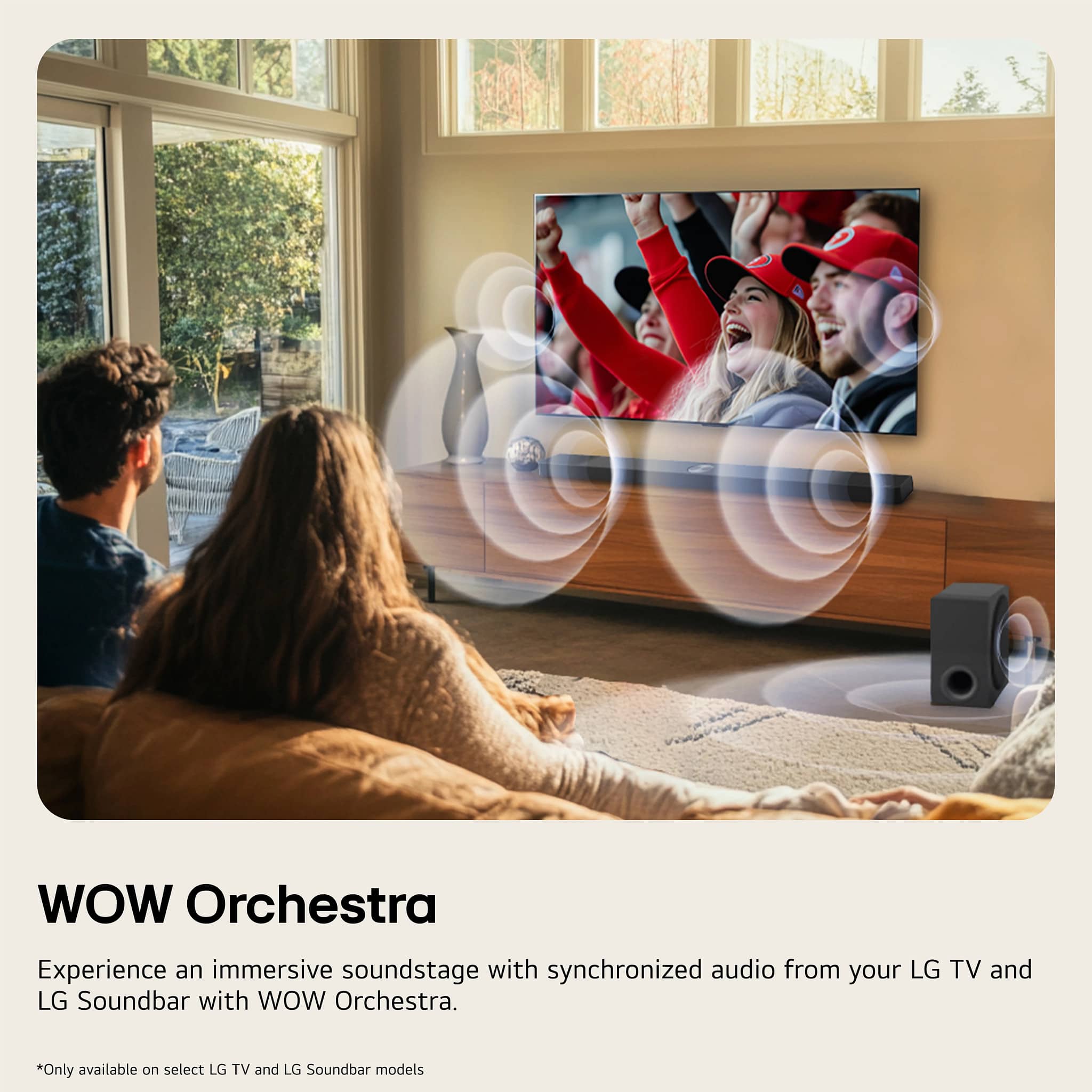
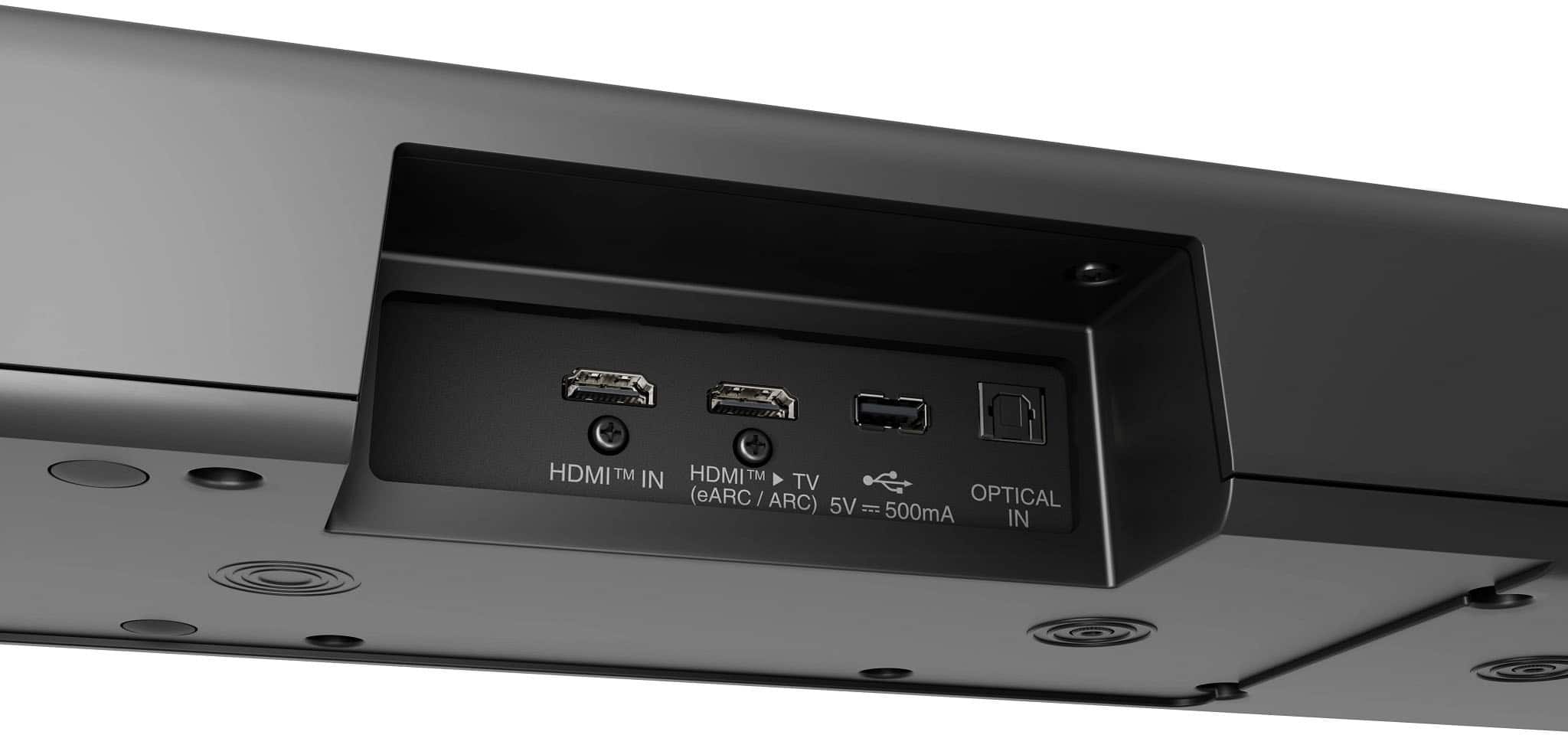
    • Answer Hello there. Thank you for sharing your inquiry with us regarding your S95AR Sound Bar. We understand your inquiry about the optimal connection setup for your cable box and TV. You have the exact setup that we recommend for the best audio experience. The correct and simplest way to utilize the sound bar's advanced features and maximize your audio quality is as follows: Cable Box to Sound Bar: Connect an HDMI cable from your Cable Box (Source) OUT port to the Sound Bar's HDMI IN port. Sound Bar to TV: Connect a second HDMI 2.1 cable from the Sound Bar's HDMI OUT (TV eARC/ARC) port to the TV's HDMI eARC/ARC port. This connection allows the sound bar to process the high-quality audio formats, such as Dolby Atmos and DTS:X, directly from the cable box and then pass the video signal through to your TV. https://www.bestbuy.com/product/lg-9-1-5-channel-s95ar-home-theater-soundbar-with-wireless-subwoofer-and-rear-speakers-dolby-atmos-wow-orchestra-black/JJ8VPZWXH8 If you have any further questions about this connection or utilizing features like WOW Orchestra, please contact us on [email protected], and our team will be more than happy to assist you. —Renzo

      Answered by LG Digital Customer Care

  • Questioncan i hook an additional subwoofer to this sound bar?

    Asked by mike.

    • Answer You can only pair the wireless subwoofer that comes with the LG 9.1.5-Channel S95AR Home Theater Soundbar with Wireless Subwoofer and Rear Speakers, Dolby Atmos®, WOW Orchestra - Black, Model # S95AR. You can't pair another subwoofer with the soundbar...^Ivan

      Answered by LG Digital Customer Care

  • QuestionWhere can I find a manual for this sound bar?

    Asked by Neenier.

    • Answer Hi there, Neenier. Thank you for reaching out to us. We understand your inquiry regarding the owner's manual for the LG Sound Bar (Model # S95AR). You can view and download the official manual directly from our support page here: https://www.lg.com/us/support/product/lg-S95AR.DUSALLK. If you have any further questions about its features, please send us a private message on Social Media @LGUSSupport, and our team will be more than happy to assist you. —Renzo

      Answered by LG Digital Customer Care

  • QuestionWhat is the dimension of the s95AR subwoofer height width & depth

    Asked by Anonymous.

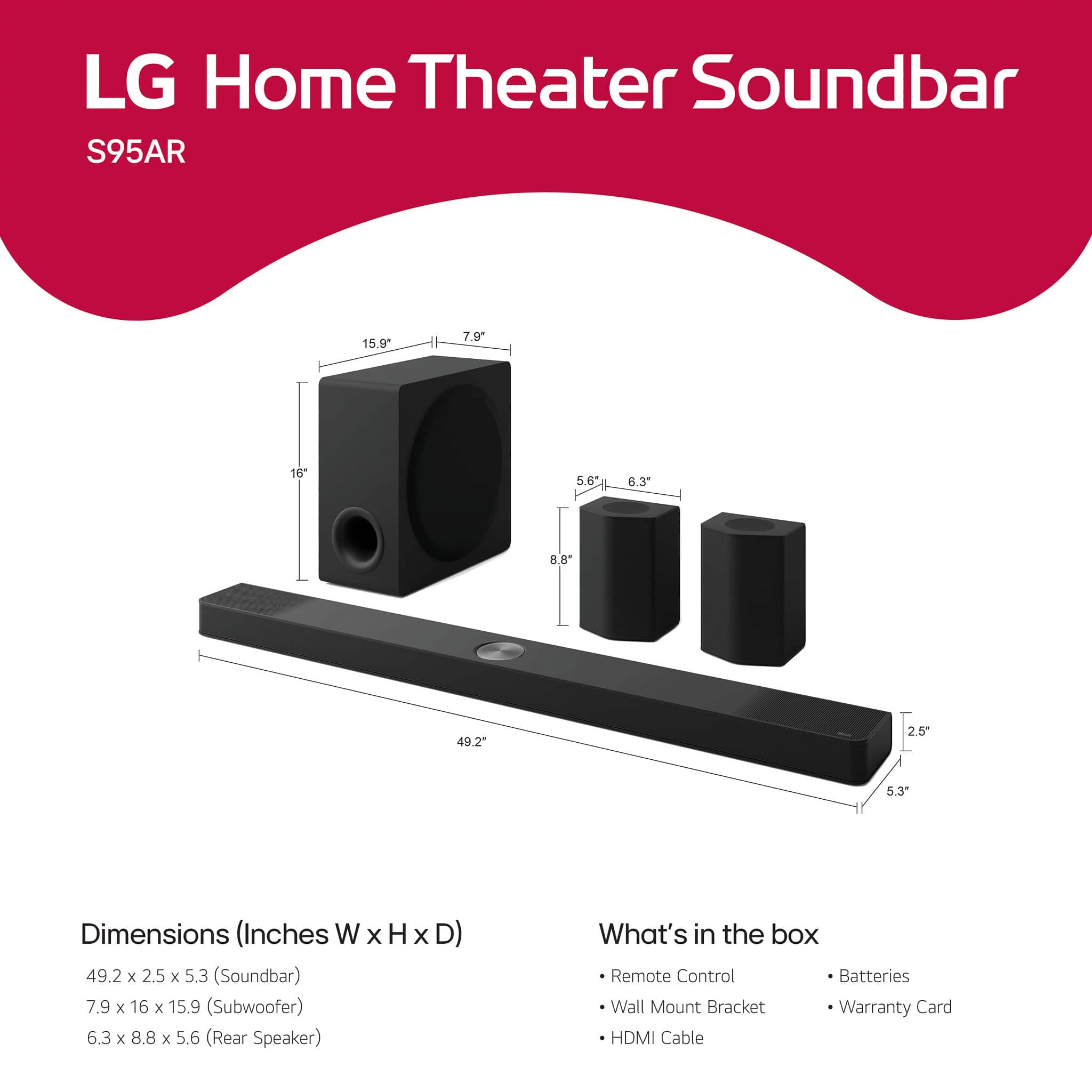
    • Answer Hi there. We understand your inquiry about the dimensions of the subwoofer for the S95AR soundbar system. The dimensions for the wireless active subwoofer (Width x Height x Depth) are 7.9" x 16" x 15.9". This unit weighs 22.1 lbs, and its compact design is intended to deliver deep bass while being flexible to place within your entertainment area. We understand that having the correct measurements is essential for setting up your audio system. Your feedback is important, and we'd like to assist you further. https://www.bestbuy.com/product/lg-9-1-5-channel-s95ar-home-theater-soundbar-with-wireless-subwoofer-and-rear-speakers-dolby-atmos-wow-orchestra-black/JJ8VPZWXH8 If you have any further questions about the setup or features of the S95AR, please send us a private message on Social Media @LGUSSupport, and our team will be more than happy to assist you. —Renzo

      Answered by LG Digital Customer Care