A:AnswerHi Ray. As the name implies, with the USB Direct Recording function in the LG DVD Player with USB Direct Recording, Model # DP132, you can connect a USB Flash Drive to the unit before recording then insert and audio CD into the unit & either record a track or tracks from the audio CD to the USB Flash Drive or record all the tracks on the audio CD to the USB Flash Drive. A "CD_REC" folder will be created automatically in your USB Flash Drive and the music will be saved in the folder. CD-G disc and Audio CDs encoded in DTS cannot be recorded. MP3 files are the recording format...^IFV
A:AnswerPlease reach out to our support team via direct message Twitter or Facebook @LGUSSupport or call at 800-243-0000. Please be sure to provide your contact information, model/serial numbers and date of purchase. ^Daphane
A:AnswerHi Sully. Manufacturers of DVD and Blu-ray players and player software are required by their license to include region coding functionality so the versions of the LG DVD Player with USB Direct Recording, Model # DP132 that are marketed and sold in the U.S. will be coded for region 1. The player will also play discs that are coded as "ALL" or as "0"...^IFV
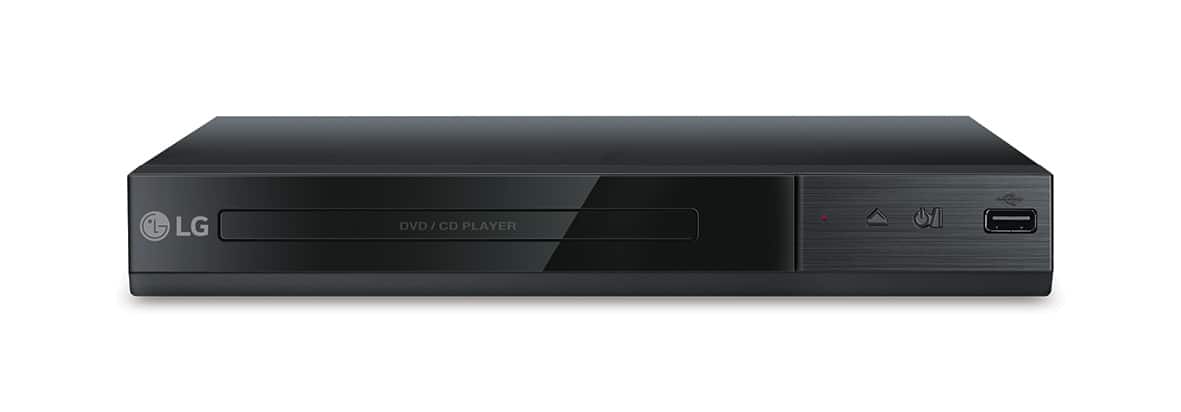
A:AnswerYou can do direct recording from the CD player to the USB drive on the LG - DVD Player with USB Direct Recording - Black, Model # DP132. The recording format is MP3 Files and the Encoding Bit rates are: 128 Kbps / 160 Kbps / 192 Kbps / 256 Kbps / 320 Kbps. Your only inputs for this unit are the RCA stereo ports (Red/White) and the Video (Yellow). You cannot convert VHS to MP3 Files or DVD, nor are you able to record TV Programs to the Flash drive. ^CP
A:AnswerWe have many different disc drives available. You can find a list of our drives on our website at https://www.lg.com/us/burners-drives If you have questions regarding any of our drives, you can contact our computer specialists directly by calling 800-243-0000. ^CP
A:AnswerYes, the device has both features. During playback or pause mode you can press ZOOM repeatedly to select zoom mode. The Zoom sequence is: 100% > 200% > 300%> 400% > 100%. You can use ▲/▼/◄/► to move through the zoomed picture. To repeat a specific portion Press A-B at the beginning of the portion you wish to repeat and again at the end of the portion. To return to normal playback, press A-B to select [Off ]. ^Daphane
A:AnswerNo, the LG DVD Player with USB Direct Recording, Model # DP132 cannot be connected to your car stereo's USB port to watch DVDs on your car radio. The USB port on the DVD Player is an input, it is not an output. ^Daphane

















