A:Answerfrom reading the instructions, you put in a USB stick, put in a music CD and hit play.
It sounds simple, I hope it works like suggested in the instructions.
A:AnswerWe apologize for the confusion regarding the region codes for the DP132. This unit has a regional code printed on the rear of the unit. This unit can play only DVD discs labeled same as the rear of the unit or “ALL” ^CP
A:AnswerWith this DVD player it does not give you access to netflix. You can however purchase a Roku or firestick to access them, unless you have a smart tv as well you should be able to download the app.
A:AnswerThis happened to me too and I thought the DVD player was defective. When setting up the DVD player, I needed to select a "source" . The options for my TV were TV, AV, YPbPR, HDM1, HDM2, HDM3, VGA, USB. I selected YPbPR because that was the setting I used with the old DVD player. The setting that I actually needed to select was AV. Now, the picture is in color and is no longer grainy.
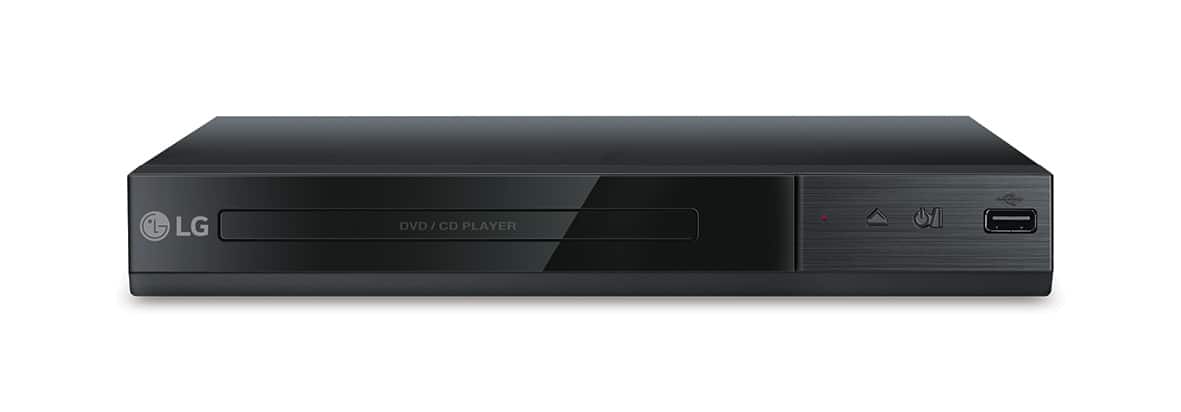
A:AnswerThe LG DVD Player with USB Direct Recording, Model # DP132 is the only DVD Player that we currently make. The USB port on this unit will support any USB device with FAT16 or FAT32 formatting, including an external USB HDD ( 2 TB or less)... ^IFV
A:AnswerAs of this date, direct recording machines have been removed from the public market. You can only record using equipment from your cable or dish company. Try looking online for a used recorder.
A:AnswerYou can play audio files from a USB storage device connected to the USB port on the LG DVD Player with USB Direct Recording, Model # DP132. ^Daphane