A:AnswerAre you wanting to record using the DVD player. You can only record audio to CDs to a USB storage device connected to the USB port on the LG DVD Player. ^Daphane
A:AnswerThe unit is only allow audio recording from music CDs via USB. Model # DP132 only records "directly to a USB flash drive. For further assistance, please reach out to our technical support team via private message on Facebook @LGUSSupport and use #VOC in your first message to our social media support team or call at 800-243-0000. ^Daphane
A:AnswerPlease reach out to our support team via private message on Facebook @LGUSSupport and use #VOC in your first message to our social media support team or call at 800-243-0000. Also, be sure to provide your contact information, model/serial numbers and date of purchase. ^Daphane
A:AnswerLG DN798 per the product description allows you watch both Blu-ray and HD DVD movies, all in jaw-droppingly clear full HD 1080p. And with SimpLink control, all your LG products work together with ease. LG DP132 does not support playback of Blu-ray disc. ^Daphane
A:AnswerNo, you can only play audio files from a USB storage device connected to the USB port on the LG DVD Player with USB Direct Recording, Model # DP132. ^Daphane
A:AnswerThe USB port on the LG DVD Player with USB Direct Recording, Model # DP132 supports “.avi”, “.mpg”, ”.mpeg”, “.mp3”, “.wma”, “.jpg”, “.jpeg” file extensions and “Xvid”, “MPEG-1”, “MPEG-2” codecs. It does not supprt the ".mp4"file extension. ^Daphane
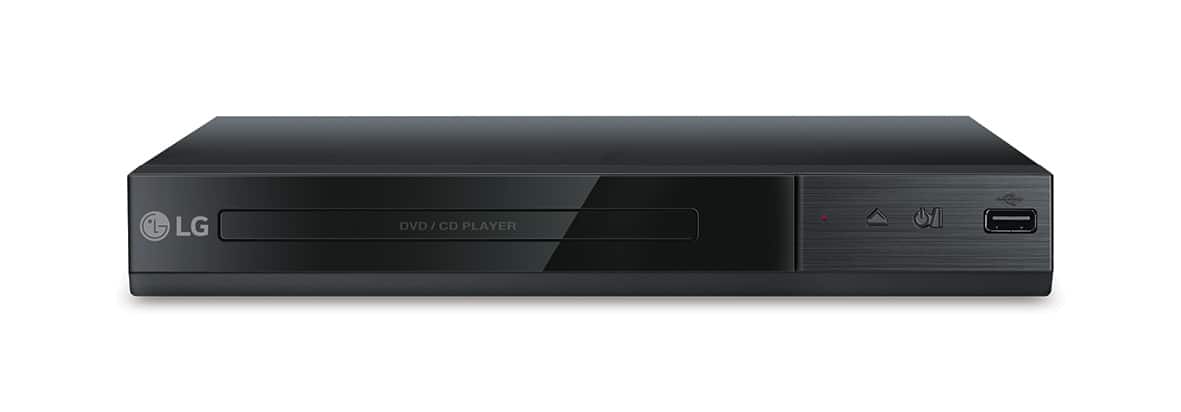
A:AnswerThis player does not offer streaming. Model UBK90- 4K Ultra-HD Blu-ray Disc™ Player with Dolby Vision offers 4K Streaming Content. The premium content includes Netflix and YouTube, https://www.lg.com/us/home-video/lg-UBK90-blu-ray-player. ^Daphane
A:AnswerThe LG DVD Player with USB Direct Recording - Black, Model # DP132 is region coded for Region 1. It will not play Region 2 discs. It will only play discs that are coded "All" or "0" and those coded for Region 1. ^Daphane