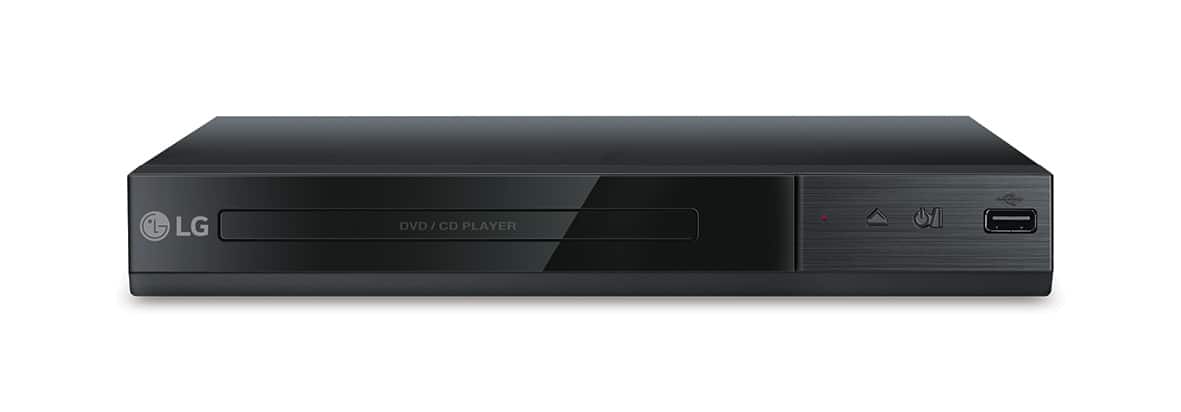
A:AnswerRegrettably, I do not have this information. LG is a Korean company with manufacturing plants in South Korea, the US, China and Mexico. ^Daphane
A:AnswerI'm pretty sure they do. Your best bet would be for you to look upon the Best Buy website search for blue ray-mp4's players on the product guide list. I'm pretty sure that you will find your answer better than what I could provide for you.
A:AnswerDuring Playback or pause mode on the LG DVD Player with USB Direct Recording, Model # DP132, you can press ZOOM repeatedly to select zoom mode. The Zoom sequence is: 100% > 200% > 300%> 400% > 100%. You can use ▲/▼/◄/► to move through the zoomed picture...^IFV
A:AnswerYou cannot transfer DVD movies to a USB flash drive with the LG DVD Player with USB Direct Recording, Model # DP132. You can only record audio tracks from an external source or from a DVD or CD that is playing in the DVD Player...^IFV
A:AnswerThe LG DVD Player with USB Direct Recording, Model # DP132 has a Composite Out (Yellow RCA barrel port) and an Analog Audio 2 Channel Output (Red/White RCA Barrel ports) for connectivity so it cannot be connected to your laptop...^IFV
A:AnswerThe LG DVD Player with USB Direct Recording - Black, Model # DP132 is region coded for Region 1. It will not play Region 2 discs. It will only play discs that are coded "All" or "0" and those coded for Region 1...^IFV
A:AnswerYou cannot play from the LG DVD Player with USB Direct Recording - Black, Model # DP132 into your Android phone via the USB port. The USB port on the DVD Player is not an output and it does not recognize phones...^IFV
A:AnswerAll the width, height, and depth measurements for the LG DVD Player with USB Direct Recording, Model # DP132 can be found on its product information page on the Best Buy site. Scroll down to 'Specifications' and click on that to open a page that has all the specifications then scroll down to 'Dimension'...^IFV
A:AnswerThe LG DVD Player with USB Direct Recording - Black, Model # DP132 is not a multi region player. It is region coded for region 1 DVD discs and will also play DVD discs that are coded as "All" or as "0"...^IFV
A:AnswerI wouldn't know if that's possible. Although I'm not very tech savvy, this is what I do know: it does have a USB port of course, and the power cord has a transformer-like device that plugs into a standard AC wall outlet. So I assume the player runs on lower voltage.
A:AnswerAs implied in the title, the LG DVD Player with USB Direct Recording, Model # DP132 only records "directly to a USB flashdrive". It cannot record a TV program to any DVD disc...^IFV
A:AnswerThe LG DVD Player with USB Direct Recording - Black, Model # DP132 will not work with a computer. Firstly, the USB port on the unit is an input and secondly, it does not recognize computers, like the USB ports on a TV...^IFV
A:AnswerThe USB port on the LG DVD Player with USB Direct Recording, Model # DP132 is an input and does not output audio. It will not work in any car regardless of brand or manufacturer...^IFV