“Does the Tracfone LG Rebel 4 LTE create Wi-Fi hot spots?”
Answer This Question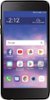
1-1 of 1 Answer
The TRACFONE - LG Rebel™ 4 LTE with 16GB Memory Prepaid Cell Phone - Black can be set as a wireless router so that other devices can connect to the Internet by using your device’s mobile data. On the settings screen, tap Network & internet > Tethering > Wi-Fi hotspot and then tap the toggle button to activate it. You can then tap Set up Wi-Fi hotspot and enter the Wi-Fi name (SSID) and password. This option uses mobile data and may incur data usage fees, depending on your pricing plan. Consult with your service provider for more information...^IFV
Sorry, there was a problem. Please try again later.