“I bought an LGRK7 in June. Last week I've been getting a bluetooth error and it wont let me use BT at all. I reached out to LG, and got no response. How can I get this fixed. It seems alot of people who have the speaker have the same problem.”
Answer This Question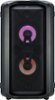
1-10 of 34 Answers
I literally have a party starting in 10 minutes and it came up with the error, didn't have time to fix it so just flipped it upside-down and shook it, works again now hahaha
Sorry, there was a problem. Please try again later.Just for anyone having this issue in 2023 lol I legit just flipped it upside down and shook it like the comments said and it worked!
Sorry, there was a problem. Please try again later.I had same issue, and was thinking ill need to buy another sound system as had for 4 year, but thanks to person who turned upside down and shake story, I did same and couldn't believe it is now working again lol thank you..
Sorry, there was a problem. Please try again later.Legit just shook the speaker and now it works! Im SHOOK!
Sorry, there was a problem. Please try again later.NO JOKE!!! The “ turn upside down and shake it actually worked!!!!!”
Sorry, there was a problem. Please try again later.Had this issue, spent about 50 minutes trying to fix it. I did the flip upside down method. Gave it a few decent (but gentle) taps on my dogs bed and I swear to you I was crying laughing when it worked.
Sorry, there was a problem. Please try again later.Your Product sucks
Sorry, there was a problem. Please try again later.You might think the upside thing is cap… but swear that junk actually works. I suggest turning it and lightly tapping it on something soft on the ground… but make sure it’s upside down
Sorry, there was a problem. Please try again later.Absolutely crazy. I turned it upside down and tapped it on the floor. WORKS NOW!!!
Sorry, there was a problem. Please try again later.Here's how I fixed the "BLUETOOTH ERROR" that popped up randomly: *DO AT YOUR OWN RISK* 1) unplug speaker and hold power button to ensure no power is left in the system 2) Remove the 8 bolts on the top lid. 3) Remove the 6 screws around the sides on the top lid (2 on left, 2 on right, and 2 above the input panel in the back) 4) remove the 4 screw covers on the top of the lid (they're some rubbery material, I used a knife to open), and remove the 4 screws 5) remove lid 6) remove two connectors (there is a plastic lever that you press down to allow you to disconnect it). do not worry, the connectors have a different amount of pins, one is smaller than the other so it's a no brainer to plug them back in once you're done 7) remove lid completely 8) remove 8 (or maybe it was 6?) screws holding the board to the lid 9) detach the board from the lid 10) there is a bluetooth module on the back side, it slides outwards from 11) either clean the pins that connects the bluetooth module (electronic cleaner or rubbing alcohol pads, let it air dry) or don't, i'm sure just reseating the module is what fixes the issue 12) reverse everything and put it back together. LG obviously wouldn't want you doing this as it probably voids warranty. whatever, I just wanted my speaker to work again. sorry I didn't see your post sooner, this just happened to me on Halloween mid party...
Sorry, there was a problem. Please try again later.


