1-1 of 1 Answer
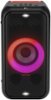
Hello there, Ash. Thanks for asking about connecting your LG XL5S Party Speaker to Bluetooth. We understand how exciting it is to get your party started with ease. To connect via Bluetooth, follow these steps: Turn on your LG XL5S Party Speaker. Activate the Bluetooth function on your smartphone or device. Search for available devices and select "LG XL5S" from the list. Once connected, you should hear a confirmation sound. For a visual guide and more tips, please visit: [LG XBOOM] How to connect to your XBOOM speaker via Bluetooth - https://www.lg.com/levant_en/support/product-help/CT20158013-20153900803443 If you need any more assistance or have additional questions, feel free to reach out to us on social media @LGUSSupport, and we’ll be glad to assist. —Renzo
Sorry, there was a problem. Please try again later.