“Can the volume of the ringer be locked into Maximum I keep hitting the button on the side of the phone moving to silent . Then I do not answer the phone because its on silent Thank you”
Answer This Question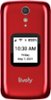
1-4 of 4 Answers
Great question! To lock the exterior volume buttons on the Lively Flip, from the Main Menu, select Settings and press the OK button, select Volumes & Sounds and press the OK button, select Volumes and press the OK button, select Lock Buttons and press the OK button, select Yes to lock the volume button or No to unlock them, and press the OK button.
Sorry, there was a problem. Please try again later.Yes!
Sorry, there was a problem. Please try again later.I found this answer on internet. Just dremel volume buttom down level to phone base. Can always use finger nail to push in and raise or lower volume if ever needed.
Sorry, there was a problem. Please try again later.can the volume of the ringer be locked to maximum on Jitterbug Smart 4 phone. I continue to hit button on side. then i miss calls thank you kathy
Sorry, there was a problem. Please try again later.