“Why won’t the Flip phone 2 answer by opening the flip? Why should you be required to enter “OK” in order to start talking? My mother can only use 1 hand and this two step process is a step back from original flip phones that answer upon opening the phone”
Answer This Question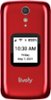
1-5 of 5 Answers
I see Lively answered a question like yours claiming that the Jitterbug has the flip to answer option but the truth is the Jitterbug is not a flip to answer phone. I flowed Lively's instructions and I called Lively. Mine and my mother's is still a two step operation. I am looking for another phone.
Sorry, there was a problem. Please try again later.I just bought the flip phone today at Best Buy and it does not have 4) Scroll down to Answer on Flip Open. It is not an option on this phone.
Sorry, there was a problem. Please try again later.because it doesnt
Sorry, there was a problem. Please try again later.Actually, I think there is an upgrade that will allow this to happen. The old phone used to.
Sorry, there was a problem. Please try again later.Great questions. The Jitterbug Flip 2 now has an option to answer when flipped open. To enable this feature. 1) Start at the Main Menu screen 2) Scroll down to Settings and press the OK key 3) Scroll down to Accessibility and press the OK key 4) Scroll down to Answer on Flip Open, see which mode it is in “on” or “off” and press the OK key 5) Select which state you want the feature to be in by scrolling up or down to select either: “On” or “Off” and then press the OK key to make that selection. 6) Screen returns to the Settings menu 7) Close the flip and reopen to return to the Main Menu or press the Back key twice to return to the Main Menu. If you need assistance with enabling this feature, please call our Customer Service at 1 800-733-6632.
Sorry, there was a problem. Please try again later.