“PRODUCT ENGINEERS NEED SOFTWARE TO: LOCK RINGER/SPEAKER VOLUME MAX/VIBRATE! BLOCK #'S NOT IN CONTACT LIST (I.E. SCAMS)! USB TYPE C POWER CORD! OPEN PHONE TO ANSWER CALLS! ALL THESE THINGS TRULY ESSENTIAL FOR SENIORS :) WORK SMART NOT HARD”
Answer This Question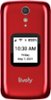
1-1 of 1 Answer
We appreciate your feedback and want to take this opportunity to provide some information. We would like to help you with the volume issue. You can turn off (or lock) the volume buttons on the side of the phone if you keep accidentally pressing them. From the Main Menu, select Settings and press the OK button. Select Volumes & Sounds and press the OK button. Select Volumes and press the OK button. Select Lock Buttons and press the OK button. Select Yes to lock the volume buttons or No to unlock them and press the OK button. Thank you for the suggestions and we are actively working on having the ability to answer the phone by opening it.
Sorry, there was a problem. Please try again later.