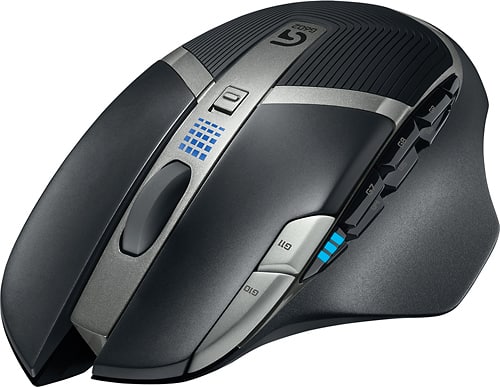
A:AnswerYou need G software to run the macros so not sure how it will work in chromebook. You can set up keystrokes etc and store in on board memory but to execute the commands it seems to run only when the Logitech service runs.
A:AnswerBecause this mouse has the option of lowering and raising it's DPS, it should work well to resolve your "shaky hands" issue. But using a very high resolution and a relatively low DPS you should be able to increase your accuracy.
A:AnswerI've been using this mouse for the last 2-3 years! Over that time I have tried 90% of the other "BEST OF YEAR" gaming mice, even other Logitech models, and this is still the best feel and responsiveness.
A:AnswerFrom what I remember when I was using my Steam Link, it's just streaming video from your PC to your TV, so essentially, your TV is just a monitor for your PC. You should be able to do anything you can do on your computer via Steam Link.
A:AnswerLaser Mice use a fine point light to bounce off the surface vs. the optical ones which shines a light has has a tiny camera look for the reflection. Optical mice usually have issues working on very shinny surfaces like desks without a mouse pad. Laser mice don't mind the shinny surface since it is 1 light being pointed downwards and looking for reflection.
A:AnswerI used to have the wired version of this mouse, yes this is how the mouse is designed. It's to allow tightly controlled scrolling (the clicking) or a quick scroll that has a lot less friction (the loose).
A:AnswerThis mouse is extremely quiet and the optic is invisible. It can be used on any flat surface just like a laser mouse -- no mouse pad is necessary.