“We have had this device (Logitech-Harmony 650) on our large TV (with stereo sound) for about 4 years, but now is not operating the system very well. If I bought a new one what would I have to do to make a transition from the old one to the new one?”
Answer This Question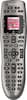
1-3 of 3 Answers
Since you used MyHarmony app to program the original - it's configuration is saved. So just save that configuration to your new remote.
Sorry, there was a problem. Please try again later.If you have all of your settings stored in My Harmony (which you should - that's how you should have programmed the remote in the first place) - then replacing a super easy. Just hook the remote up to your computer using the USB cable it will come with, and sync it with My Harmony, and all of your settings will move over to the new remote.
Sorry, there was a problem. Please try again later.You go to myharmony.com. Hook up the remote to the computer. Remove the devices from the old device and then disconnect the remote. Then connect the new remote and put in your devices one at a time and sync each one. You will need the name of each device and model number. It is really simple to do. I have done it several times.
Sorry, there was a problem. Please try again later.