“Do we need a new remote because recently it takes 5 or more presses of the "All Off" button to shut down the system? Our device is relatively new (about 2 years old). Our second Logitech Harmony 650 remote for our upstairs TV works perfectly well. Both of our Harmony 650 remotes were purchased at Best Buy.”
Answer This Question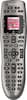
1-6 of 6 Answers
Probably not. If you use the HELP button right after you hit the All Off and run through the process, after about the third time (you can do this by doing it multiple times in sequence) it will realize there is an issue and start a different "FIX IT" process and try to get everything back in order. Good luck.
Sorry, there was a problem. Please try again later.I sometimes need to hold mine for a few seconds at my equipment for everything to turn on, so you may be experiencing the same but at shutdown.
Sorry, there was a problem. Please try again later.Always check the batteries, if you haven't already. Replacing low batteries have always solved any of our problems with this remote.
Sorry, there was a problem. Please try again later.Are you using the help assistant to get everything turned off or are you just pressing the all off several times? You should first use the help assistant and see if that fixes the problem. If not log into your harmony software and troubleshoot and then be sure to update your remote before logging off. While you are logged into the software be sure you have all your controlled home entertainment equipment turned off. Not sure why but this is what Logitech advises.
Sorry, there was a problem. Please try again later.I also had a problem with not all items shut down. I just push the help button and that takes care of the specific item not off. It only happens occassionally
Sorry, there was a problem. Please try again later.First check to see if there is a new software version on Harmony's website out there for your remote and if not, YES you need a new one
Sorry, there was a problem. Please try again later.