1-2 of 2 Answers
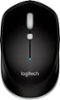
On the underside of the mouse there's a removable cover. It doesn't take much force at all to remove. Then you swap for another AA battery
Sorry, there was a problem. Please try again later.Hello Dave, on the underside of the M535 mouse, slide the battery compartment cover down and lift it off the mouse body. Replace the spent batteries with two new AAA batteries and reattach the compartment cover. Your mouse will work as good as new with the new batteries. I attached a link to help with visuals. Have a great day. https://www.logitech.com/en-us/manuals/m535-setup-guide
Sorry, there was a problem. Please try again later.