A:AnswerAccording to Autodesk's latest marketing materials for AutoCAD 2014, it will be Windows 8 compatible, and actually have a "touch mode" to optimize the experience.
A:AnswerHi there GTH.
Thank you for your question. Surface Pro is entirely touch friendly and may be the perfect solution for you. In regards to compatibility, I recommend checking with the software manufacturer for more details on specific touch features of the application.
Hope that helps!
A:AnswerI recommend the Microsoft Surface Pro or Pro 2. I just purchased the 128 GB version of the Surface Pro and Microsoft Office. The machine is equipped with Intel I5 processor and 4 GB RAM which is much more than enough to run all of applications in Office. Also has 1 USB 3.0 port and of course can use hub if needed.
A:AnswerHello there,
The Surface Pro 2 currently includes a built-in 4th Gen Intel® Core™ i5 with no scheduled release date on an update to its current processor.
I hope this was helpful to you.
A:AnswerHey there.
Thank you for your post. Surface does not have GPS; however, there are location services included in the operating system that can be used with WiFi.
I hope this is helpful to you. Have a good one!
A:AnswerBest Buy doesn't offer an official student discount at this time. Individual stores may choose to hold special back-to-school events, however, so make sure to speak with the staff at your local store for more information.
A:Answer365 is a new mode from Microsoft for Office, you pay $100 per year and the license can be use in 5 computers, and the upgrades are mostly free, normal license aka. home/student comes with only one license.
A:AnswerI imagine that a Microsoft store could help you with that but a simpler solution may be to pick up a book for beginners explaining the Surface Pro. There are some wonderful ones out there for those just getting started. Good success with your new computer. I have that model also and have very much enjoyed it.
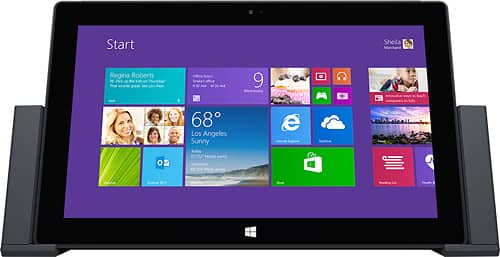
A:AnswerThere is a docking station available, and with a USB hub you could make your own and plug in all the USB peripherals you want. Since it is a full windows 8 computer you don't need to toggle a dock setting. Hope this answers your question.