1-2 of 2 Answers
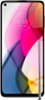
The display is very bright
Sorry, there was a problem. Please try again later.Hi Penny, We appreciate your interest in our product. Our Moto G Stylus 2021 phone has an option to adjust the brightness. To change, go to Settings > Display > Tap Brightness level, then adjust the slider as desired and tap Adaptive brightness to turn on the switch on or off. Should there be any further inquiries, please do not hesitate to email at supportforums@motorola.com. We'll be glad to help. -Mitch
Sorry, there was a problem. Please try again later.