“Some new equipment installed--CPU,& Router. Remote printer is not working. How to reset Netgear AC1200 which is located half way between roiuter and printer? Don't have original installation with settings!”
Answer This Question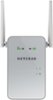
1-2 of 2 Answers
The first thing to check is if the extender is compatible with your new router, is your ISP possibly blocking it? If your equipment is compatible and you need to reconfigure it, there is a small hole on the side of the unit that has the ethernet port on it. You will need an object the diameter of a paper clip, insert that into reset opening and press until your lights all illuminate on the extender (it will need to be plugged in for this) You can also go to the manufacturer website and download a .PDF of the setup instructions. Hopefully, this provided useful for you.
Sorry, there was a problem. Please try again later.The following resource will give you the instructions https://kb.netgear.com/31520/How-to-reset-my-EX6000-EX6120-EX6150-to-factory-default-settings
Sorry, there was a problem. Please try again later.