“I want to buy a gaming pc because I just got a job and I want it in my room where the router is not, would this work for my gaming pc and still run games without lag or will it not be able to handle it.”
Answer This Question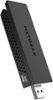
1-5 of 5 Answers
Works well for me. As long as you have a wireless capable router
Sorry, there was a problem. Please try again later.It depends on what game and how far from the router you are. If you are trying to connect to a server that is far away, good luck with the lag. But if you are somewhat close to the server and your router you should be able to play without lag.
Sorry, there was a problem. Please try again later.Dear Caprissa; I understand your position. You want the gaming pc to be in your room, but the equipment is elsewhere. Your problem is this: There is no Wi-Fi support in any PS2. To use wireless Internet with the PS2, you must use a third-party Ethernet bridge. The Ethernet bridge connects to your Ethernet port/network adapter and transmits the signal to your wireless router. For the best connection for a gaming pc involves running an ethernet cable from one room to the other. With this type of connection, you will have fewer interruptions during game-playing moments. Best of luck, Consultant Brian
Sorry, there was a problem. Please try again later.It should work, but I would go with the ac1900. I am running a nighthawk ac3200 router and the ac1900. My gaming PC is on the ground floor, router upstairs and I have no lag issues. The extra little money goes a long way! Pictures does not do the ac1900 justice. It is 3 times the size as the other!! I have attached a picture showing the size difference between the 2, and well, size does matter :)
Sorry, there was a problem. Please try again later.Yes it would. It would act as if it is plugged directly into your router. Just plug one into an outlet by the router the plug it into the router and take the second one and plug it into the outlet closest to your PC in your room. Add as many as you want around the house if you want to expand but DO NOT plug it into any surge protectors or power strips as it may not work at the very least cut down on speed.
Sorry, there was a problem. Please try again later.
